
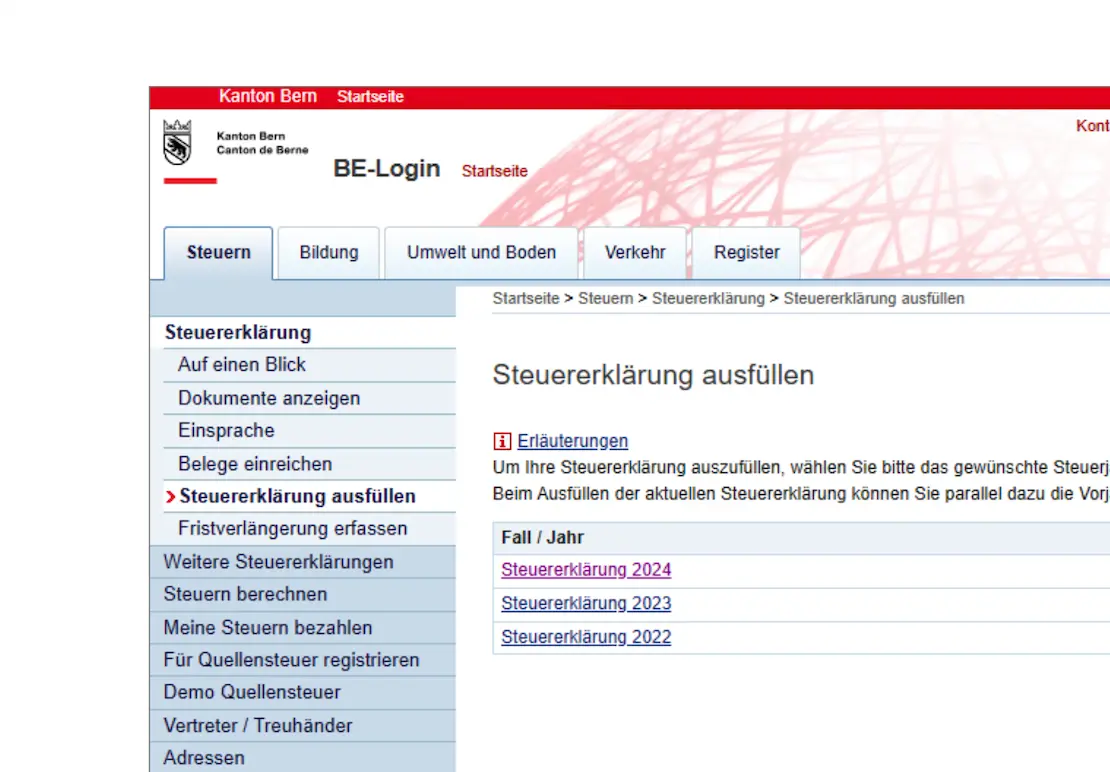
In the second part of the TaxMe-Online guide, we have completed the following sections of our Swiss tax return (for the canton of Bern): assets and securities.
Now we continue with the last categories, in particular the interesting section on real estate!
Step 7: Land / real estate as part of private assets
Real estate in private assets, owner variant
If you own real estate, whether a detached house, an apartment or even just a piece of land, you must declare it on your tax return as part of your private assets.
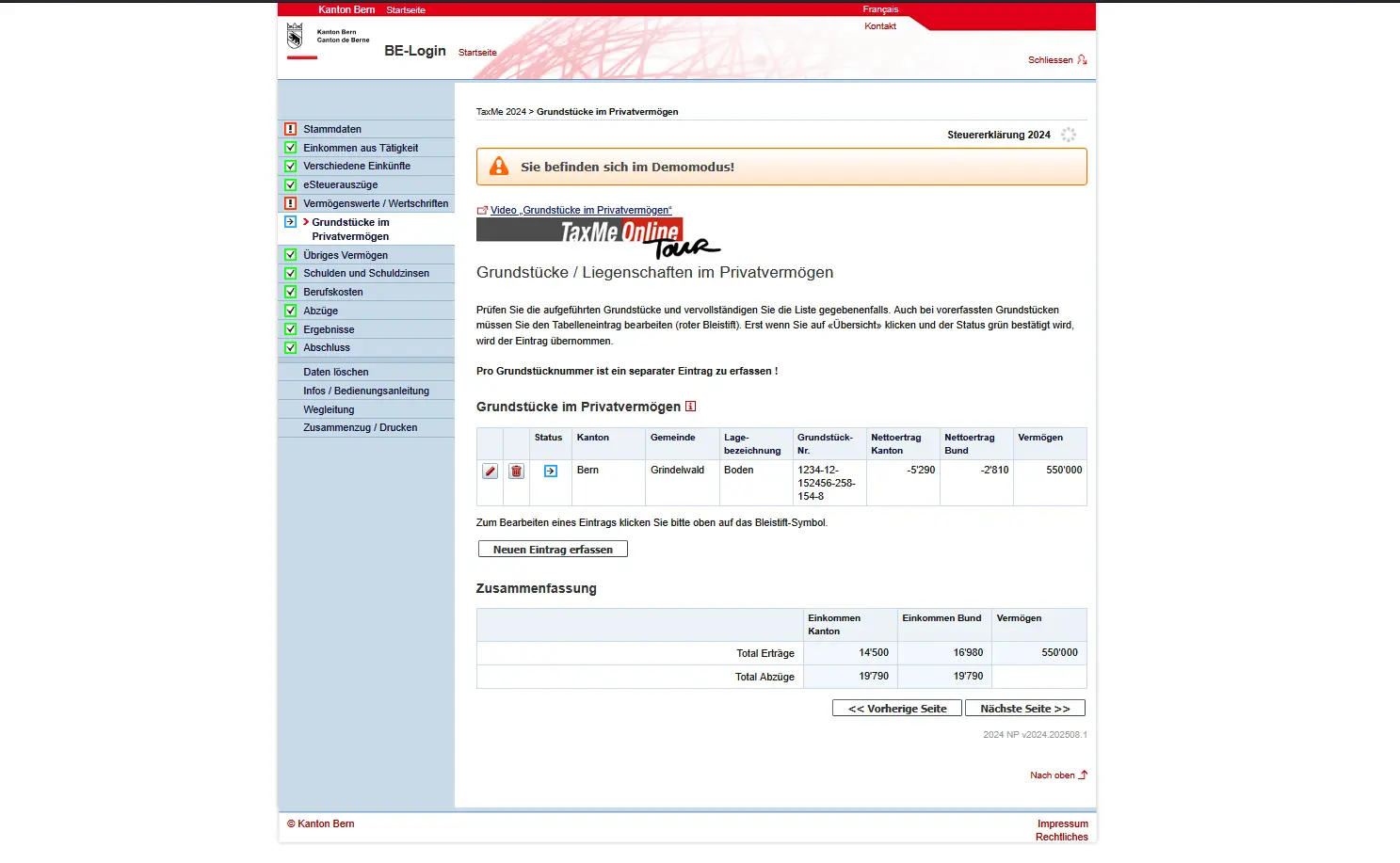
Overview of land in private assets in TaxMe-Online with real estate data and tax values in the canton of Bern
The tax authorities already know a lot of the data: plot number, location designation, official value and rental value are often pre-filled. Your task is to check the data and complete it if necessary. Even if you have sold a plot or relinquished a right of use during the tax year, you must enter it here.
Important: as an owner, you will be charged a rental value. This is a fictitious income which is calculated as if you were renting your own property. At the same time, you can deduct maintenance costs, interest charges and insurance premiums. The result is a balance between income and deductions.
If you own a photovoltaic or solar thermal system, you must also enter the acquisition value. The tax value is calculated automatically. You can also claim the acquisition costs as investment costs, provided the invoice was issued in the relevant tax year.
Real estate in private assets, tenant variant
If you don’t own any real estate but are a tenant, you don’t need to enter anything in this section. The “Real estate” module in private assets only concerns owners or persons with rights of use such as the right of habitation or usufruct.
As a tenant, you’ll skip this section completely.
Real estate in private assets, community variant
Perhaps you’re not the sole owner, but part of a community of heirs or co-owners. In this case, you must declare your share of the community’s income and assets on your tax return.
The community of heirs itself also submits its own tax return, which must be sent in by a “lead person” by March 15 of the following year. You will receive a copy to use for your own tax return.
Special features:
- Small communities: if the community comprises a single plot of land with an official value of less than CHF 5,000, there is no separate tax return. In this case, you declare your share directly here.
- Usufruct: if there is only one registered usufruct, a community declaration is not sufficient either. Instead, the person with the usufruct is taxed on the official value.
- Communities outside the canton: even if the property or the deceased is located outside the canton of Bern, you must declare your share of income and assets here.
Example: you are co-owner of 1/3 of a detached house. The official value is CHF 600,000, the rental value CHF 18,000. On your tax return, you therefore declare assets of CHF 200,000 and income of CHF 6,000.
Step 8: Other assets
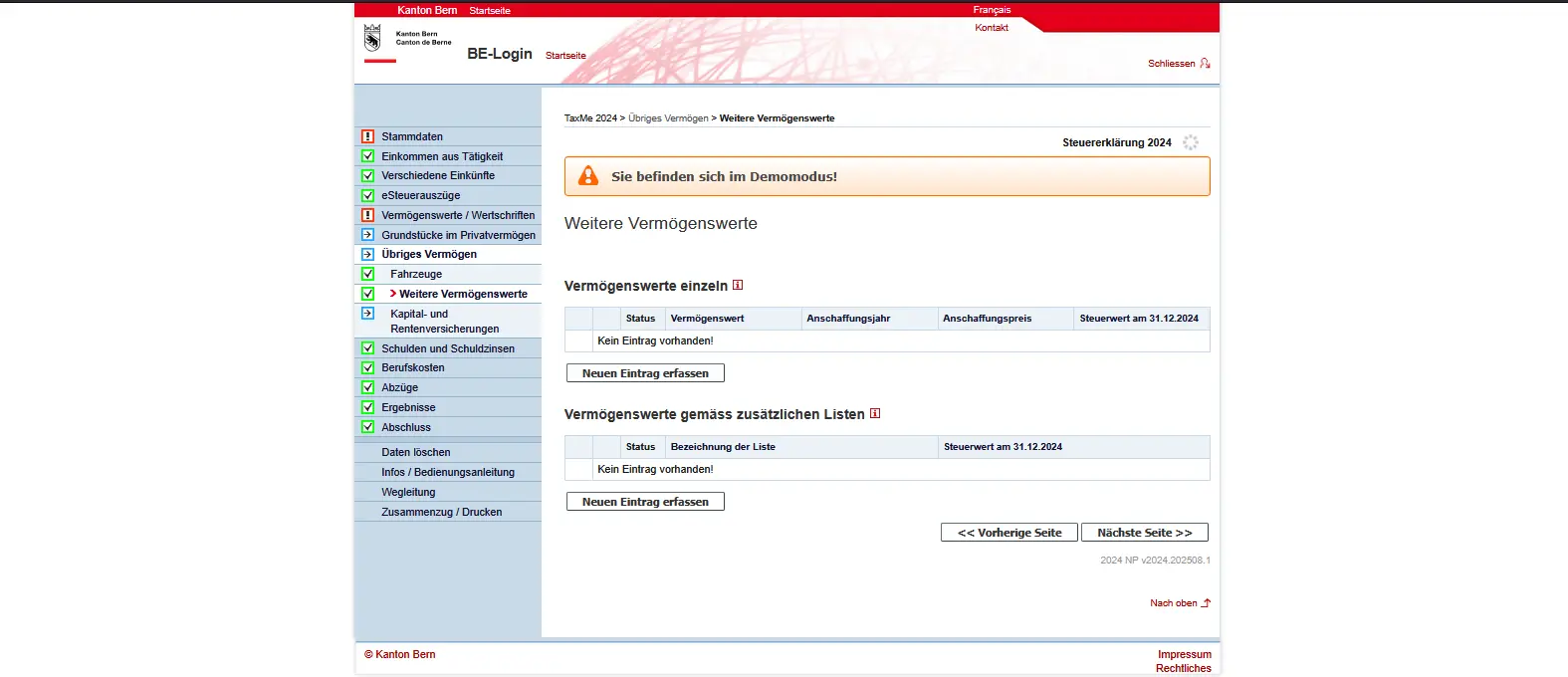
Under “Other assets”, you enter items other than bank accounts, securities or real estate.
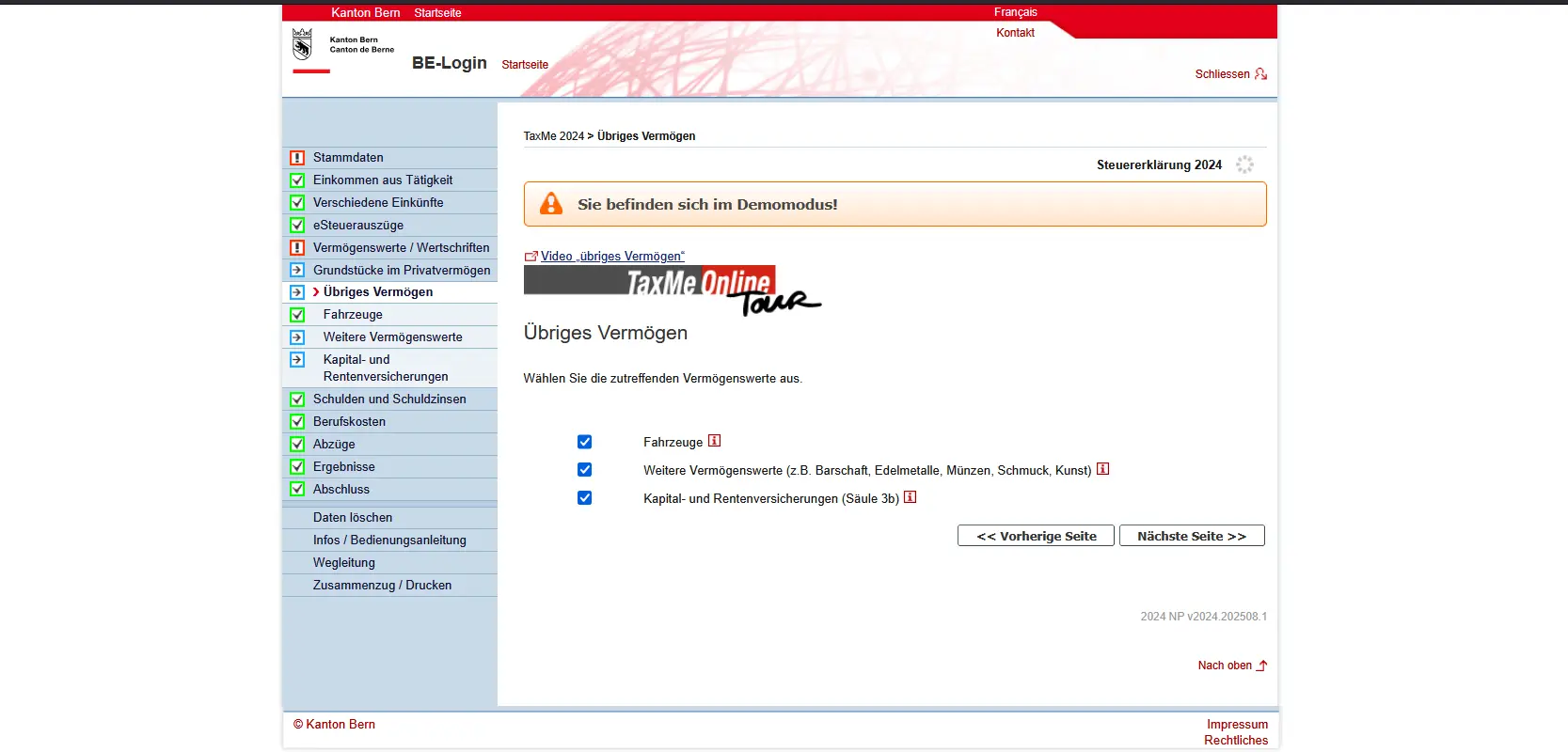
Here you enter vehicles such as cars or motorcycles (not leased). The tax value is automatically calculated on the basis of purchase price and age. Oldtimers are not classified here, but under other assets.
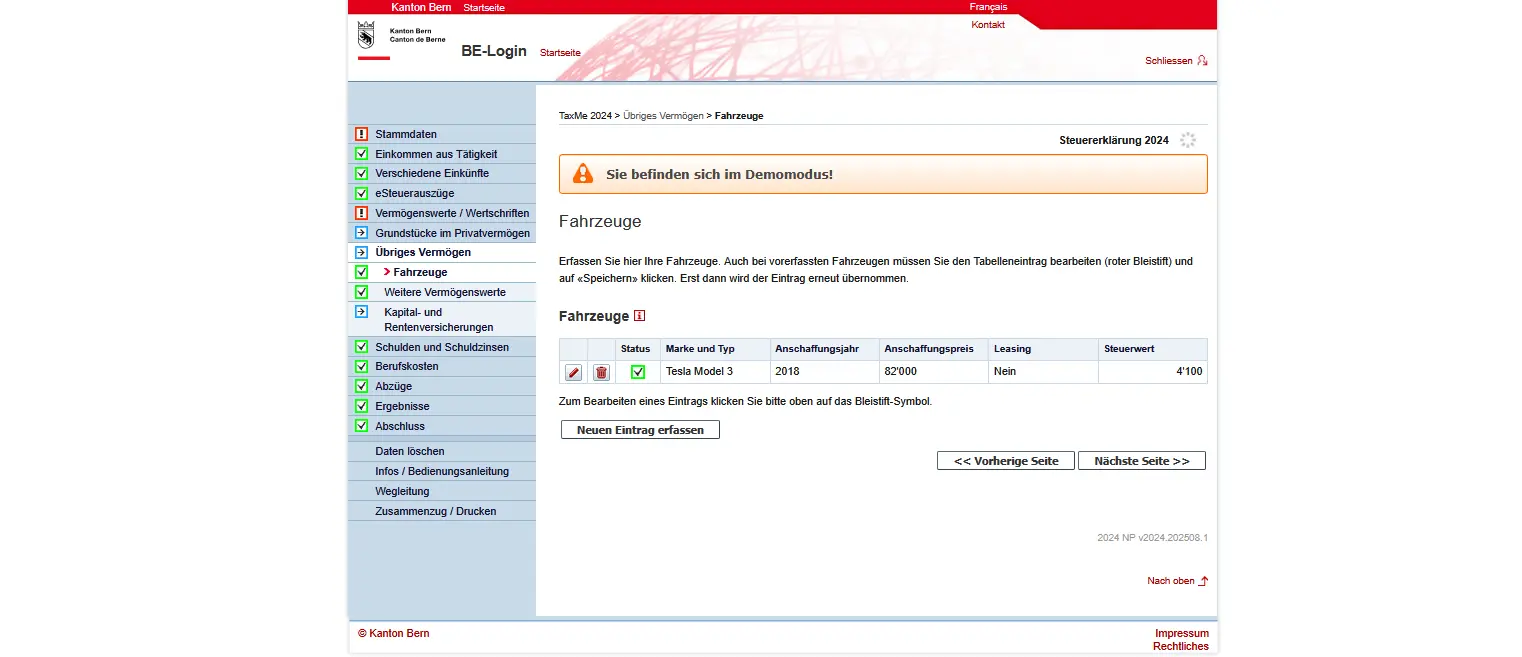
Entering vehicles in the TaxMe-Online tax program, including year of purchase, purchase price and tax value
Other assets include cash, precious metals, jewelry, collections, horses and classic cars. The market value on December 31 is decisive.
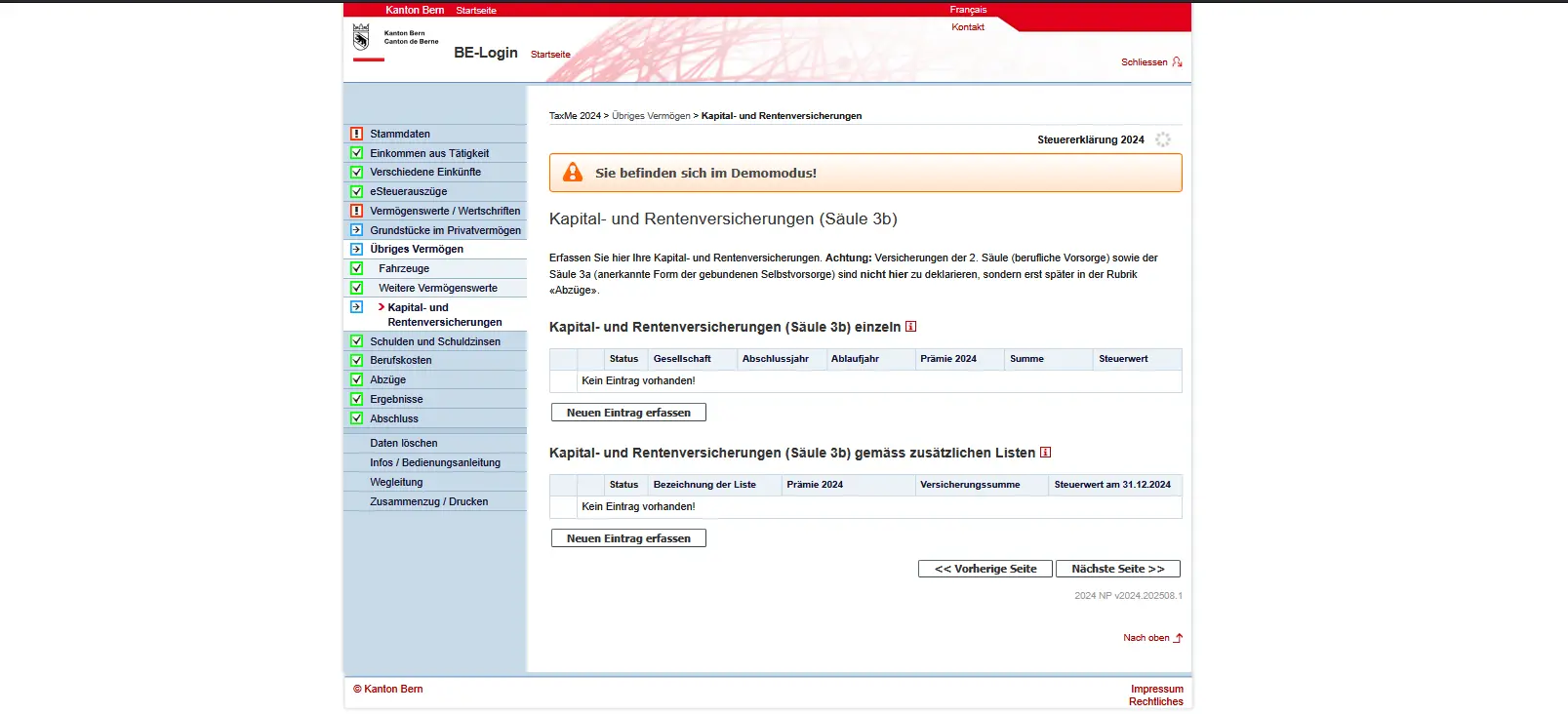
Finally, this is where you enter your Pillar 3b capital and annuity insurances. Only surrenderable insurance policies are taxable, and only at their surrender value on December 31. This also applies if you already receive annuities. Non-cashable insurance policies are entered with a tax value of 0. You will find the necessary information in your insurance certificate.
Step 9: Debts and interest expenses
Your debts must also be shown on your tax return, specifically the statement as at December 31, as well as any interest paid during the tax year.

This most often concerns mortgages, which you enter here. The mortgage reduces your taxable assets, the interest reduces your taxable income. You can also specify other private debts, such as a personal loan, an overdrawn account or an outstanding credit card bill. Car leasing, on the other hand, is not tax-deductible.
Practical: if your bank offers an electronic tax statement, mortgages and credits are usually already included and don’t have to be entered manually again.
Federal taxes are a special case: they are due the following year. This means that by December 31, you already have a debt to the federal government. The tax authorities will provide you with the relevant documents in good time, so that you can easily reclaim the amount.
Step 10: Business expenses
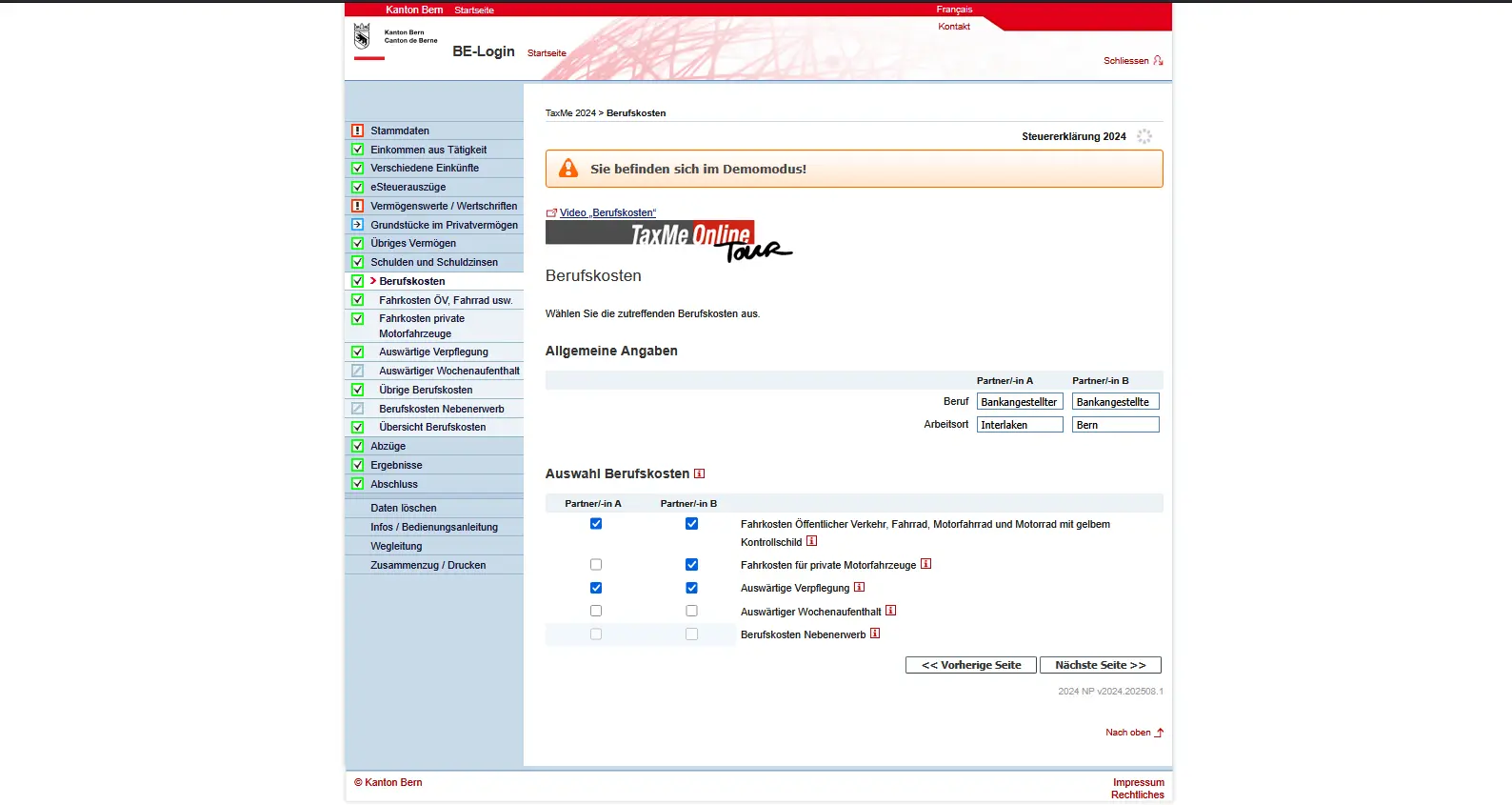
Under business expenses, you can deduct all work-related expenses. TaxMe-Online offers you different categories for this.
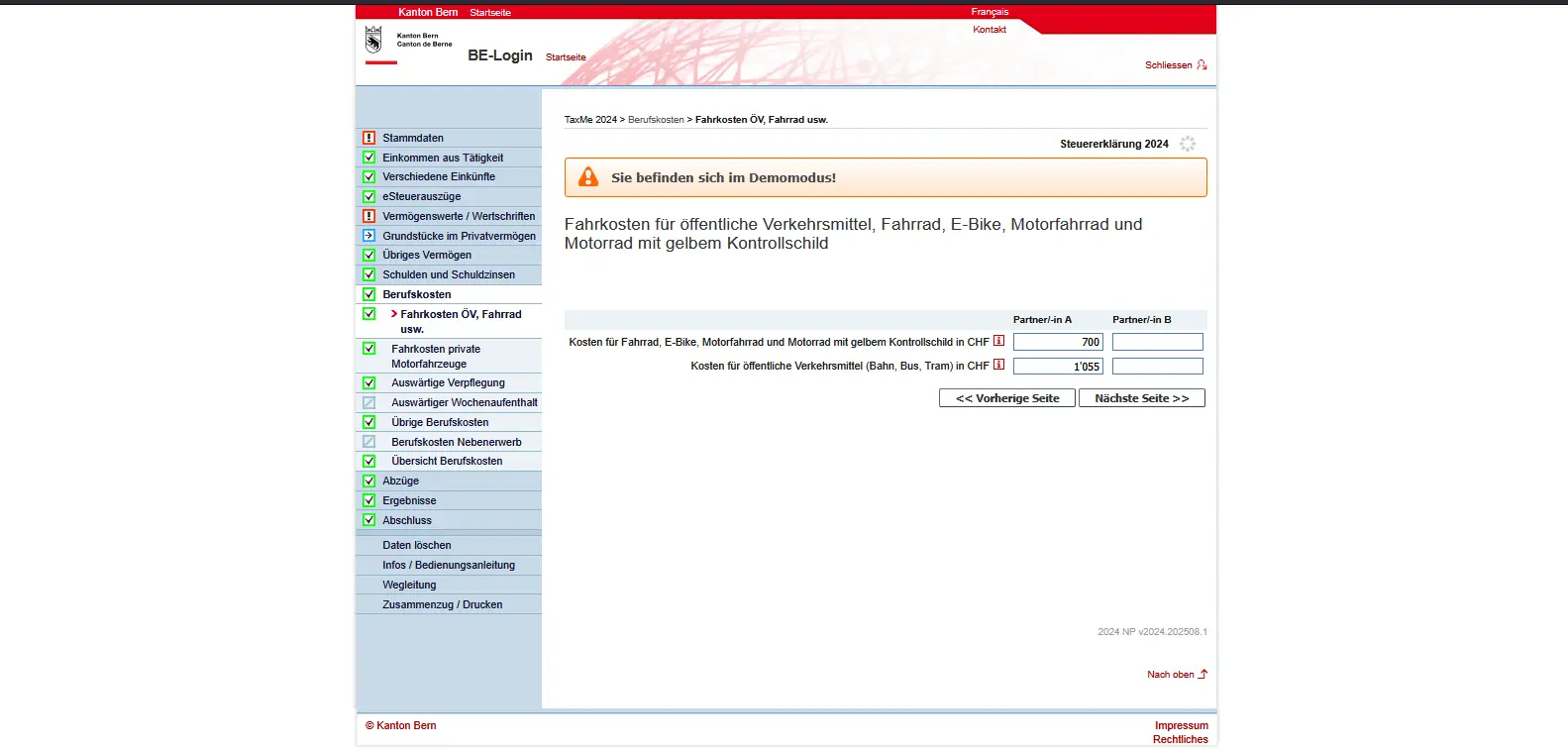
Travel expenses
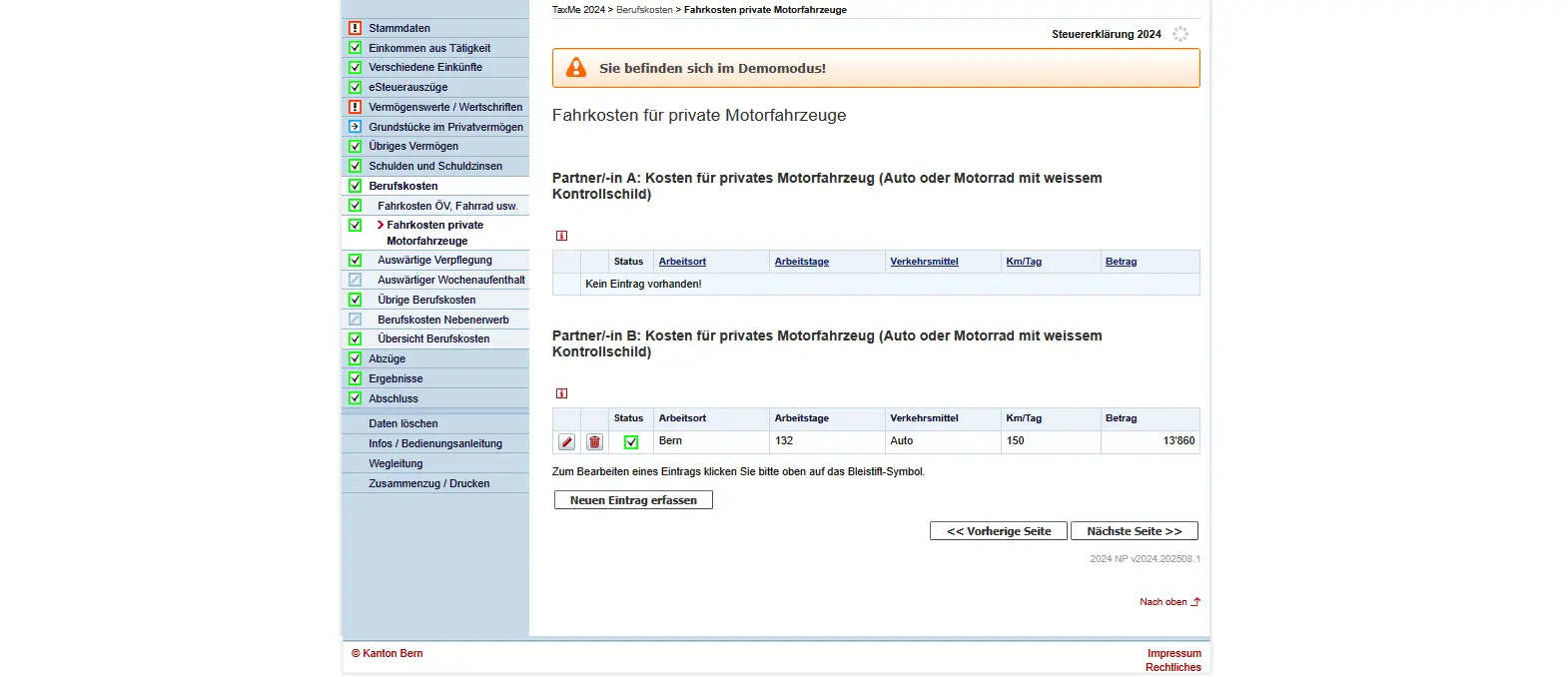
Do you use public transport? If so, enter your GA travelcard, your route pass or the actual cost of the ticket here. People who travel by car can only deduct expenses if the journey to work by public transport is unreasonable (e.g. no connection, infirmity or more than one hour’s overtime per day).
Eating out
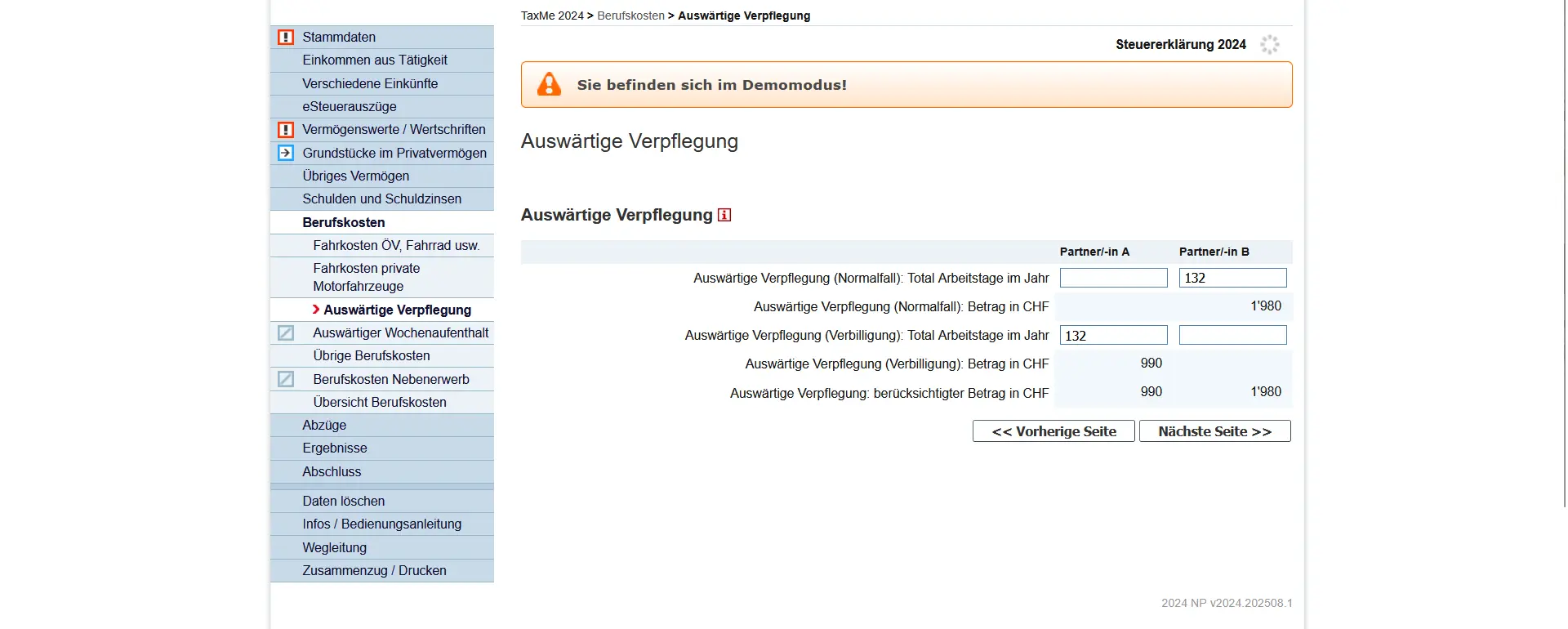
Can’t make it home for lunch? If so, you’ll receive a lump sum of CHF 15 per working day, up to a maximum of CHF 3,200 per year. If your employer reduces the price of your lunch (canteen, luncheon vouchers), you receive CHF 7.50 per day, up to a maximum of CHF 1,600.
Other business expenses
This is where you enter anything that is still part of your job, such as professional clothing, specialist literature, tools or membership of professional associations. By default, a flat-rate deduction of 3% of net salary is automatically granted (minimum CHF 2,000, maximum CHF 4,000). You must provide proof of actual expenses.
“Workroom” and computer
If you have a separate workroom at home that you use regularly for a significant part of your work, you can deduct the costs. The same applies to computers or software, if you use them mainly for business purposes. In this case, however, you must deduct the 25% private share.
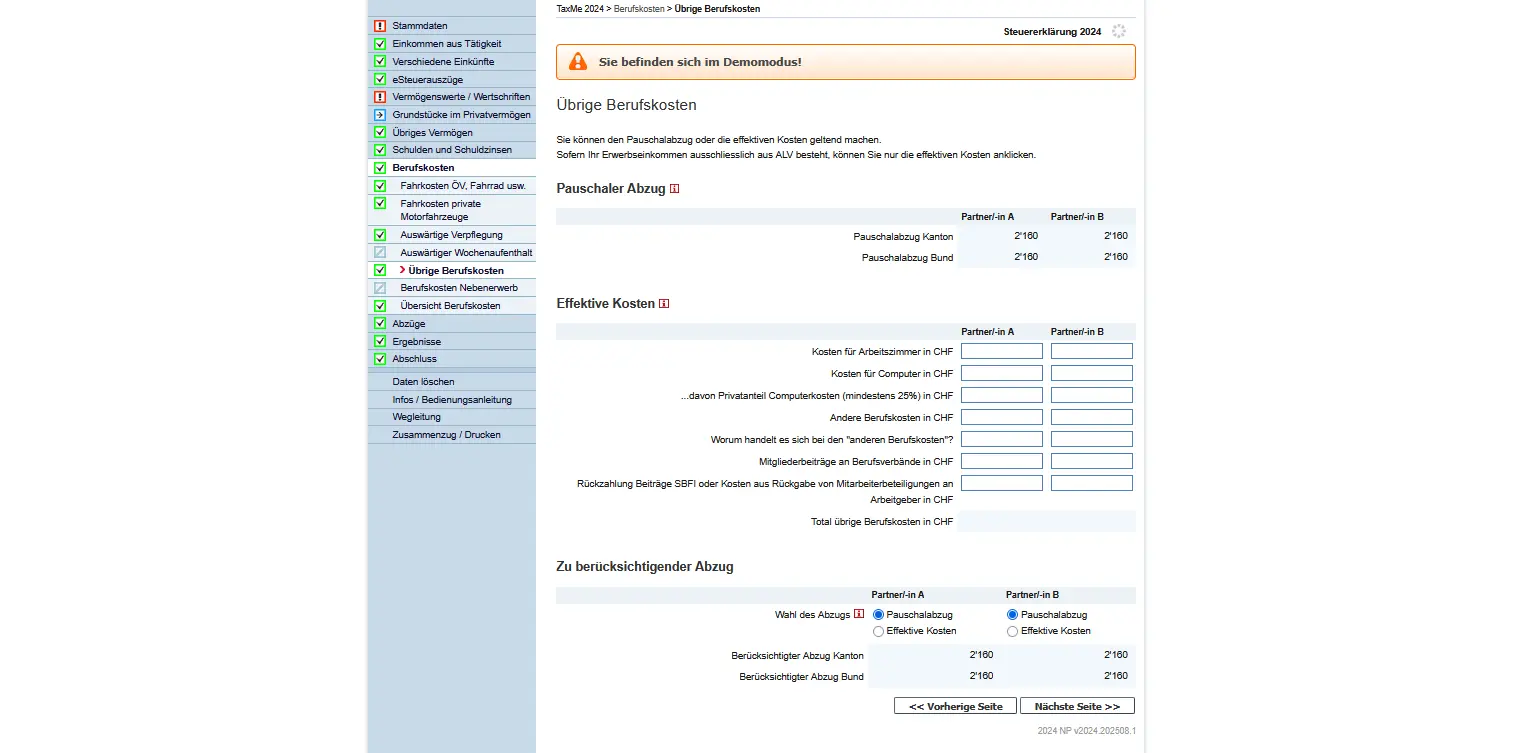
Mask 'Other business expenses' in TaxMe-Online Bern with flat-rate deduction and actual costs for workroom, computer and other business expenses
Other special cases
Rarer situations are also covered: restitution of employee shares at a price below their value, reimbursement of federal contributions for examinations or other special professional expenses. In such cases, a close look at the employer’s certificate or guide will help.
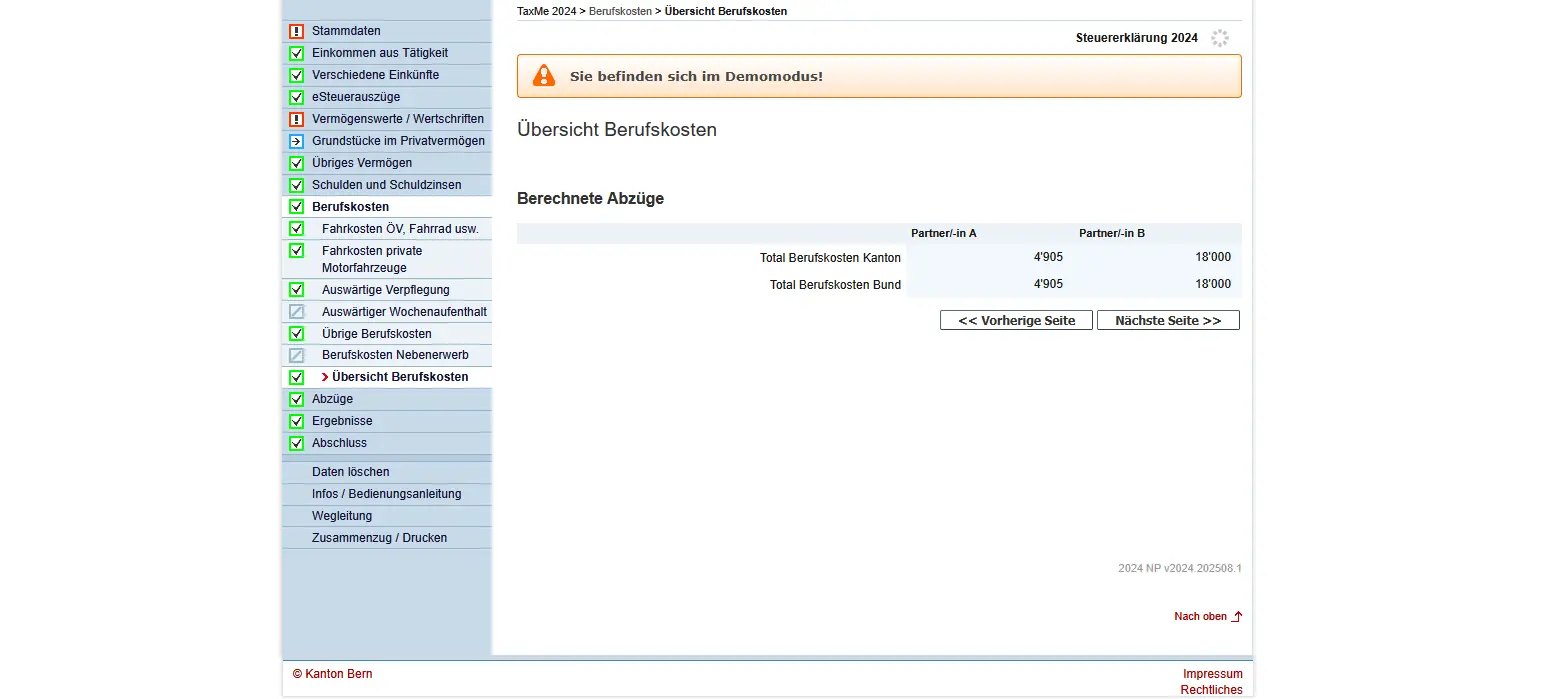
At the end, you’ll get an overview of business expenses and the deductions calculated:
Step 11: Deductions
Before submitting my tax return, I always go through the same checklist to avoid costly oversights. I detail all my Swiss tax deductions here, with concrete real-life examples:
My Swiss tax deductions: real-life example and checklist (2026)
In this step, you select the categories of deductions that are relevant to you. These could be, for example, continuing education costs, Pillar 3a payments, insurance premiums or donations. These deductions help you reduce your taxable income. Important: select only those categories for which you have actually incurred expenses and for which you can provide receipts.
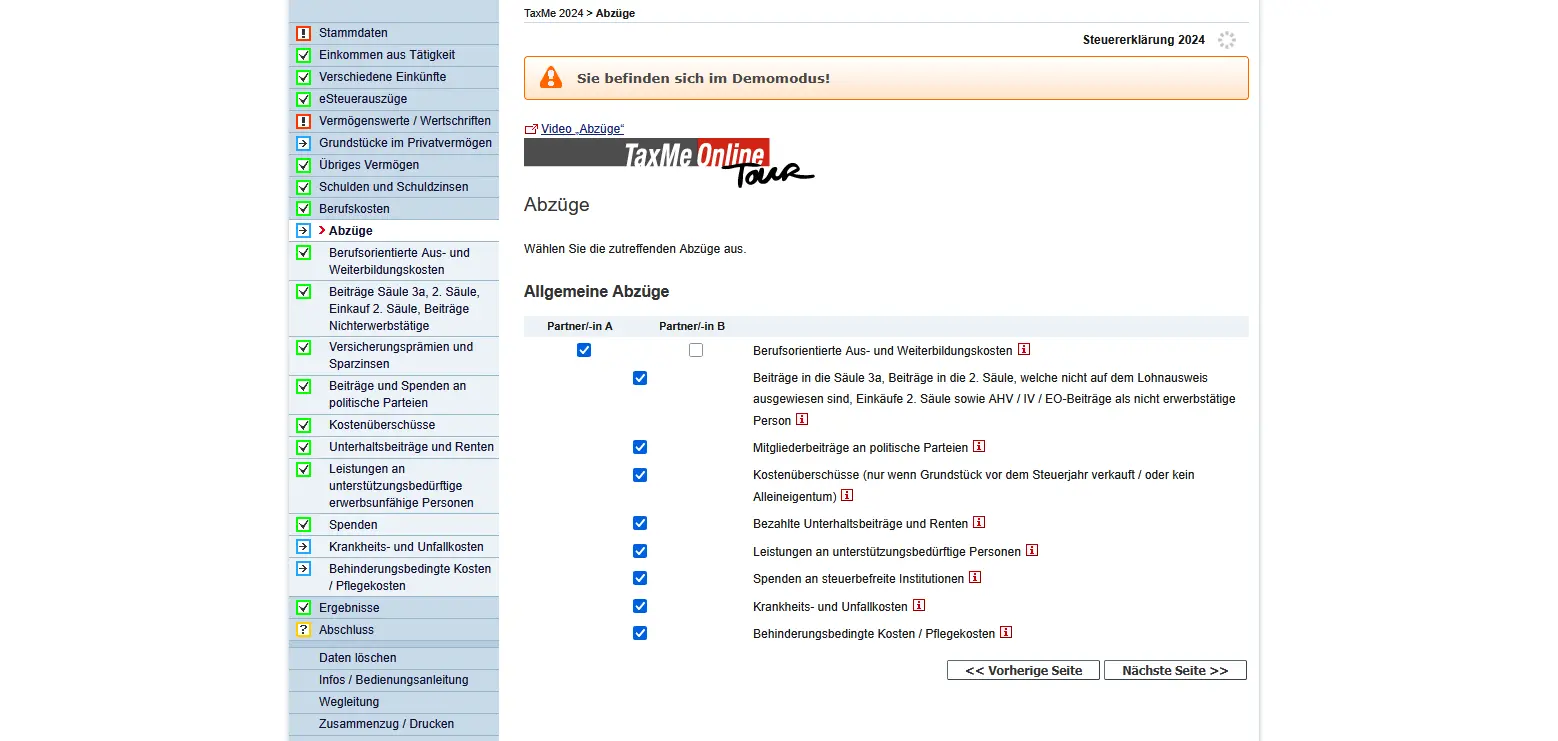
Section 'Deductions' in TaxMe Bern with selection of general tax deductions such as continuing education, insurance and medical expenses
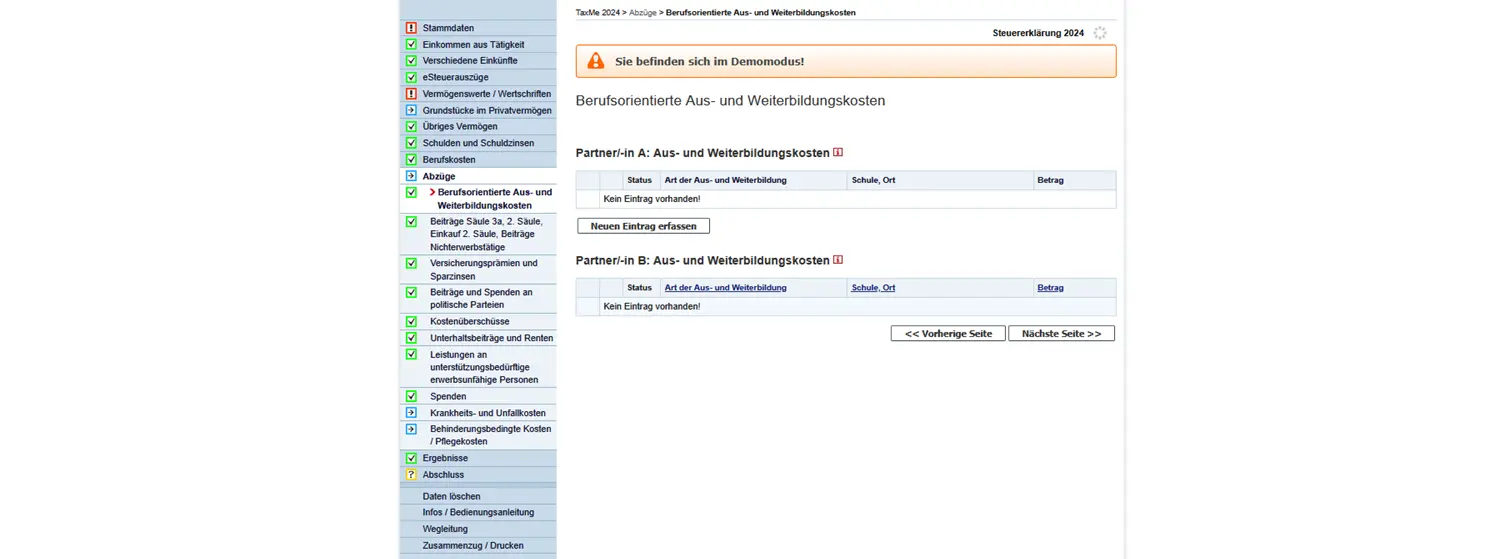
Vocational training and continuing education expenses
If you took part in further training or retraining during the tax year, you can enter the costs you incurred yourself here. Only courses related to your professional activity are deductible, so dance classes or language vacations do not count. The deduction is limited to CHF 12,500 (canton) or CHF 12,900 (Confederation) per year. Don’t forget: third-party benefits such as employer contributions or scholarships must be deducted from the invoice amount.
Pillar 3a / 2nd pillar contributions, purchases, AHV/IV/EO
Here you can deduct your Pillar 3a contributions, 2nd pillar purchases or AHV/IV/EO contributions (if you are not in employment).
- For Pillar 3a, there is a maximum annual amount which depends on whether or not you are affiliated to a pension fund. See “Contributions to pillar 3a (linked pension provision)" for details.
- You can also deduct voluntary purchases in the 2nd pillar, but only if you have actually paid in the amounts.
- If you are not in employment, enter your minimum annual AHV/IV/EO contributions here.
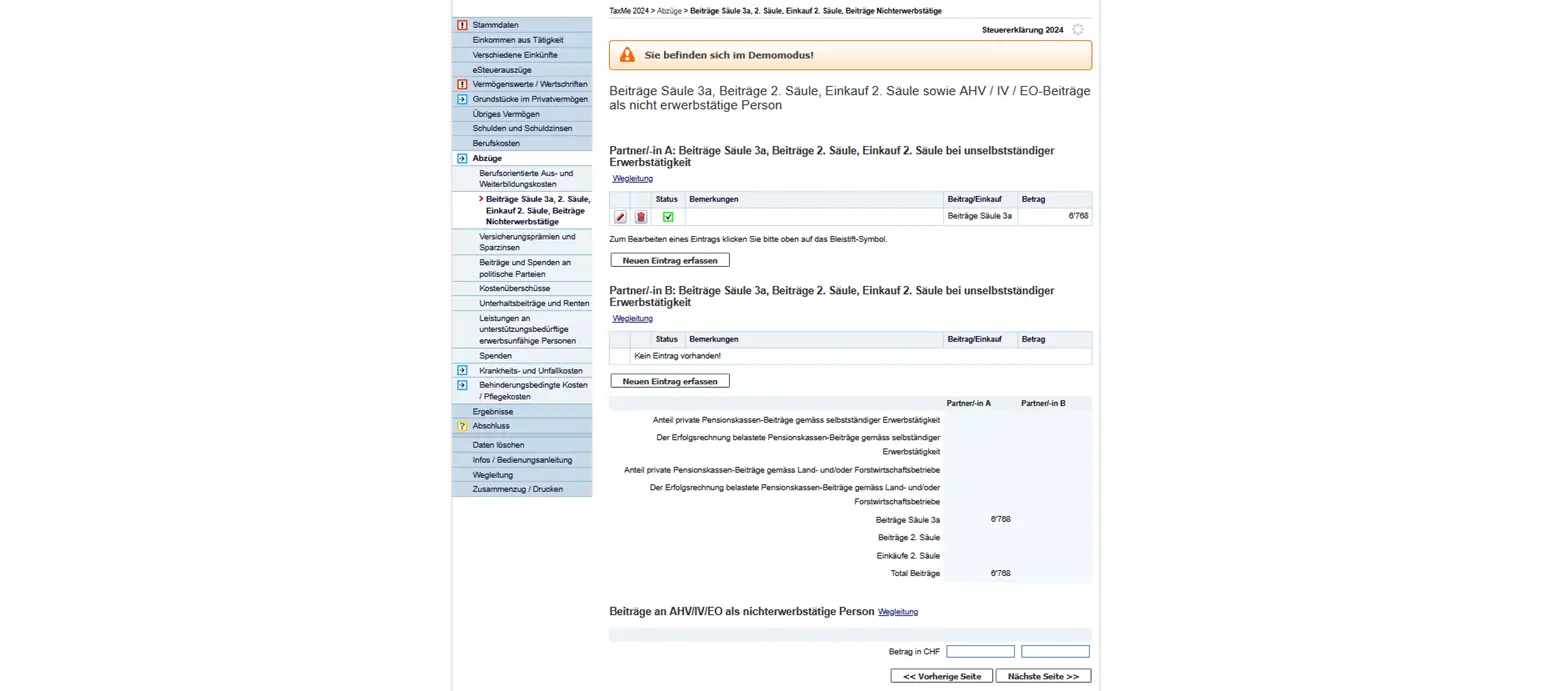
Entering Pillar 3a and 2nd pillar payments, as well as AHV/IV contributions for persons not in gainful employment
Insurance premiums and savings interest
In this section, you enter your health, accident and disability insurance premiums. Savings interest is also included here.
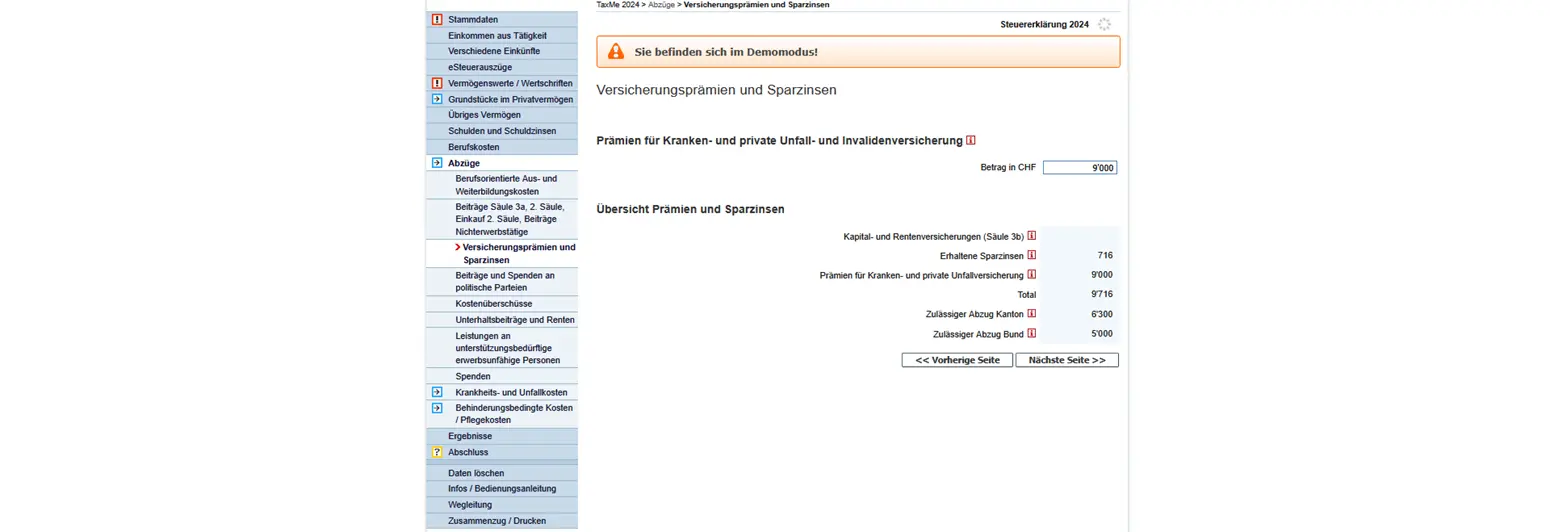
Overview of insurance premiums and savings interest with deductions allowed by the canton and the Confederation
Contributions and donations to political parties
You can deduct contributions and donations to political parties. The maximum amount is limited, and is automatically taken into account by the tax authorities.
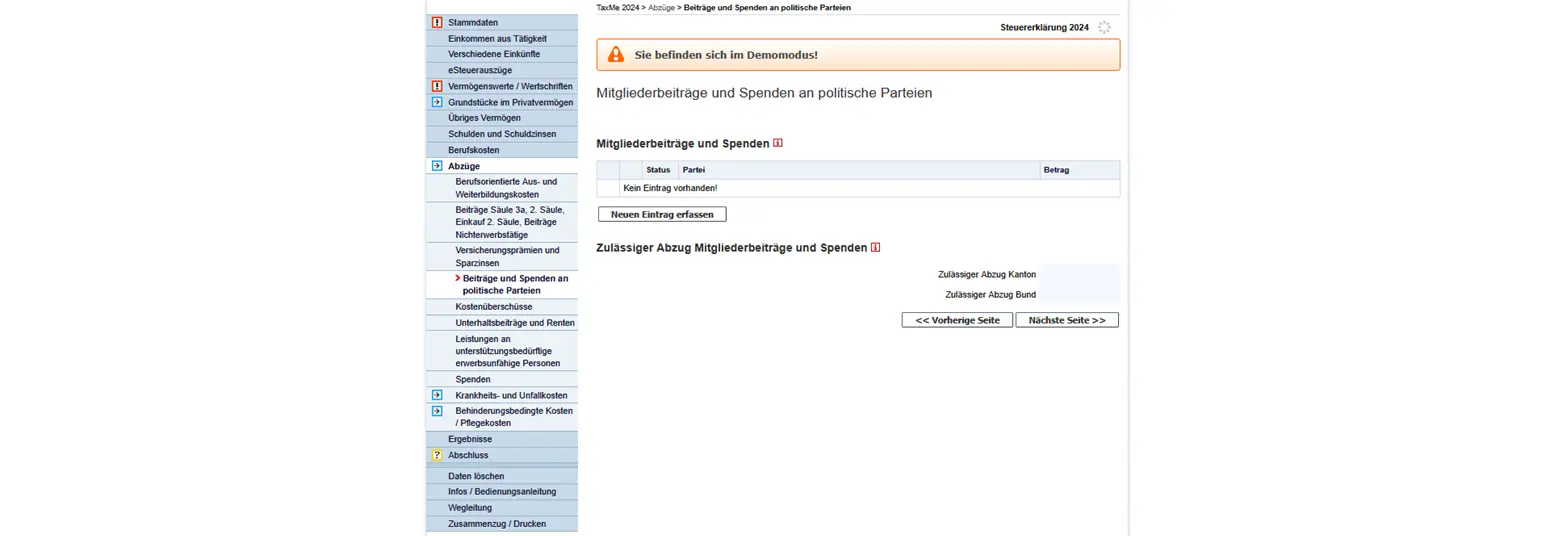
The deduction is limited to CHF 5,300 per person for cantonal and municipal taxes. Married couples may each deduct up to the maximum amount. For direct federal tax, the deduction is limited to CHF 10,400 (also valid for couples, no double claim possible).
Excess costs
If you sell a property, you may not have been able to deduct all maintenance costs in the previous year. These so-called excess costs can be taken into account at a later date, after the property has been sold.
Even if you are part of a community of heirs or co-owners, such excess costs may arise. It is important that you indicate the amount per plot and per fiscal year.
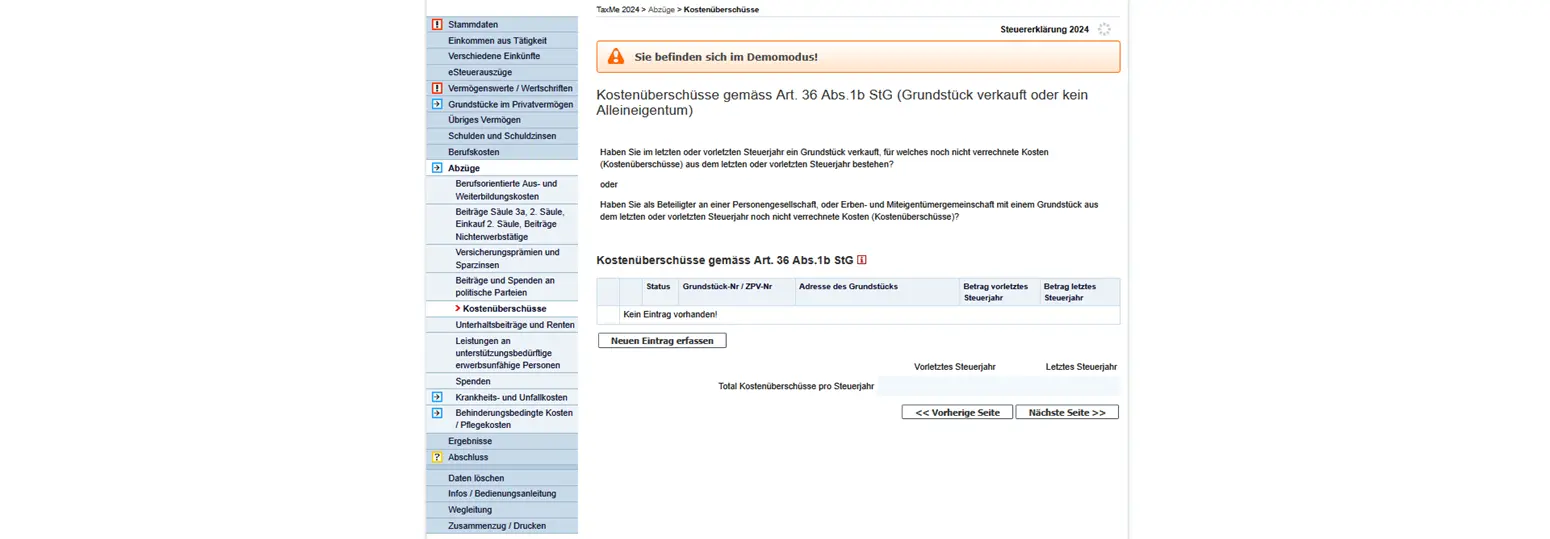
Mask for entering excess costs according to art. 36 para. 1b LT in the event of the sale of real estate in TaxMe
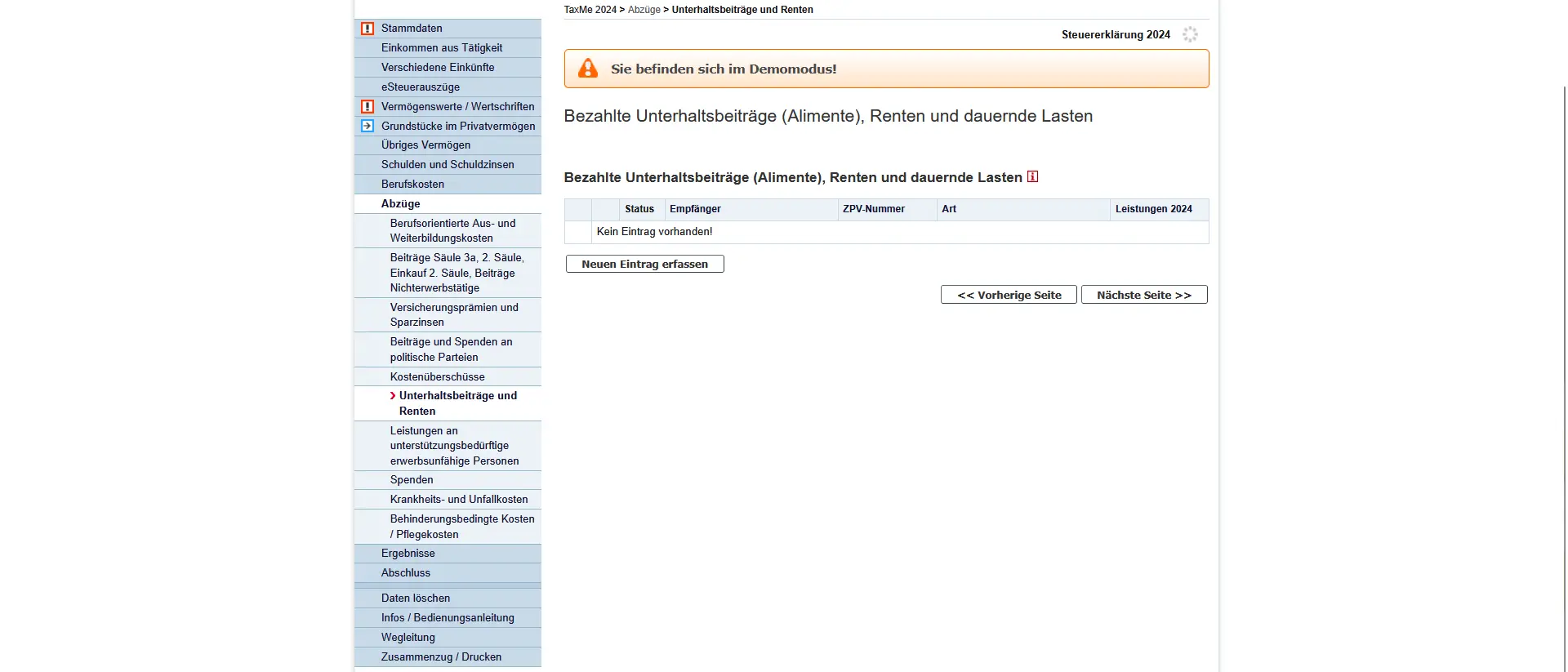
Maintenance contributions and pensions
If you pay maintenance contributions (alimony), pensions or other permanent expenses, you can enter them here. Only payments actually made are deductible, i.e. what you actually paid during the tax year. Important: you must give the name and address of the beneficiary so that the tax authorities can check the data.
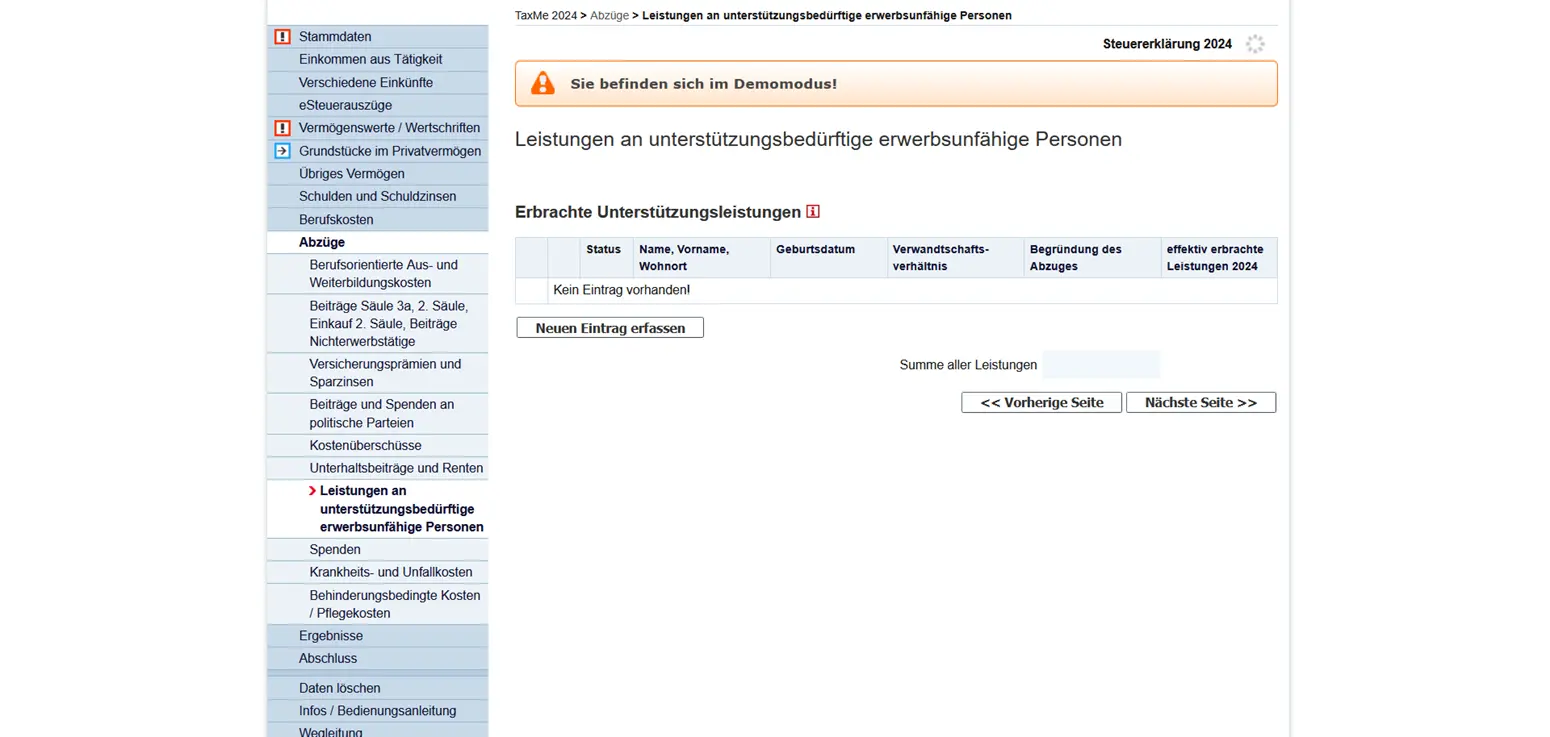
Benefits for people in need of support
Are you providing financial support to someone unable to work or in need? Then you can claim these payments as a deduction here. The condition is that you have actually provided the support, and that it was necessary. Here too, the rule is: only amounts actually paid during the tax year count.
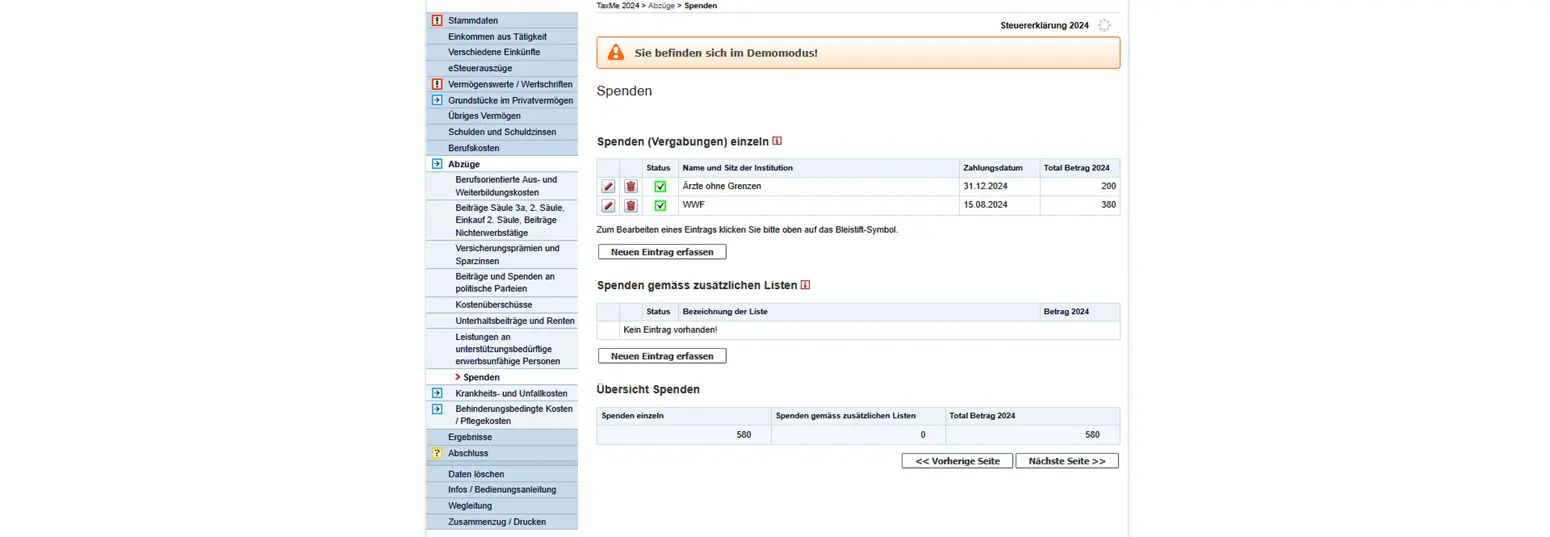
Donations
If you have made donations to charitable organizations, you can enter them here. Only donations to institutions recognized by the tax authorities are tax-deductible. Important: donations must be at least CHF 100 to be taken into account. You can deduct a maximum of 20% of your net income.
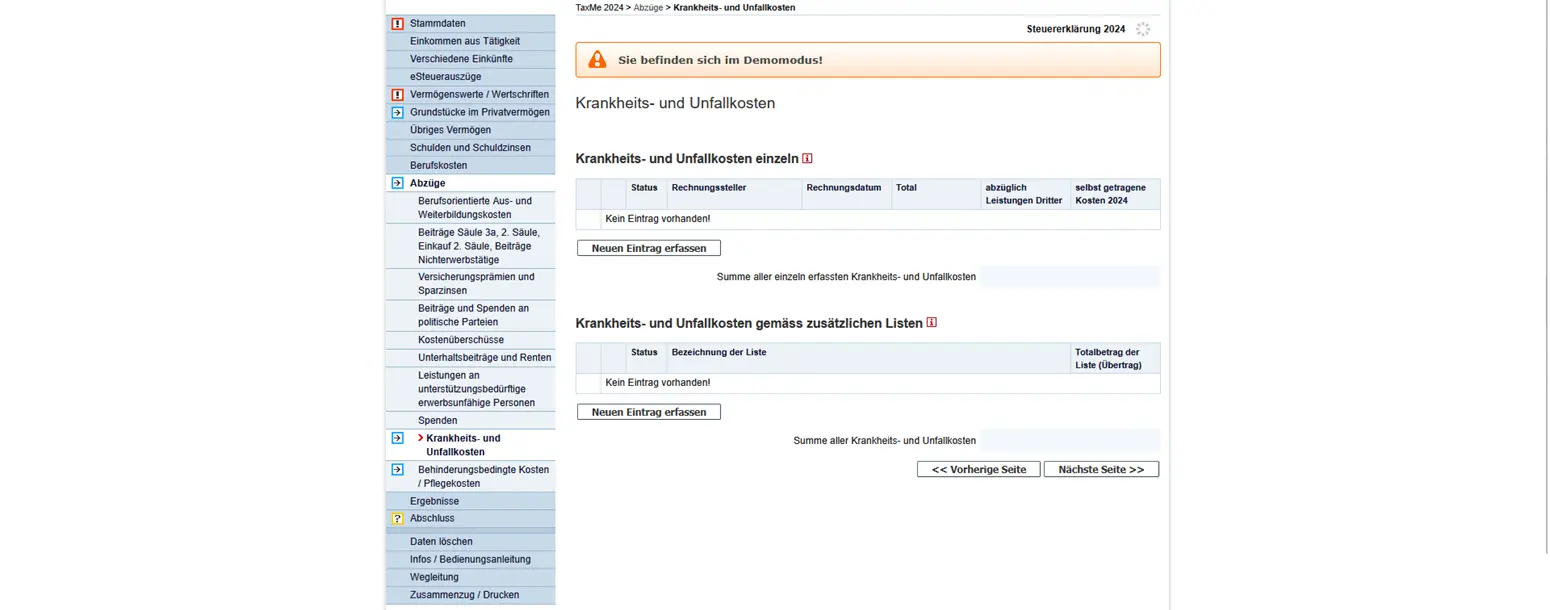
Sickness and accident expenses
Here you can enter expenses you have had to pay yourself, such as dentist’s fees, glasses, medication or other medical treatment. Only the portion exceeding the so-called deductible limit (5% of net income) is deductible. Benefits that have already been paid by the health insurer or other third parties cannot, of course, be deducted again.
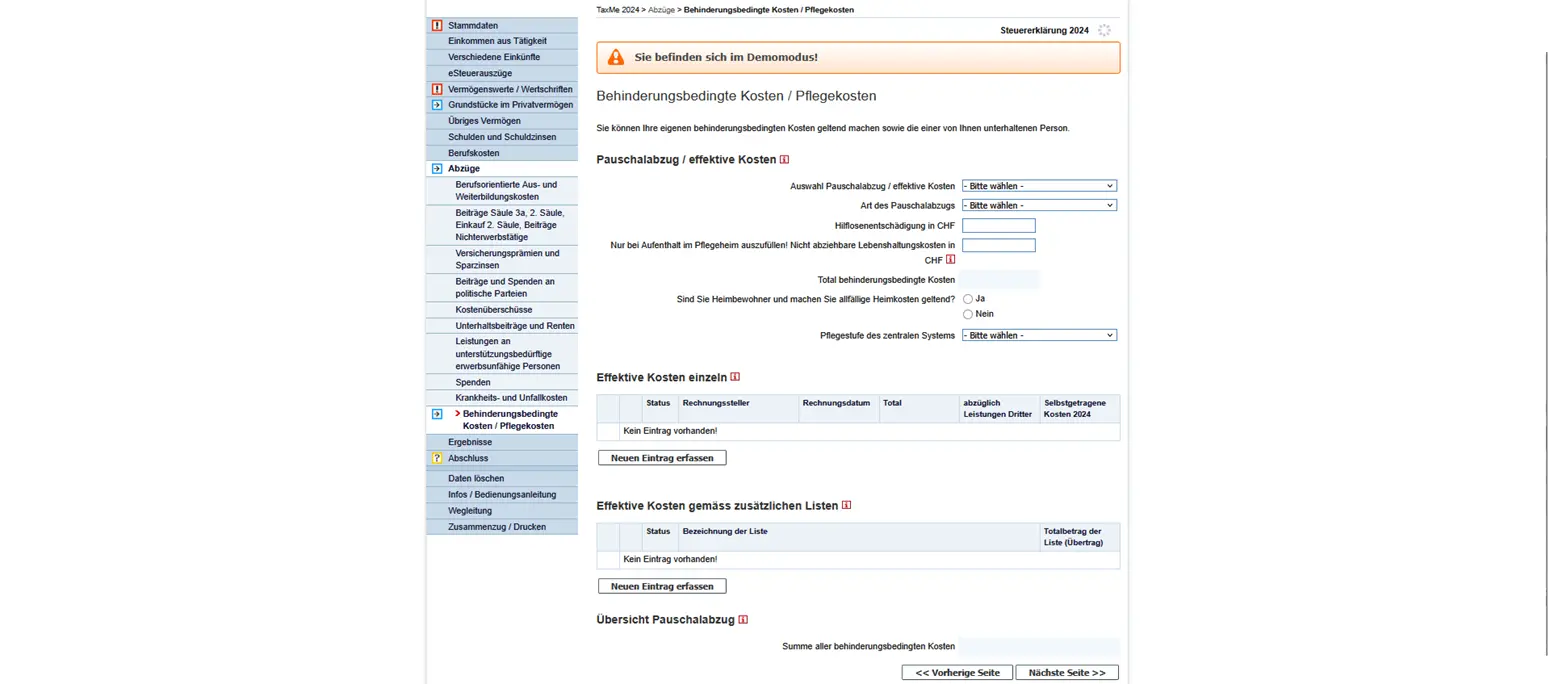
Disability / care expenses
If you or someone you support has additional disability-related expenses, you can deduct them here. There are two possibilities: either you claim the flat-rate deduction (the amount varies according to the degree of disability), or you enter the actual expenses. For example, these could be household expenses, auxiliary means or additional childcare costs.
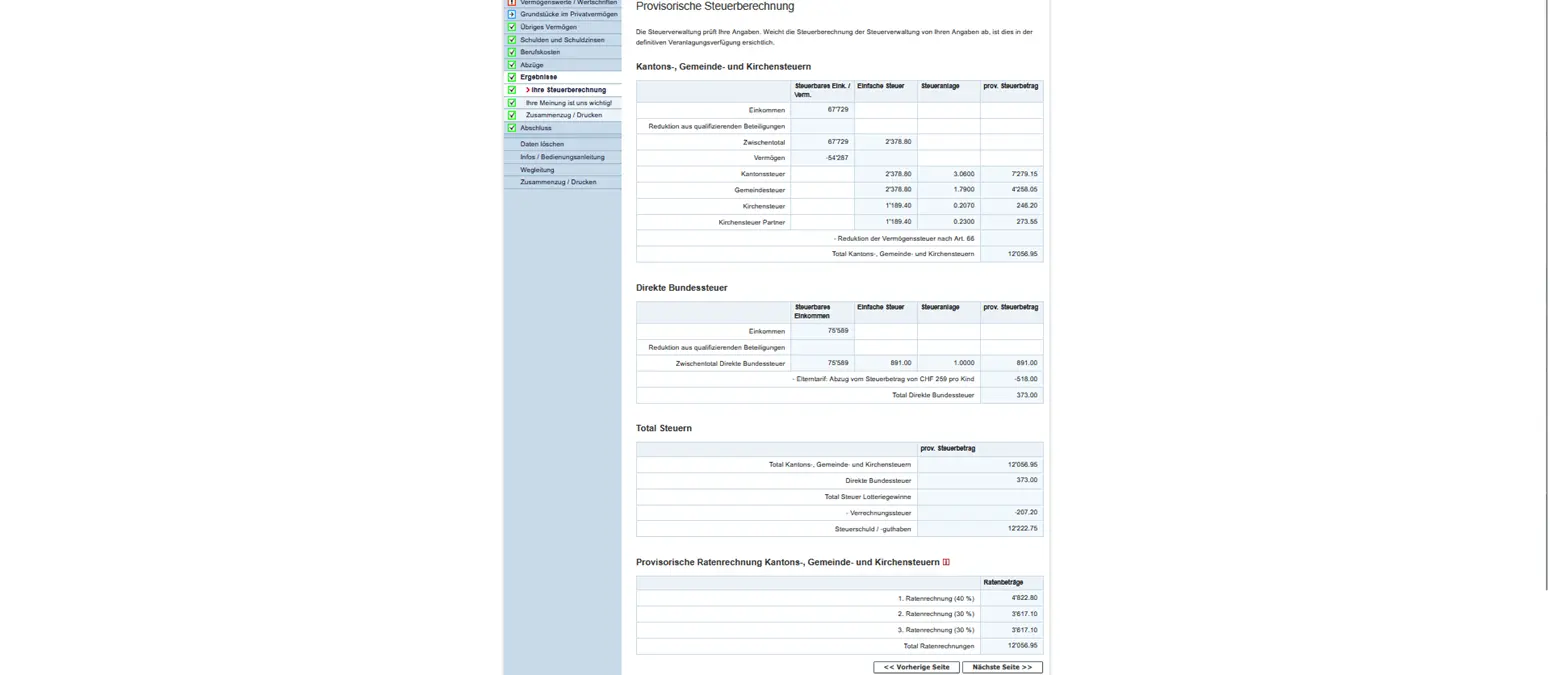
Step 12: Results
In the “Results” section, you can view your provisional tax calculation. You’ll find a clear overview of the composition of your taxable income and wealth, and the likely tax amounts for canton, municipality, church and Confederation. The calculation is not yet final, and discrepancies are possible when the tax authorities check your data.
Step 13: Closing
Under “Conclusion”, you finish your tax return. You confirm your data, you can send your declaration electronically and you receive a summary in PDF format. It’s essential that you check all the data beforehand, especially the deductions and receipts, so that the tax authorities can process your return without any questions.
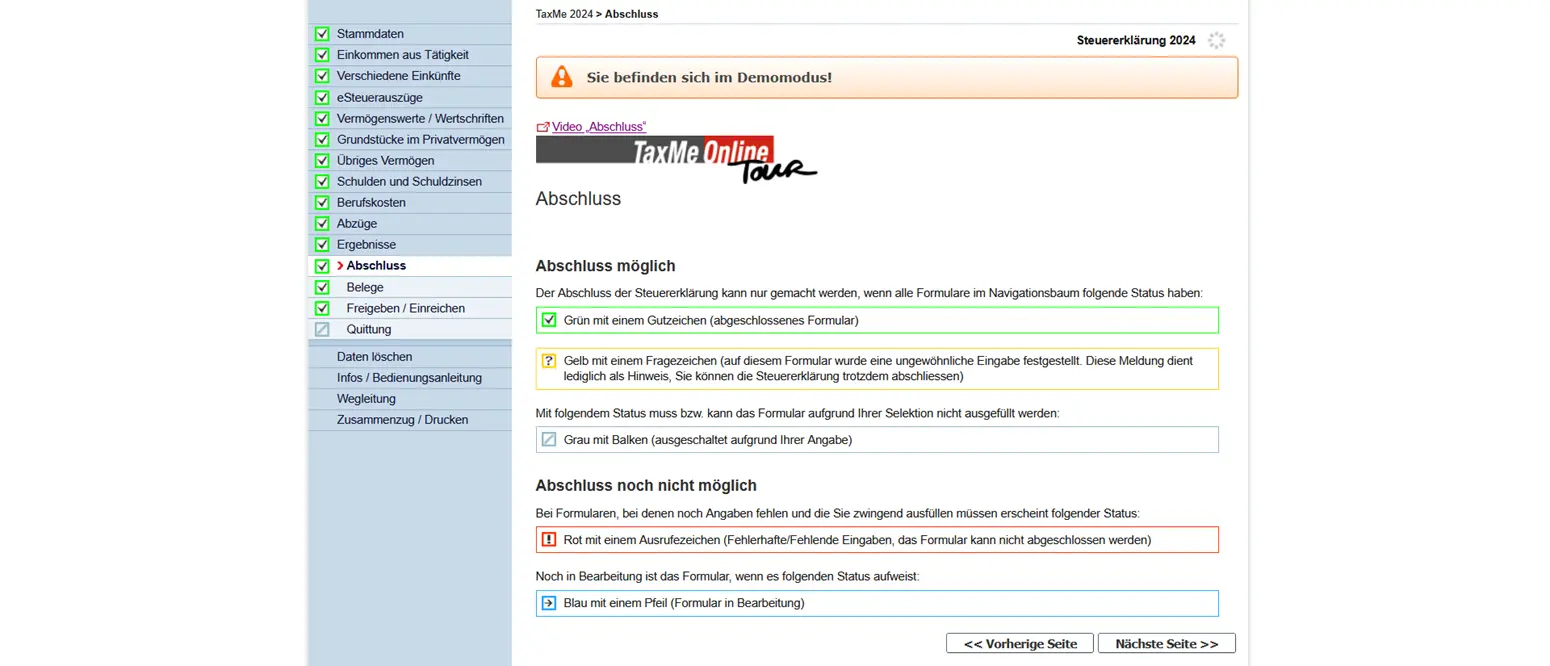
Now you can send the whole tax return electronically and you’re done! 🎉
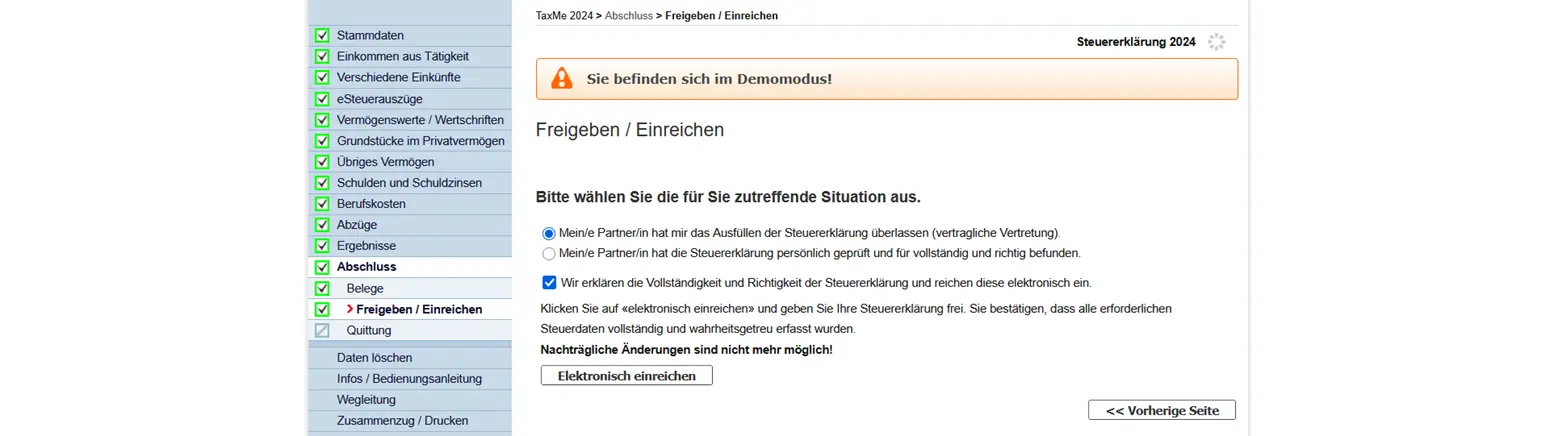
In a few weeks or months, you’ll receive the definitive tax estimate and an invoice or refund if there’s a difference between the provisional tax invoice and the definitive tax invoice.
Congratulations, you’ve completed your tax return for the Canton of Bern.
And as always, if you find any other (legal!) tax optimization ideas in the screenshots above, don’t hesitate to let me know.