
In the last article, I covered the first steps of the tax return in the canton of Zug: accessing eTax.zug, persons & household, and employment.
Now I continue with insurance, pension, and finances.
Pillar 3a, insurance premiums, securities register: in this part, I show you where the biggest tax deductions in the canton of Zug are and how to enter them correctly in eTax.zug.
Section 3: Insurance, pension & annuities
This section has two sides: it contains some of the most valuable deductions (pillar 3a, pension fund buy-in) and important income items (annuities). Read both carefully.

The overview page shows all subcategories: insurance premiums, pillar 3a, annuities, life insurance, and medical costs.
3.1 Insurance premiums
Click on “Premiums and savings interest” to open the input form:
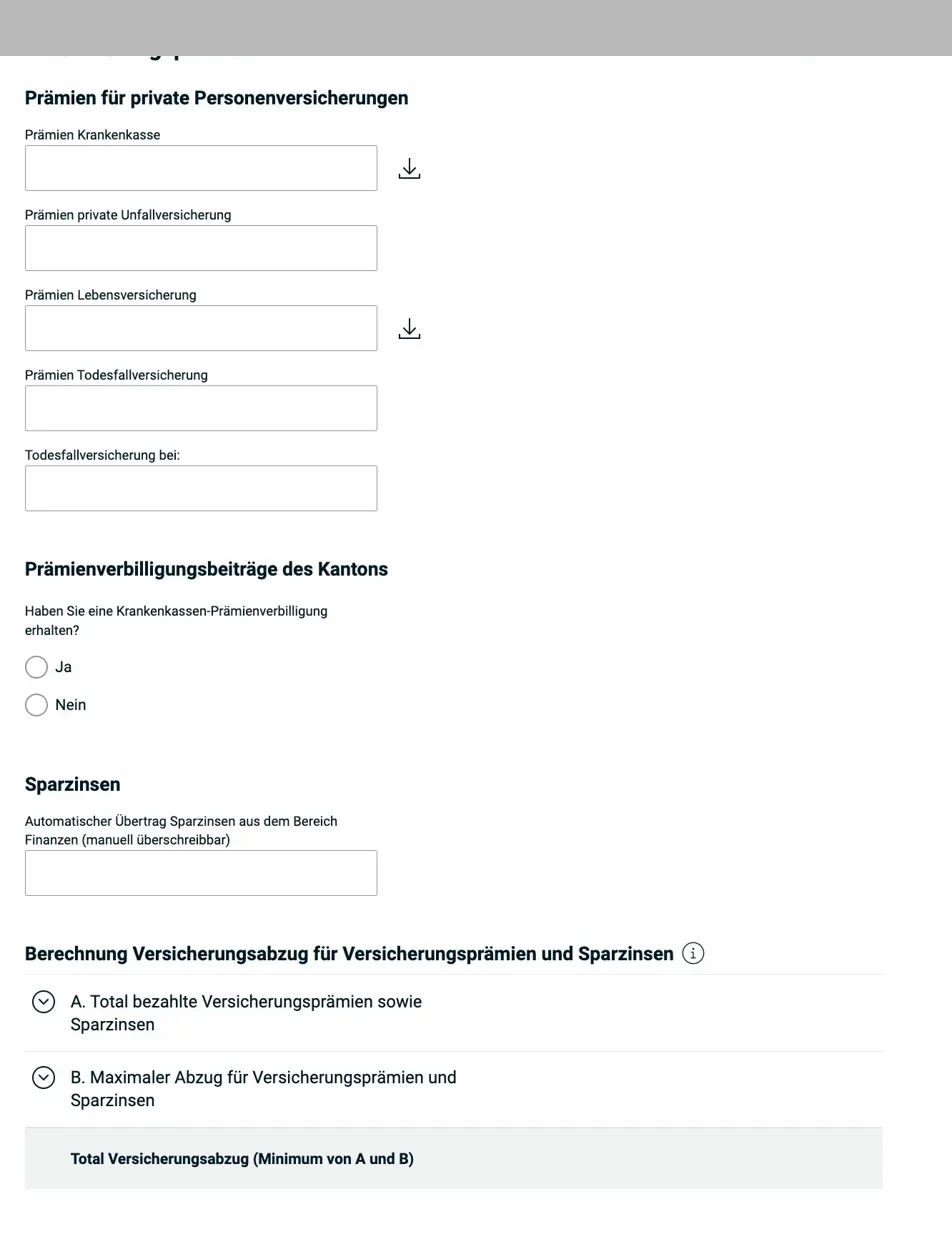
The form covers health insurance premiums, private accident and life insurance, and death benefit insurance. The download icon next to health insurance premiums and life insurance allows you to import last year’s value. Below that, you’ll find the premium reduction and the savings interest automatically transferred from the finances section.
What’s deductible? Health insurance premiums (including supplementary coverage), accident, daily allowance, life, and death benefit insurance premiums. The maximum amount for the insurance deduction is capped:
- CHF 4'600 per adult (cantonal and federal tax)
- CHF 1'200 per child
If you receive a premium reduction (subsidy) from the canton, enter it in the corresponding field, it reduces the deductible amount.
3.2 Pillar 3a, the most important deduction
Pillar 3a is the most effective tax optimization lever for most taxpayers. Every franc paid into the tied pension plan directly reduces your taxable income.
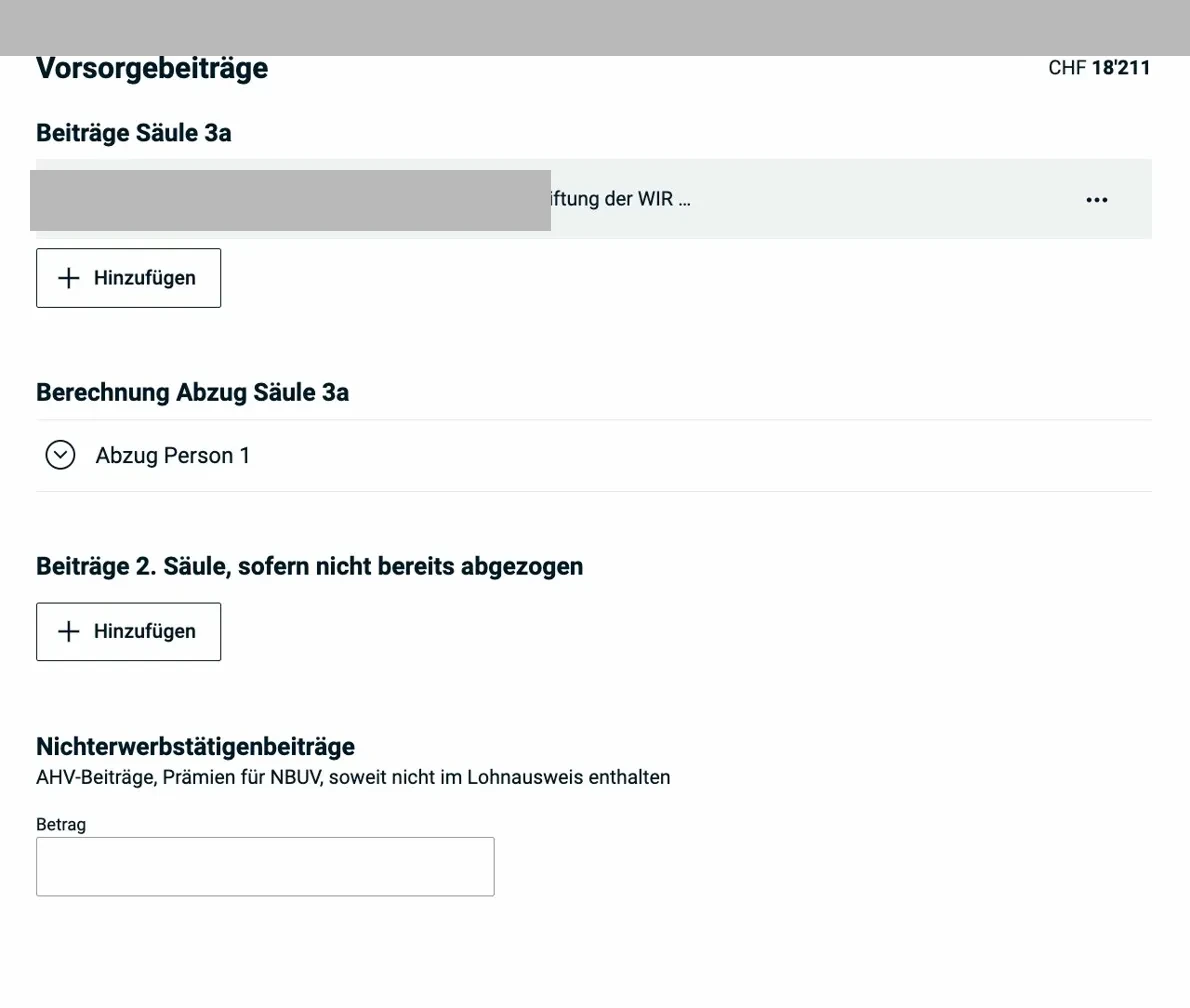
Here you see the overview of pension contributions: pillar 3a, pillar 2 contributions, and non-employed contributions. Each contribution is recorded as a separate entry.
Click on “+ Add” or an existing entry to see the details:
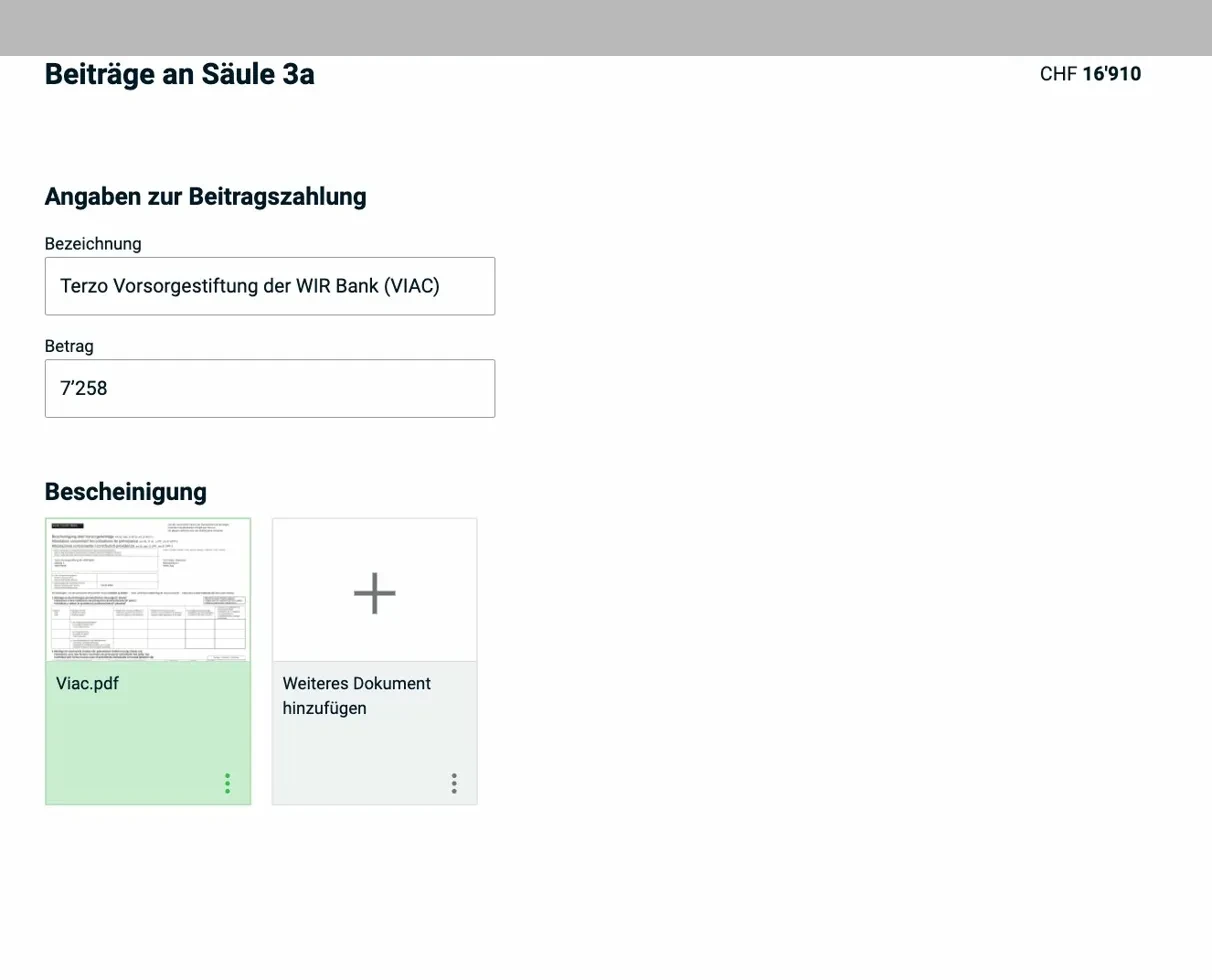
The detail form: name of the pension institution, amount paid, and the corresponding certificate as a PDF upload. The system accepts multiple receipts per account.
Limits 2025:
- With pension fund (pillar 2): max. CHF 7'258
- Without pension fund: max. 20% of net earned income, up to CHF 36'288
You can have multiple 3a accounts, the limit applies to the total of all contributions combined.
New from 2026: gaps from years starting in 2025 can be retroactively bought back (max. CHF 7'258 per gap year, in addition to the current annual contribution). The first buy-back for the year 2025 will therefore be possible from January 1, 2026.
3.3 Life insurance and annuities (pillar 3b)
Redeemable life insurance policies (policies with a savings component) must be declared as assets, not as income, but their surrender value is included in the asset register.
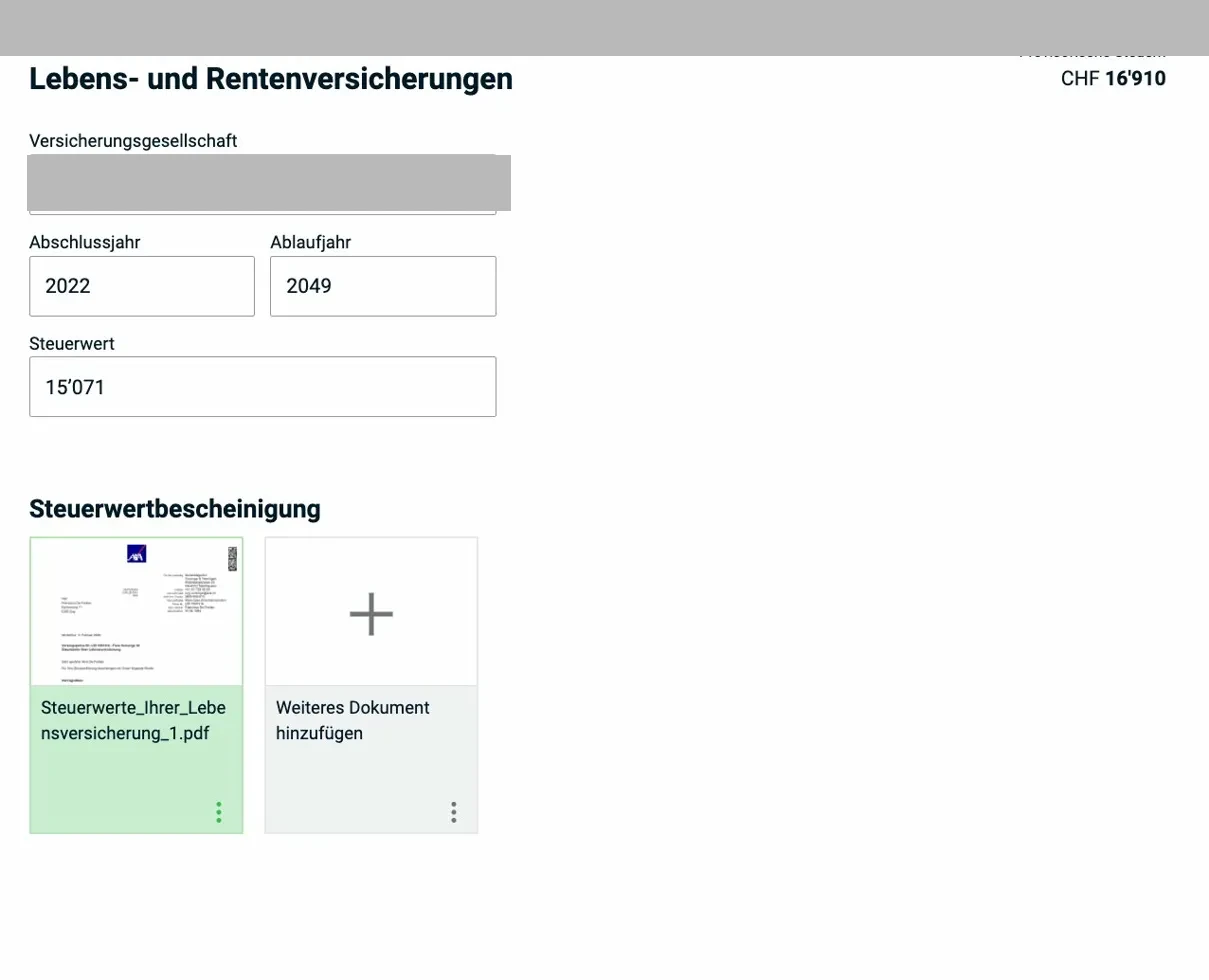
The form shows the insurance company, start and end year, and the tax value as of December 31. The tax value certificate is uploaded as a PDF, you receive it annually from the insurer.
3.4 Annuities
Click on “+ Add” under “Income from social and other insurance” to enter annuities:
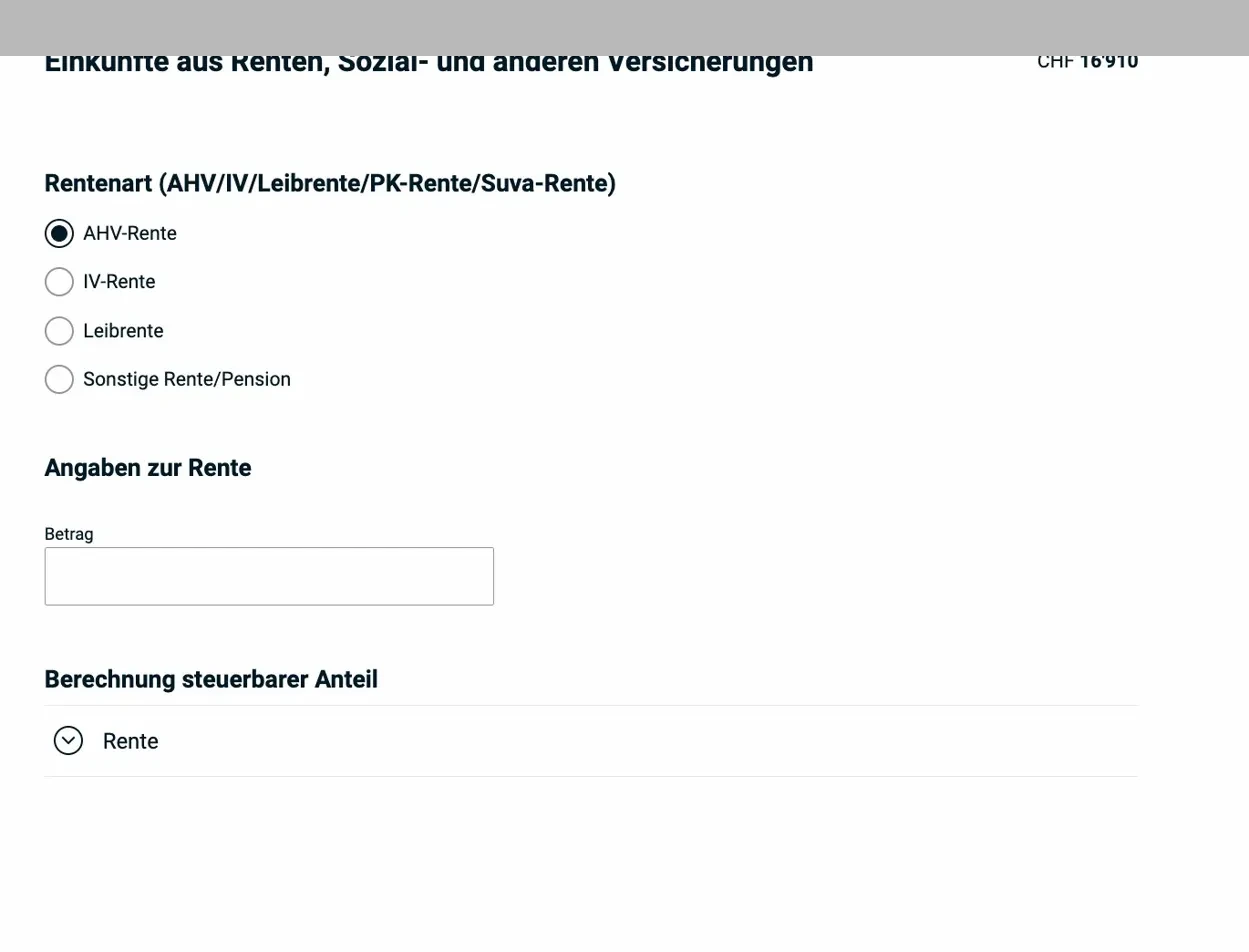
The annuity form: you first select the type of annuity (AHV pension, IV pension, life annuity, other), then enter the amount. The system automatically calculates the taxable portion.
Taxable portion by annuity type:
- AHV/IV pension: 100% taxable
- Pension fund (pillar 2): 100% taxable
- Life annuity (private annuity insurance): only 40% taxable, since 60% is considered a return of capital
3.5 Medical and accident costs
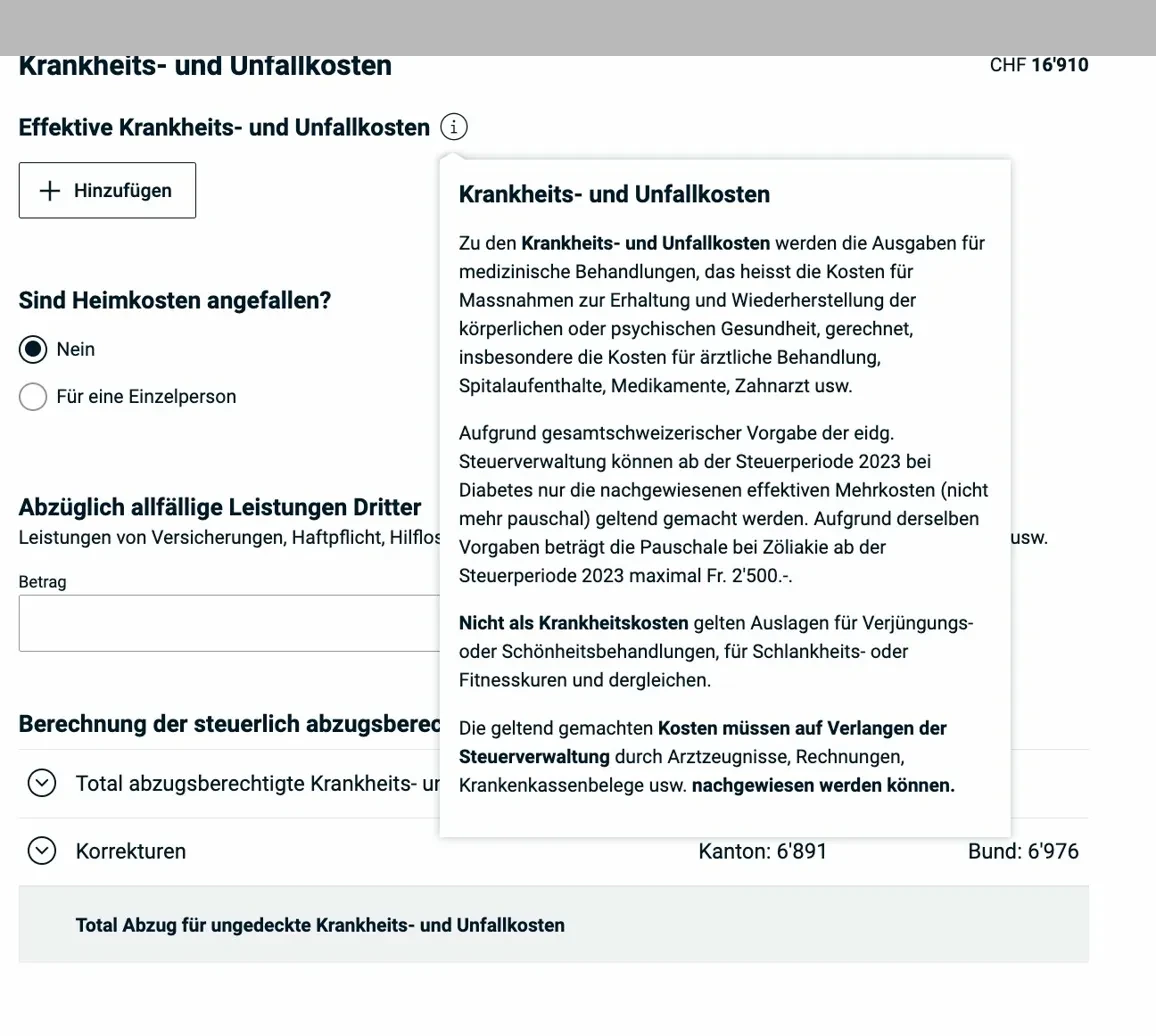
The popup explains: medically necessary expenses are deductible (doctor, hospital, dentist, medication). Cosmetic treatments and wellness offerings are explicitly excluded. For diabetes, only the effectively proven additional costs are deductible since 2023.
The deduction applies to costs that exceed 5% of net income. Receipts must be available upon request.
3.6 Disability-related costs
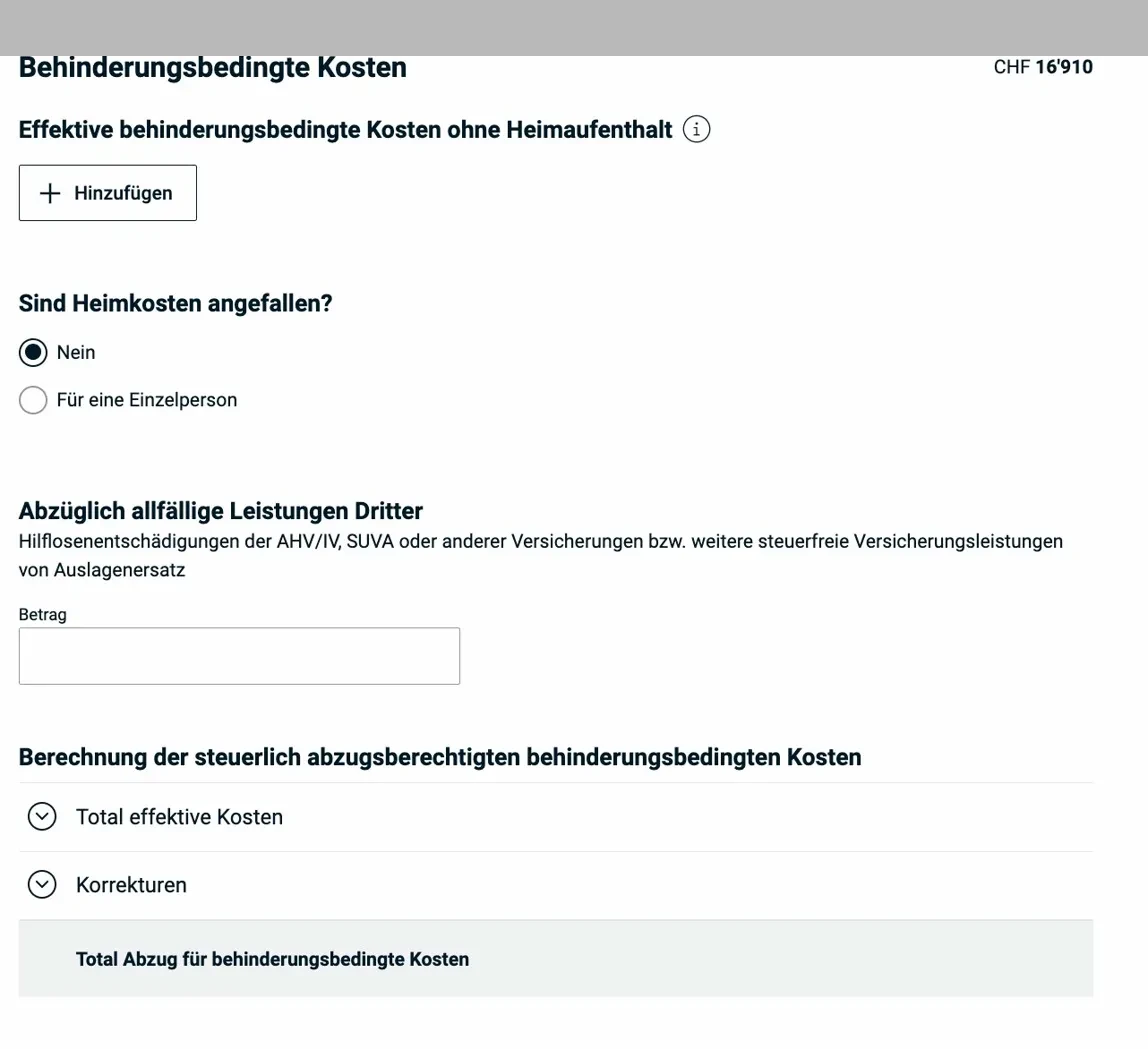
This form covers additional costs related to a disability (minus any benefits from third parties such as SUVA or AHV). There are also fields for care home costs.
3.7 Capital benefits from pension plans (pillar 3b)
If you received a capital payout from a life insurance policy (pillar 3b) during the tax year, this form applies:

The payout type is selected via checkbox (AHV/IV, occupational pension, tied pension plan, etc.), followed by the payout date, institution, and amount. These benefits are taxed separately at a preferential rate.
Section 4: Finances
This is where you enter your securities and asset register. For all taxpayers holding securities, this register has been mandatory since tax period 2024.
4.1 First steps: the notice when the register is empty
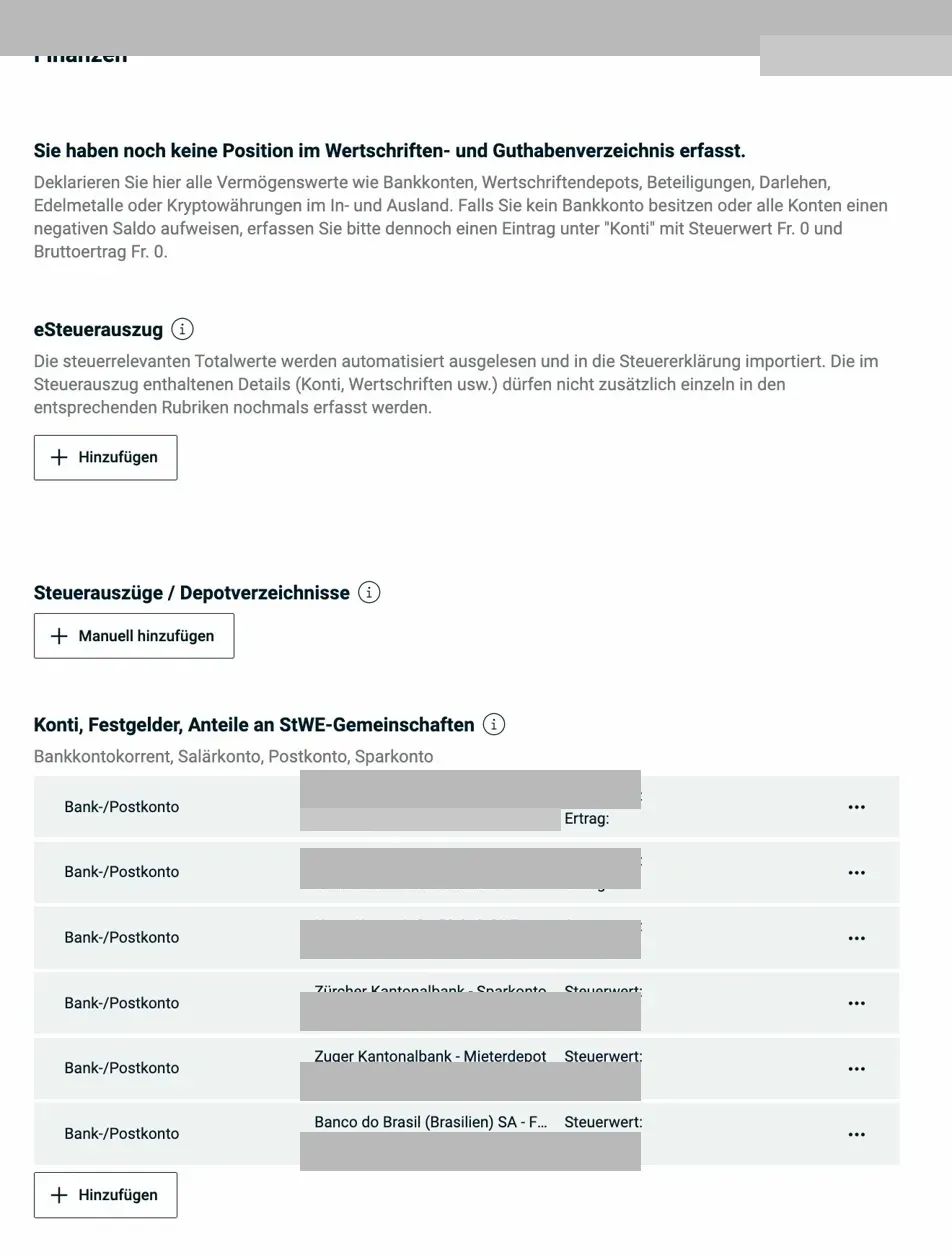
When no positions have been entered yet, eTax.zug explains the two options: enter each position manually, or import via eSteuerauszug (for accounts at Swiss banks that support this service). At the bottom, already recorded bank accounts are listed.
eSteuerauszug: Many Swiss banks (ZKB, UBS, CS, PostFinance, etc.) offer an automatic import directly into eTax.zug. Account balances, securities, and interest income are transferred in one step. Definitely use this if available, it saves a lot of time and reduces errors.
4.2 Securities register
After the import or manual entry, all securities appear with their tax value and yield:

The securities register shows all stocks, funds, ETFs, and options with security number, tax value as of December 31, and taxable yield (dividends, interest). At the bottom, you’ll find other assets (crypto, loans, etc.) and cash/precious metals.
What you need to know:
- Capital gains are tax-free in Switzerland (no capital gains tax for private individuals)
- Dividends and interest are taxable as income, they appear as “yield” in this list
- The withholding tax (35%) is deducted on Swiss dividends and interest, you get it back, but only if you declare them here
4.3 Debts and debt interest
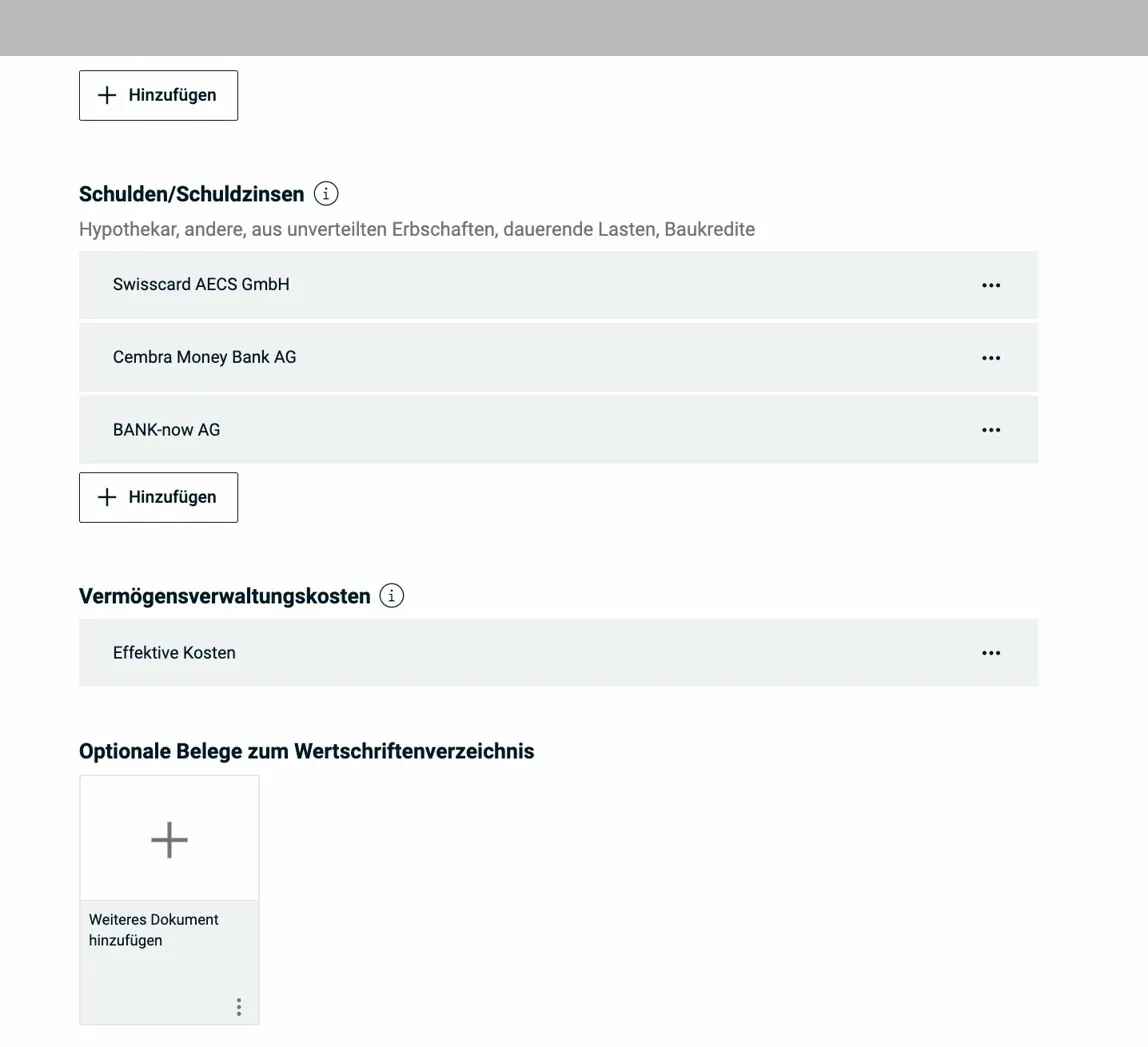
Under debts, you enter mortgage loans, personal loans, and credit card debts (balance as of December 31 and interest paid). Below that, you’ll find asset management costs (custody fees, bank fees for asset management), which are deductible at their actual amount.
The debt interest deduction is limited to investment income + CHF 50'000. So even if you have no investment income, you can still deduct up to CHF 50'000 in debts for tax purposes.
Next step
In the next article, I cover the following sections:
- Property (real estate, motor vehicles, other assets)
- Miscellaneous (donations, gifts, other income)
- Messages, summary & submission
And if I missed any tax-saving potential in the screenshots above (or if you have questions), let me know in the comments below.