
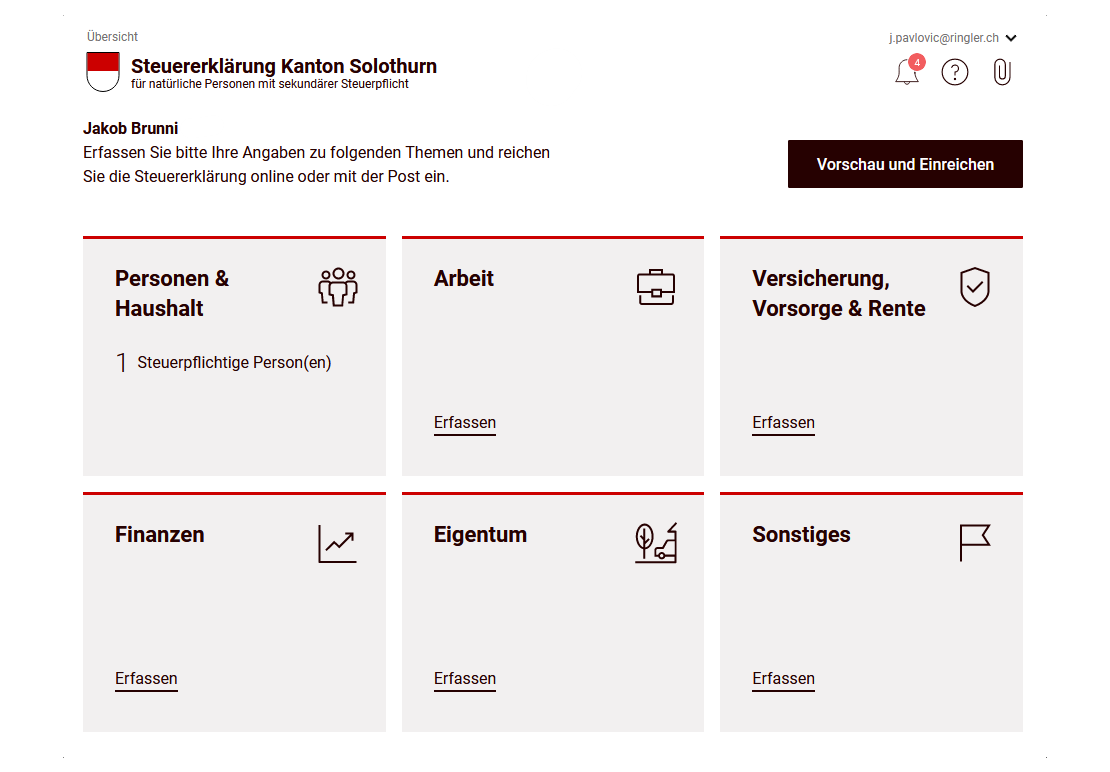
In the second part of the eTax Solothurn guide, we have completed the following sections of our Swiss tax return (for the canton of Solothurn): insurance, pensions, retirement and finance (taxable assets).
Now we’ll continue with the categories, and in particular the interesting part about real estate!
Step 1: Properties (incl. real estate)
This chapter deals with real estate. This includes single-family homes, condominiums, rented real estate and rights of use such as the right of habitation or usufruct. Income from photovoltaic installations is also regarded as property income.
Whether and what you should enter here depends entirely on your housing and property situation. The following three scenarios (A, B and C) show you what is relevant in your case.
Real estate — Overview
Real estate includes all land and buildings, as well as rights registered in the land register (e.g. building rights). In the canton of Solothurn, the tax value is generally based on the cadastral value and is automatically calculated by the tax authorities.
If you own a property outside the canton of Solothurn, please indicate the tax value applicable in that canton. The conversion into Solothurn values is carried out by the tax office. Property abroad is declared at market value.
Scenario A: Renting
If you live in a rented property and do not own any real estate, you do not need to enter anything in this section.
The “Ownership / real estate” module is exclusively for owners and persons with a right of habitation or usufruct. As a tenant, you skip this section entirely. Your housing situation will be taken into account later in the deductions, not here.
Scenario B: Owner-occupied property
If you own a single-family home or condominium that you live in yourself, you must declare it here.
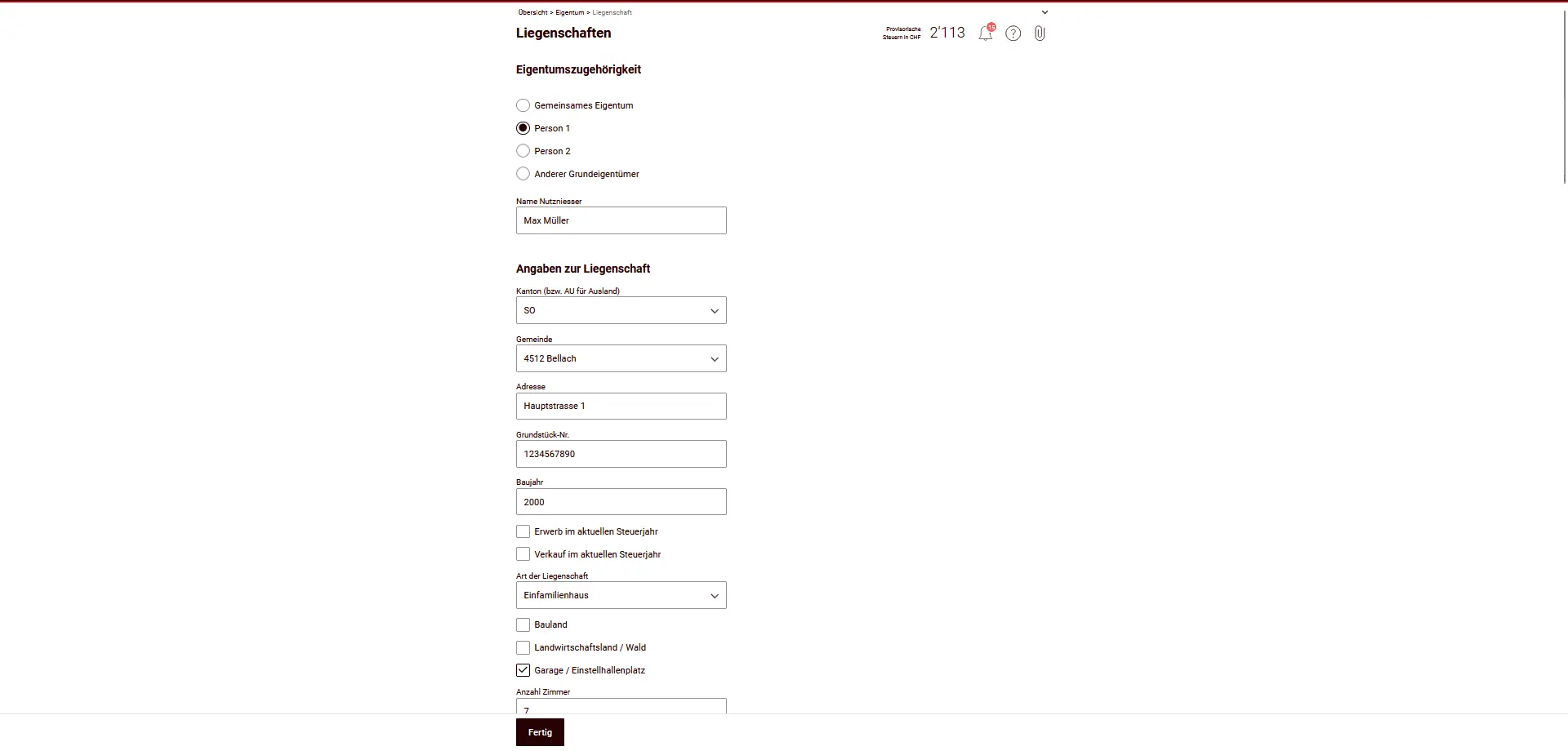
A lot of information is pre-filled or automatically calculated, for example:
- Property location
- Cadastral or tax value
- Rental value
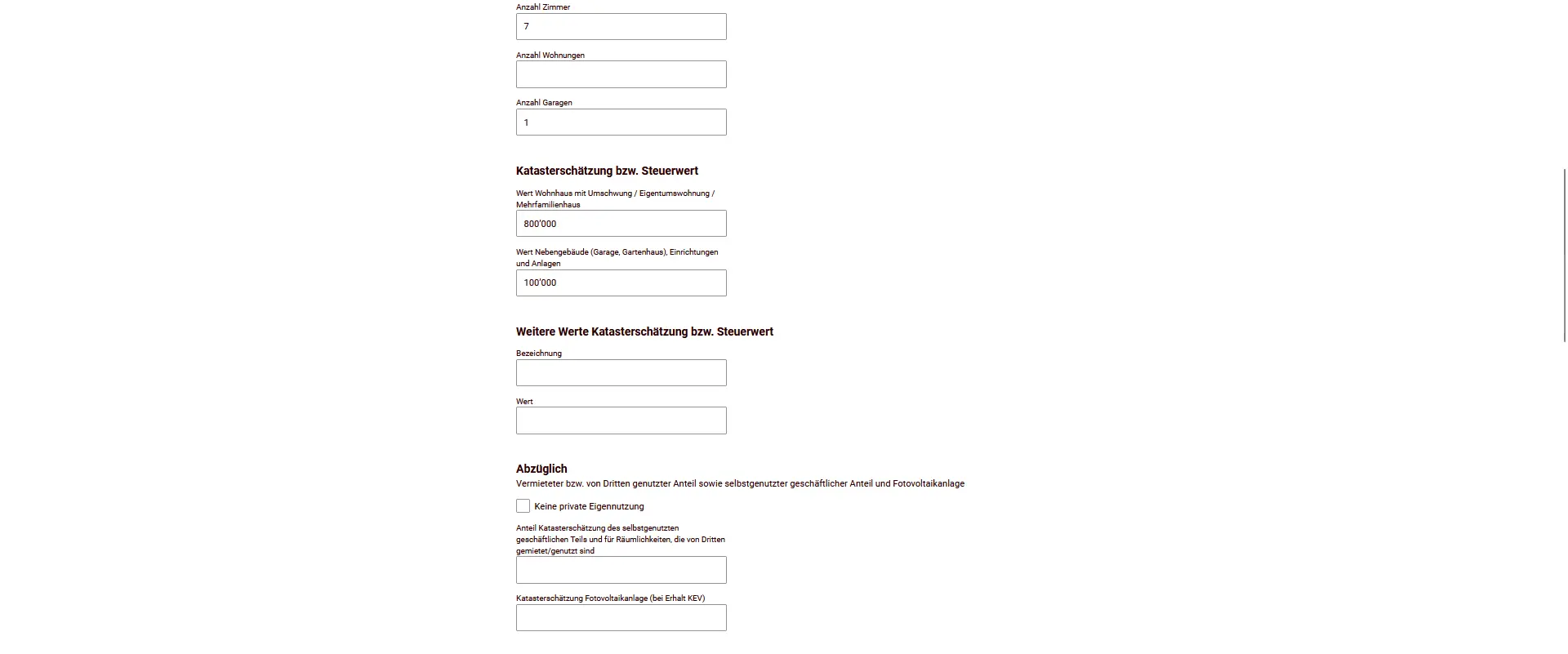
Your task is to check the information and complete it if necessary (e.g. year of construction, number of rooms, garage).
Rental value
As a property owner, you will be charged a rental value. This is a fictitious income, just as if you were renting your own property. It is calculated automatically according to location, building type, year of construction and group of communes.
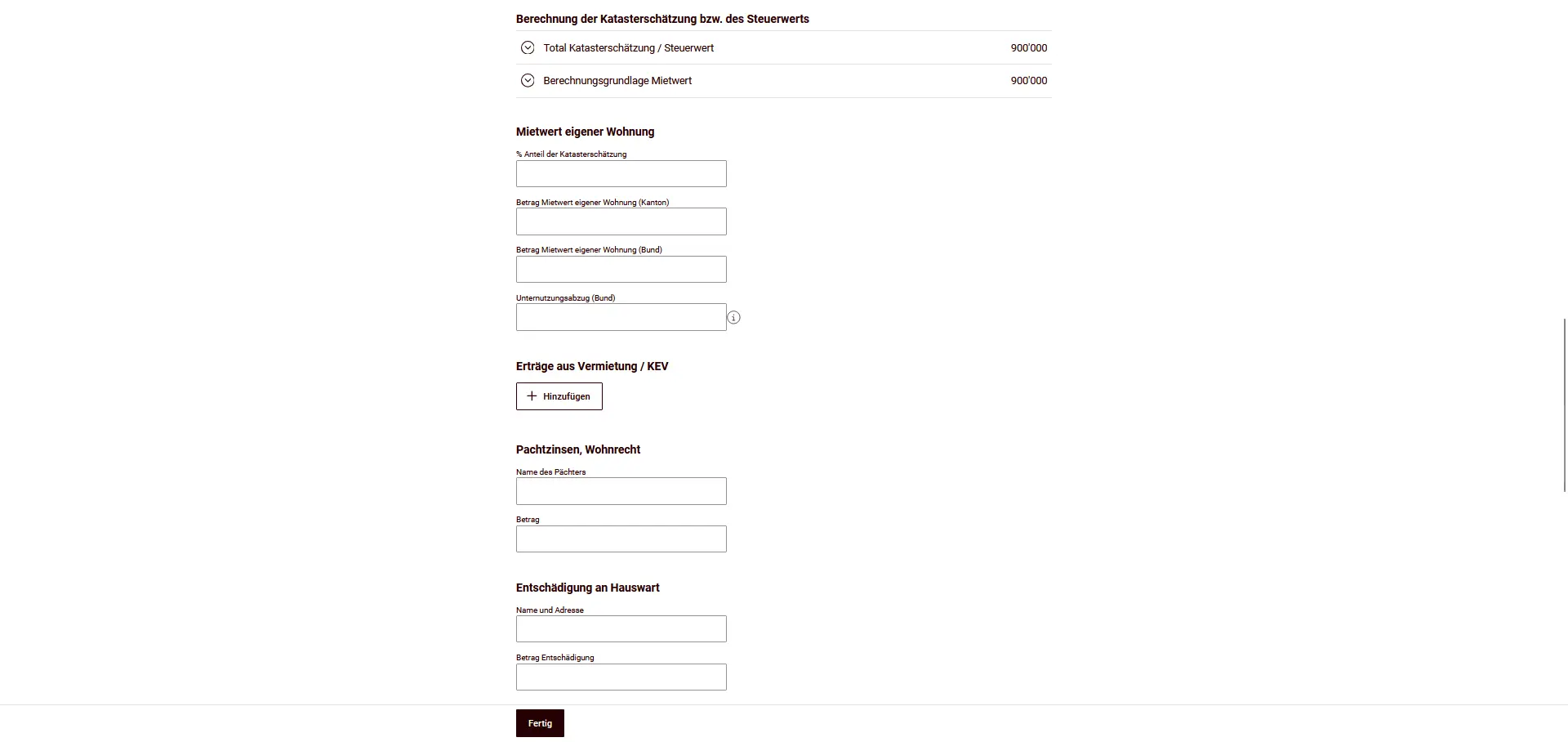
Property expenses
At the same time, you can claim expenses, for example:
- Maintenance costs
- Property insurance premiums (e.g. building insurance)
- Interest expenses
- Energy-saving and environmental protection measures
Each year, you can choose between:
- Flat-rate deduction of property expenses, or
- Actual property expenses
The flat-rate deduction amounts to:
- 10% of rental value for properties up to 10 years old,
- 20% of rental value for properties more than 10 years old.
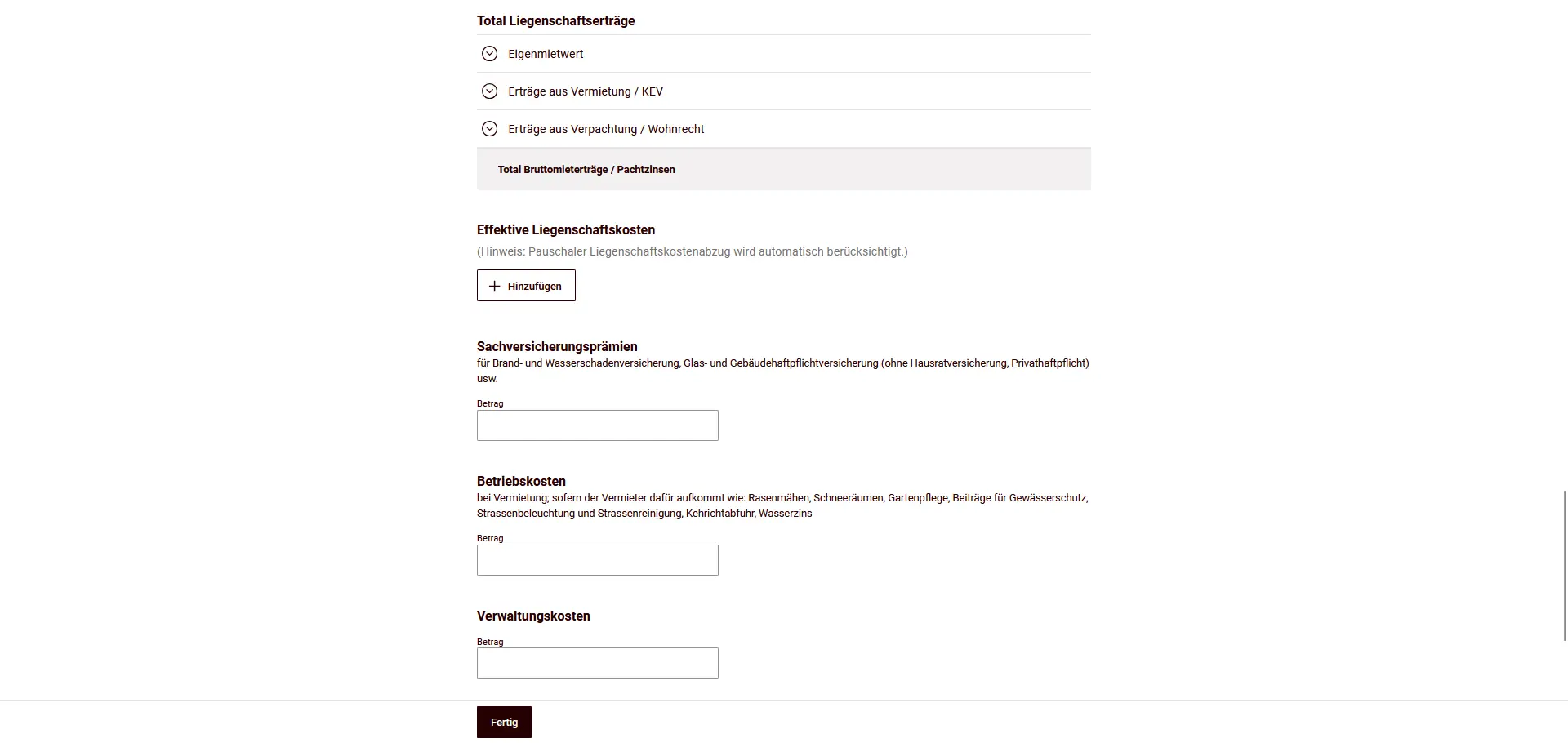
The most advantageous variant depends on your individual situation. The software automatically takes your choice into account.
Photovoltaic
Income from photovoltaic installations (e.g. feed-in tariffs) is treated as property income and must be entered here. Investment costs for energy-saving measures can also be taken into account, provided they are incurred during the tax year.
Scenario C: Rented property
If you own a property that is fully or partially rented out, taxation differs considerably from that of an owner-occupied property.
Rental income
Instead of declaring a rental value, here you declare gross rental income plus any other income (e.g. excess expenses).
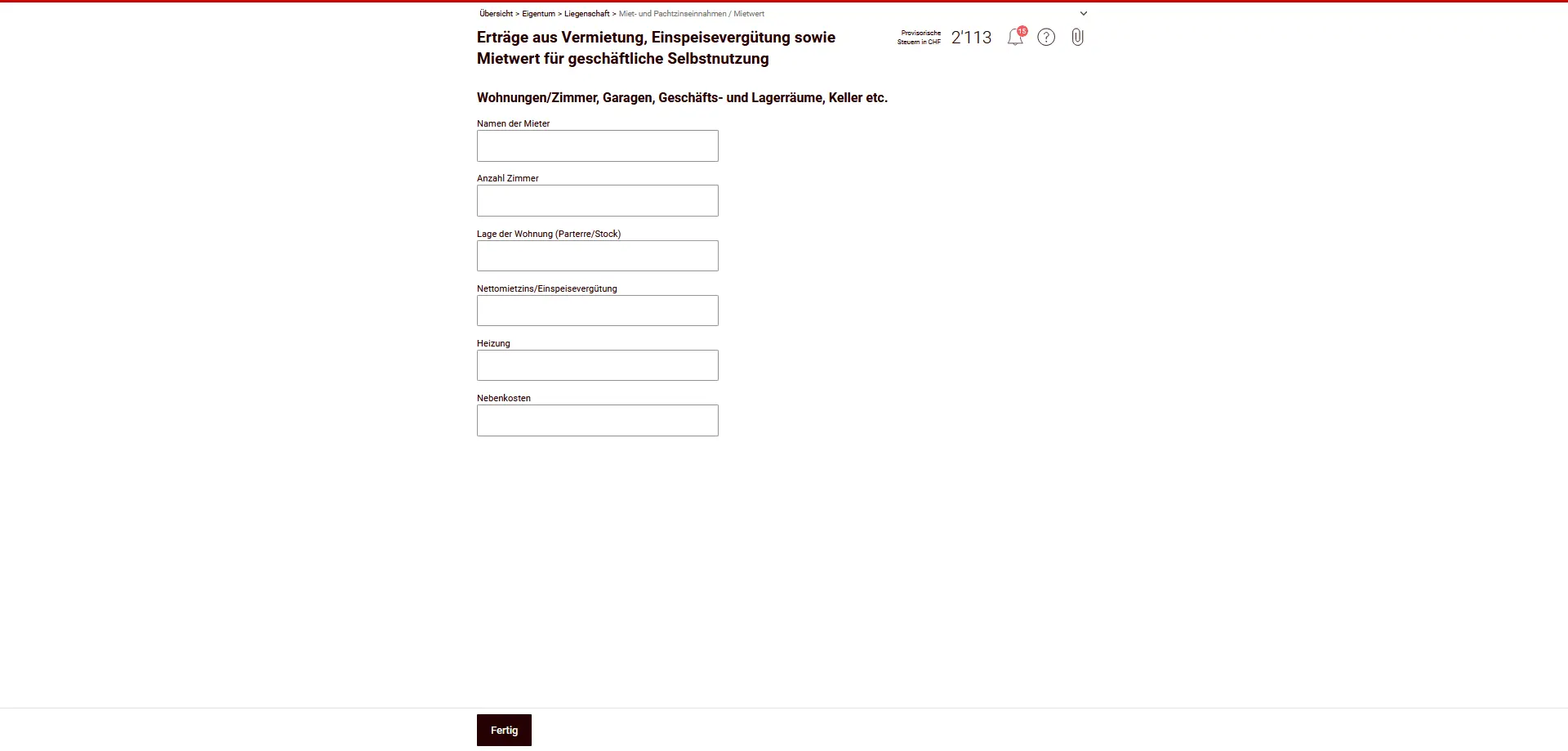
In the case of multiple rentals or professional management, instead of providing individual data, you can also send a separate statement or management statement and enter only the totals here.
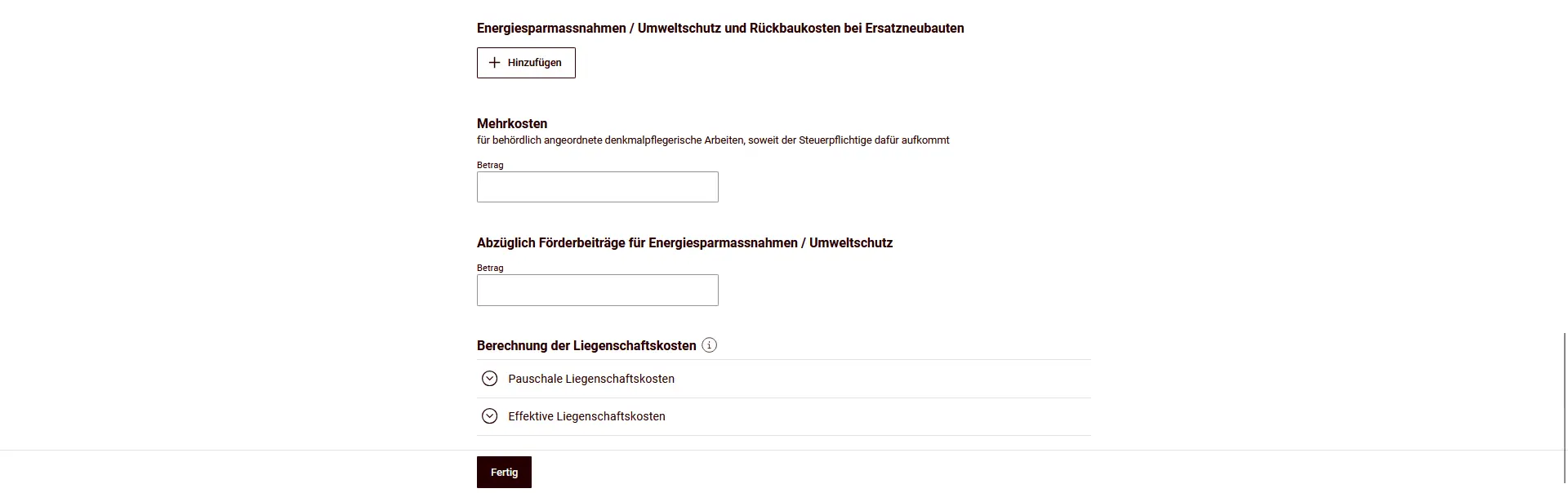
Real estate expenses when renting out
In particular, real estate forming part of private assets is deductible:
- Maintenance costs (value maintenance, repairs),
- Property insurance (excluding household/private liability insurance),
- Operating costs in the event of rental (if you assume them),
- Administrative and custodial costs,
- Energy-saving and environmental protection measures (less subsidies),
- Additional costs related to monument protection (ordered by the authorities).
Not deductible are, among others, expenses that increase value, acquisition/sale costs and rents for owner-occupied accommodation.
Motor vehicles
In this section, you declare private motor vehicles such as cars or motorcycles that you own.
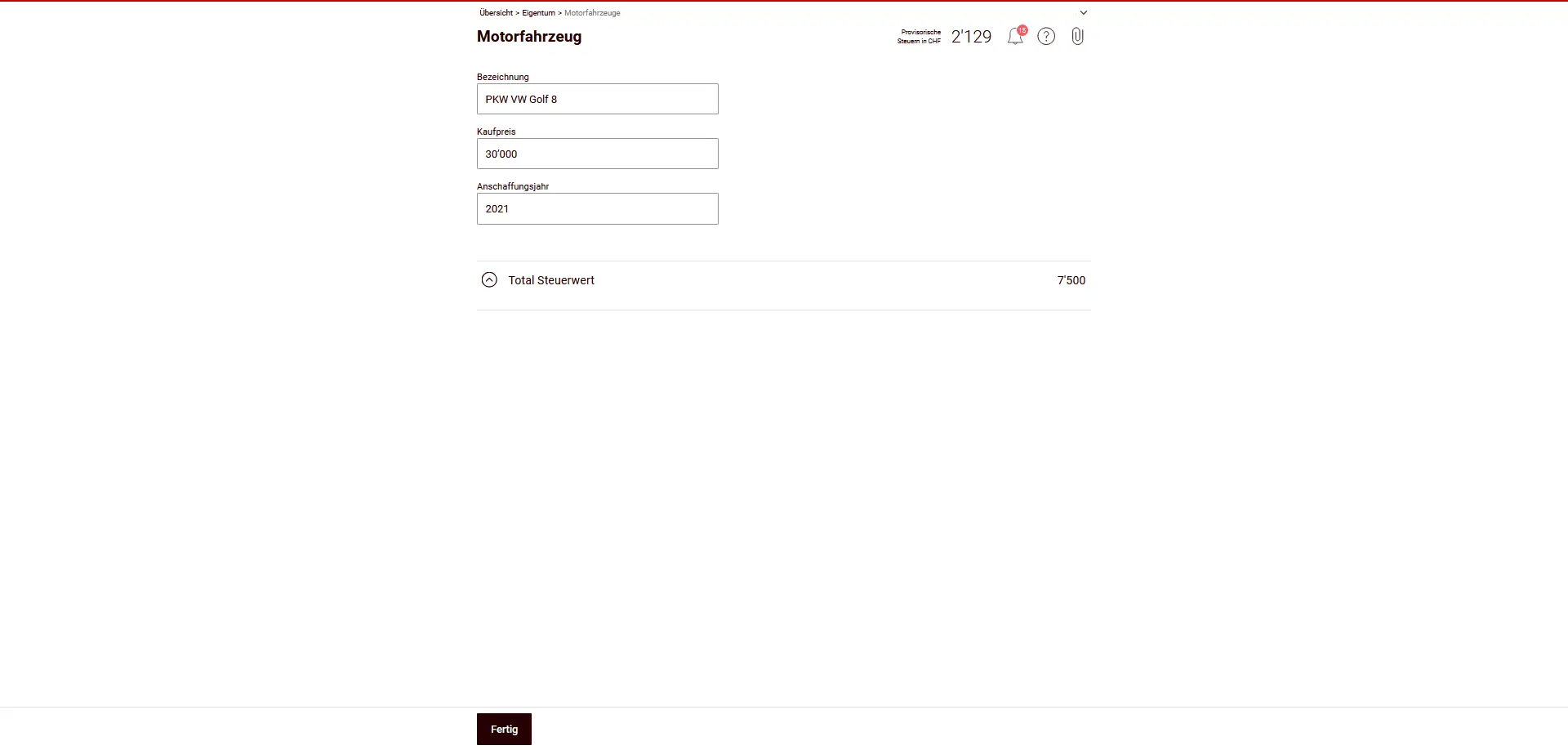
Enter the most important information:
- Designation (e.g. car, make/model)
- Purchase price
- Year of purchase
The tax value is calculated automatically by eTax Solothurn:
- The starting point is 50% of the purchase value.
- Thereafter, the tax value is reduced annually by 50% of the corresponding residual value.
So you don’t need to calculate the tax value yourself, just make sure that the purchase price and year of acquisition are entered correctly.
Notes:
- Only privately-owned motor vehicles are included here.
- Non-owned leased vehicles are not included.
- Vehicles used for business purposes are included in business assets and do not appear in this chapter.
If you don’t own a motor vehicle, you can skip this section.
Step 2: Other
Before submitting my tax return, I always go through the same checklist to avoid costly oversights. I detail all my Swiss tax deductions here, with concrete real-life examples:
My Swiss tax deductions: real-life example and checklist (2026)
Inheritances and donations
In this section, you declare the donations, heritages and inheritance advances that took place during the tax year (here: 2022) — regardless of whether money, material goods or real estate were passed on.
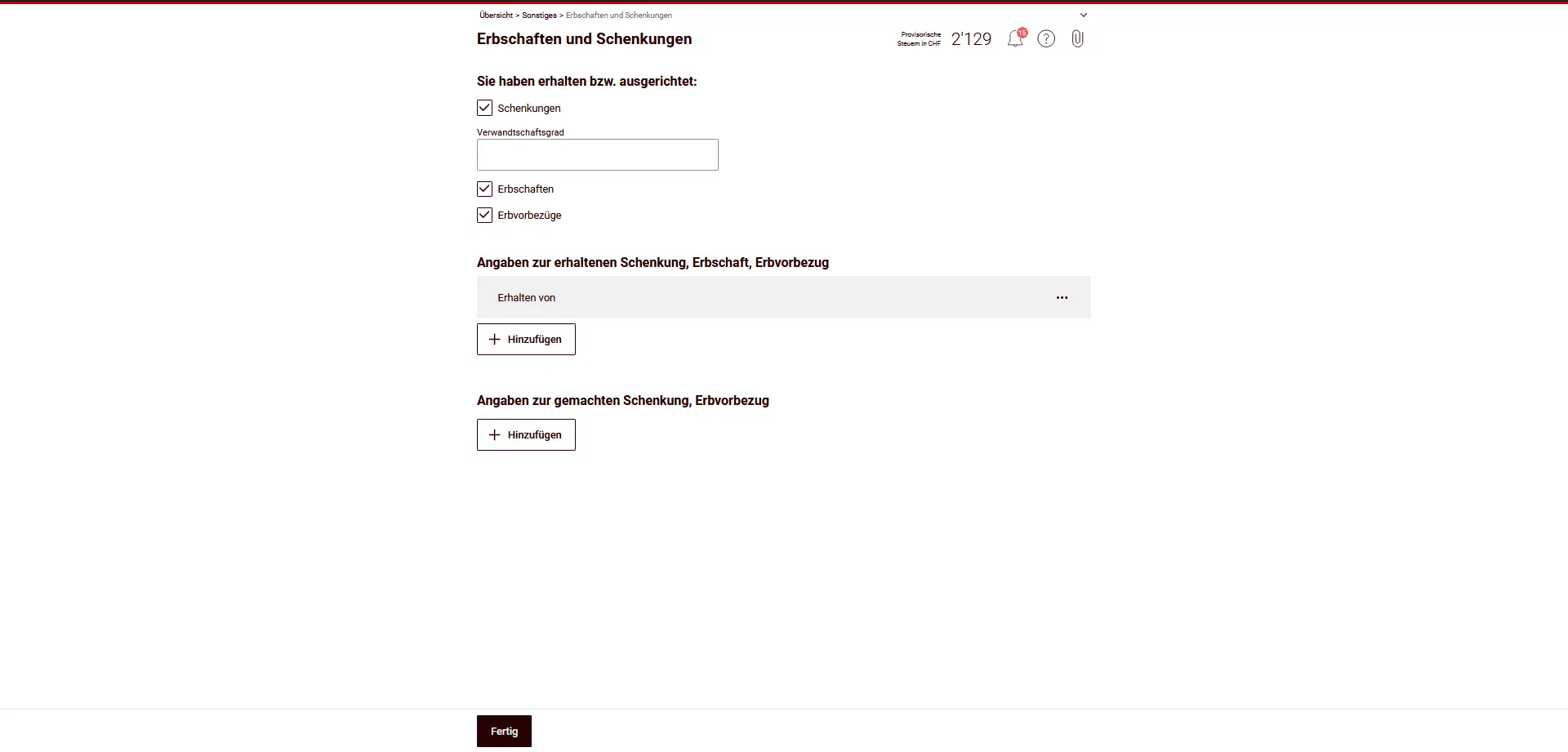
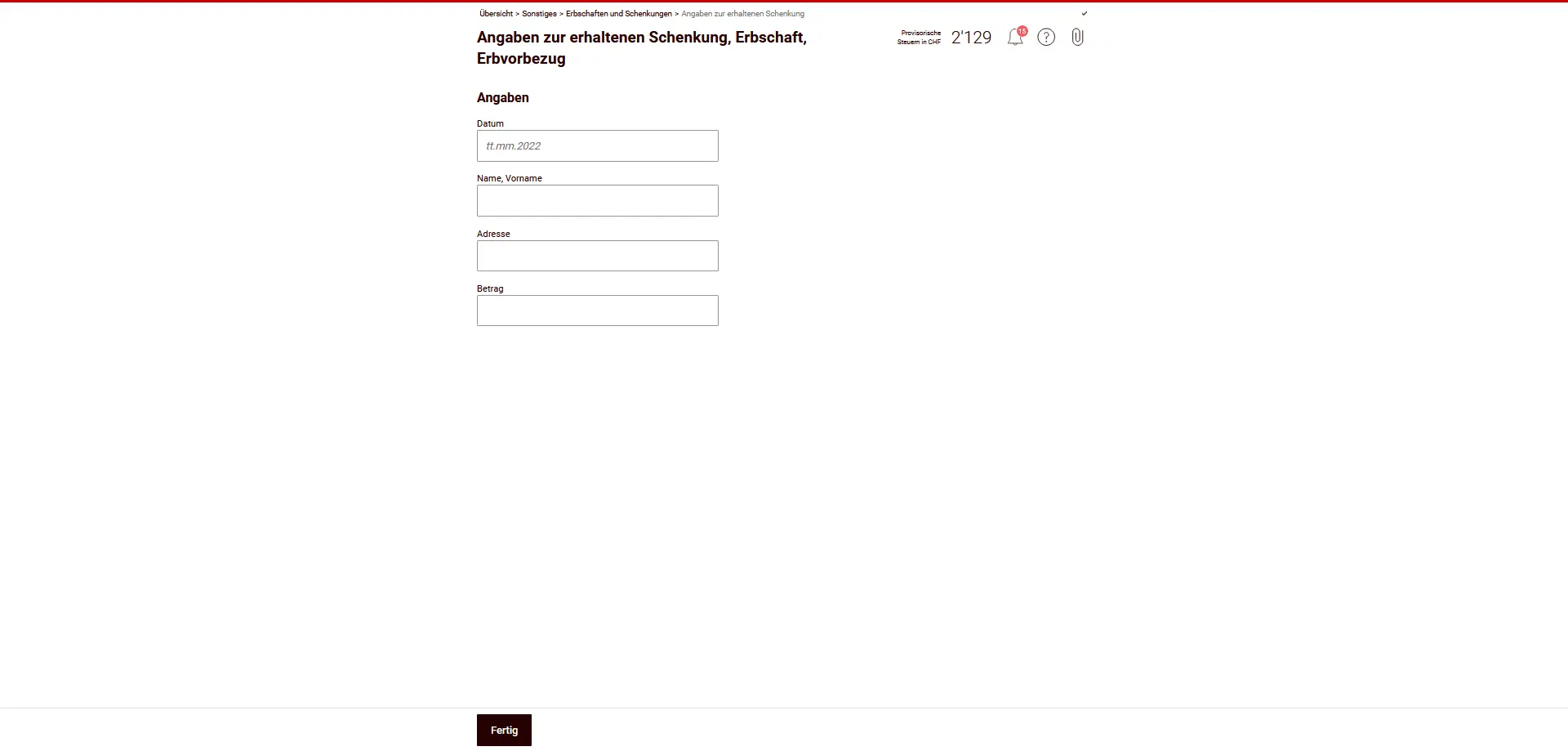
Donations, inheritances or inheritance advances received
If you have received assets, seize them separately for each transaction:
- Date
- Name and address of the person making the donation
- Amount or value of donation
Typical examples are gifts of money, inheritance advances from parents or a contribution of wealth from an inheritance.
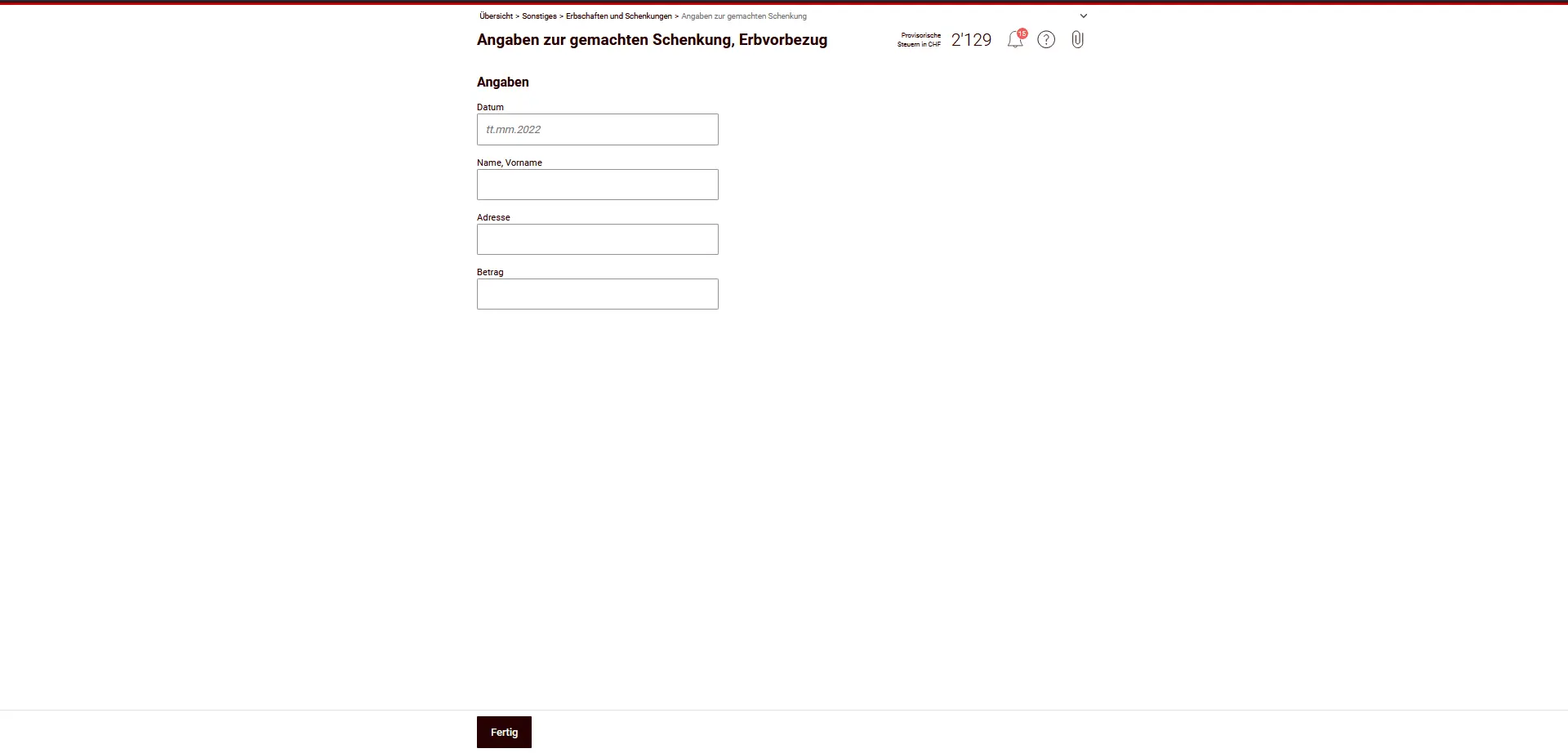
Donations or advances from heirs
If you have made gifts or inheritance advances yourself, you must also declare them — again, with the date, recipient and amount.
Important information
Are tax-exempt:
- Occasional gifts
- Gifts up to CHF 14'100 per year
- Gifts to direct descendants
In these cases, it is not necessary to file a separate gift tax return.
However, if you have received free gifts from persons domiciled in the canton of Solothurn, or if you have received real estate in connection with the canton of Solothurn, you must within three months additionally send a gift tax return to the tax office of the canton of Solothurn (special taxes department).
This section has no influence on your taxable income, but it is central to proof of assets and origin. Please enter the information completely and truthfully.
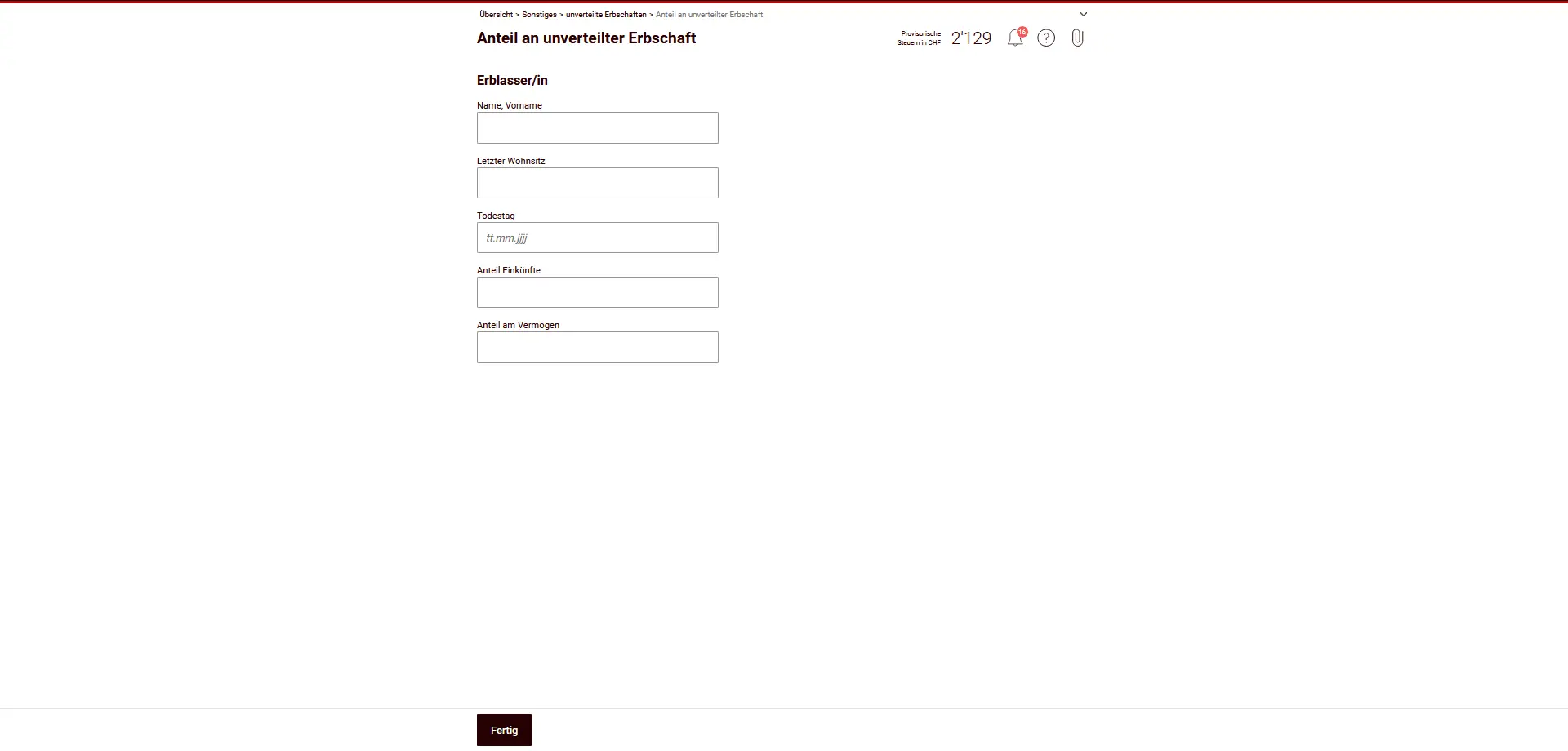
Undivided inheritances
If an estate has not yet been divided (community of heirs), you do not file a separate tax return for the community of heirs. Instead, you are taxed on your share of income and assets in proportion to your share of the inheritance - from the day of the deceased’s death.
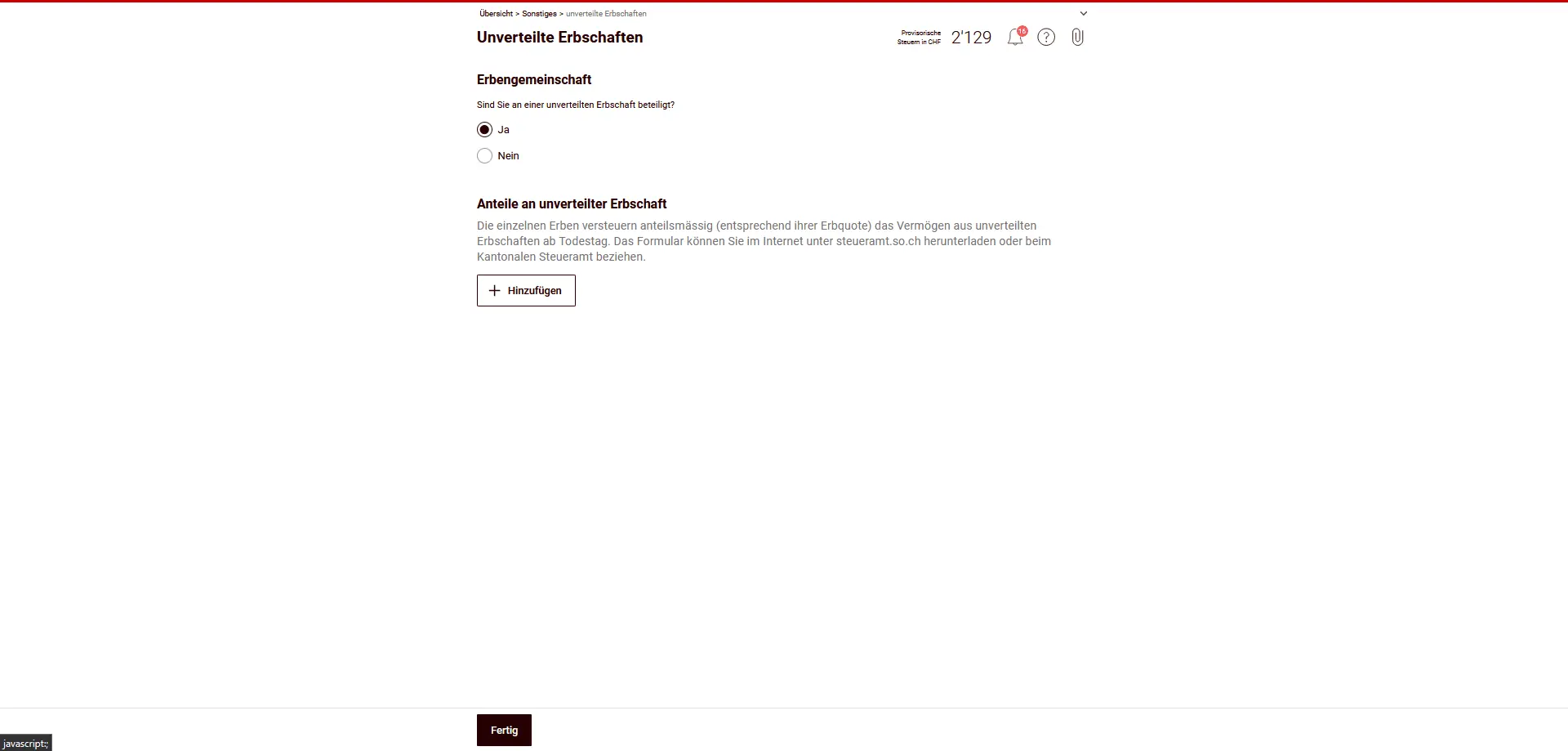
How to proceed:
- Indicate that you are participating in an undivided inheritance.
- Enter the deceased’s details (name, last address, date of death).
- Enter your share of income and assets.
- The values on the day of death are decisive, in proportion to the inheritance share.
It is important to know:
- There is no double taxation: the inherited community itself is not taxed.
- Likewise, you declare only your share of the estate’s real estate, securities or accounts.
- As soon as the estate is divided up, you will in future declare the values listed directly in the corresponding chapters (e.g. accounts, securities, real estate).
Donations for charitable purposes
In this section, you can declare voluntary donations to tax-exempt charitable organizations based in Switzerland.
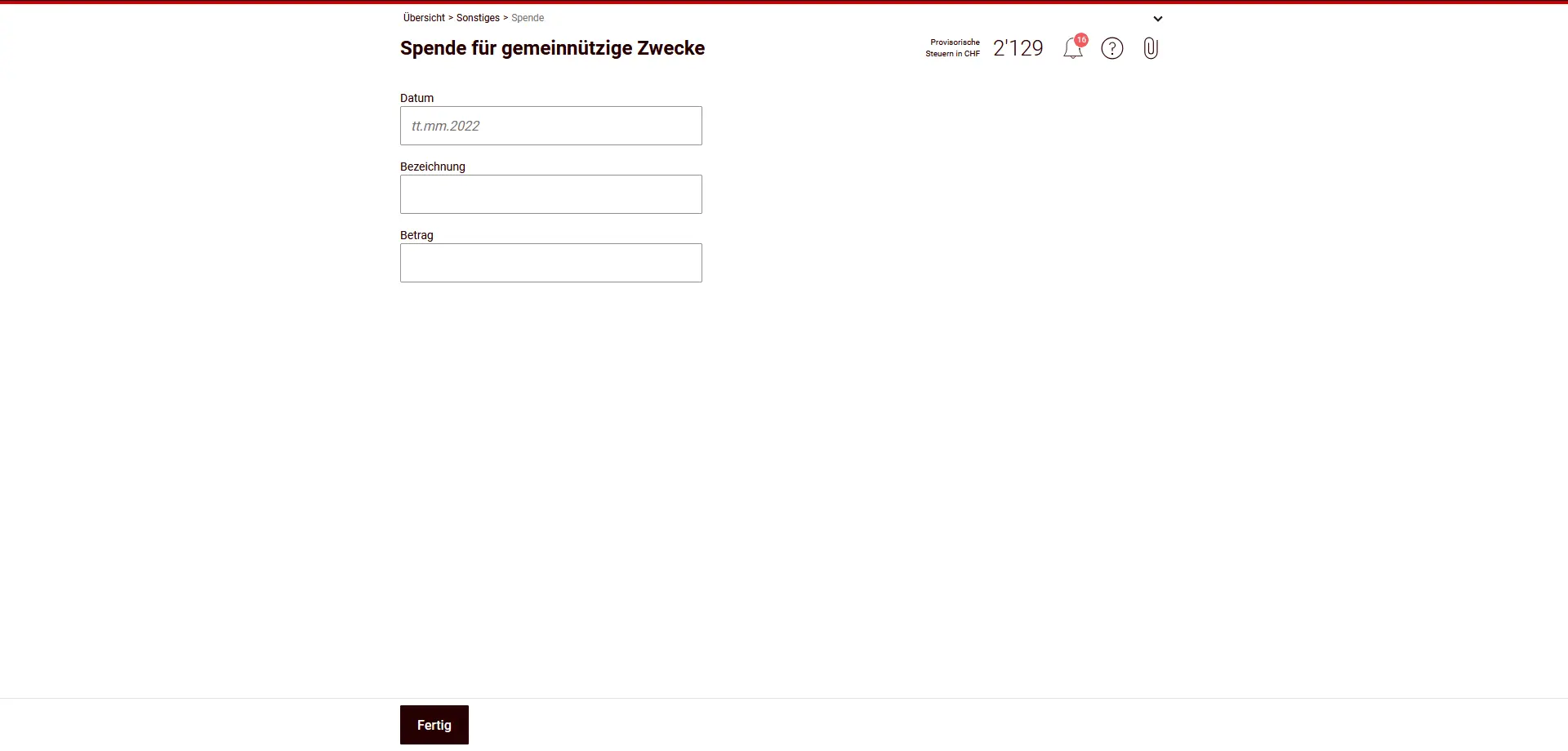
You can deduct this:
- Donations in cash or kind to legal entities based in
- are based in Switzerland and
- are tax-exempt due to public or charitable purposes.
- Donations must be justified (e.g. donation certificate).
Conditions and limits:
- Minimum amount: CHF 100 per year
- Maximum deduction: maximum 20% of net income
Not deductible:
- Membership fees and contributions on behalf of passive members
- Donations to non-profit organizations (e.g. music or sports associations).
- Donations to religious institutions (e.g. free churches)
Contributions to political parties
In this section, you can enter member dues and voluntary contributions to political parties.
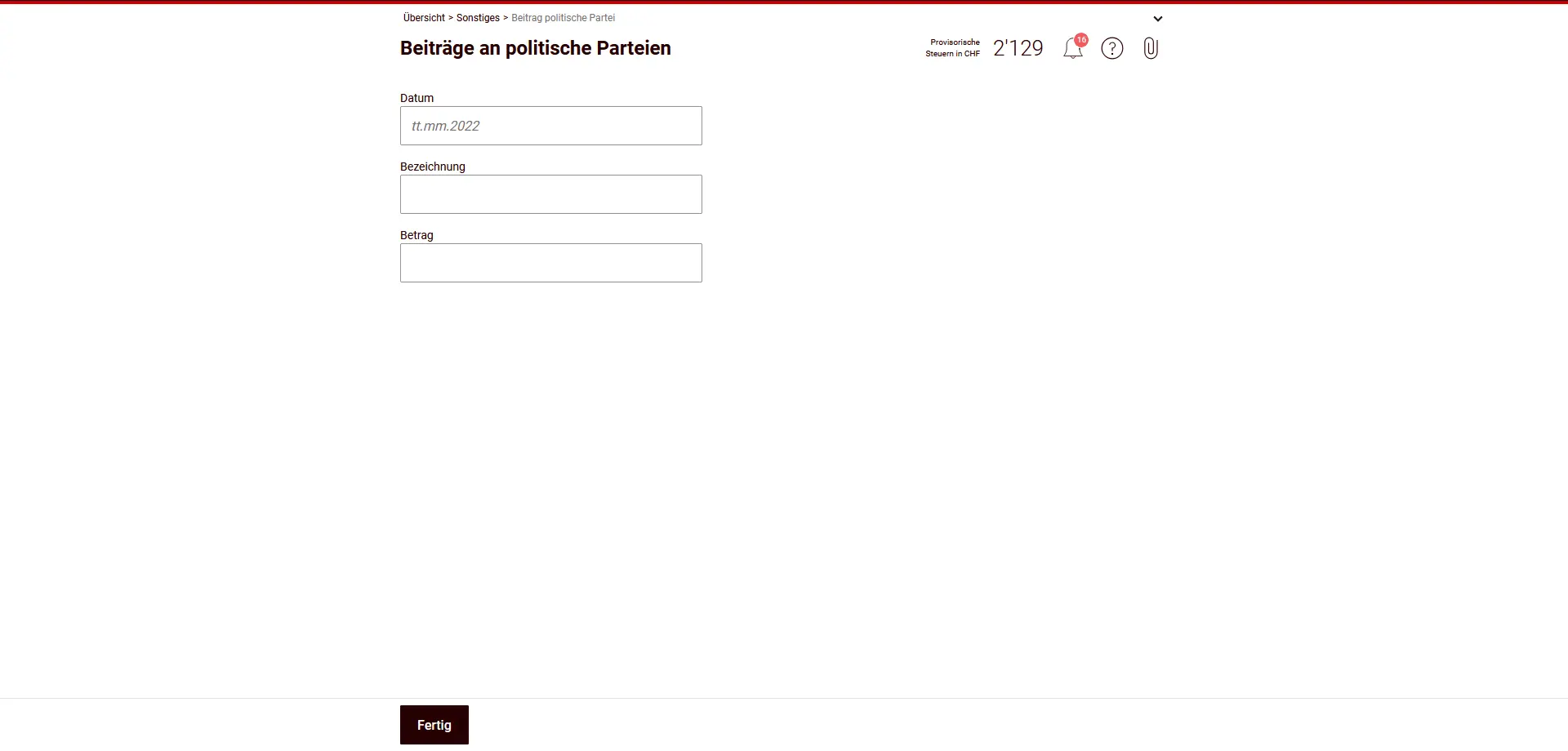
What is deductible?
- Membership fees and donations to political parties or party-related associations,
- provided they meet the legal conditions (see below).
Deduction limits:
- State tax (canton of Solothurn): maximum CHF 20'000
- Direct federal tax: maximum CHF 10'100
Limits always apply per tax period and per taxable person.
Which parties are eligible?
Only contributions to associations that meet at least one of the following conditions are deductible:
- are entered in the federal register of parties in accordance with art. 76a BPR, or
- are represented in a cantonal parliament, or
- received at least 3% of the vote in the most recent cantonal parliamentary elections.
Non-deductible:
- Contributions to political groups without formal party status.
- Donations to initiative or referendum committees without party status.
Retirement benefits
In this section, you declare retirement benefits that aren’t used to support family law (for example, no alimony or maintenance).
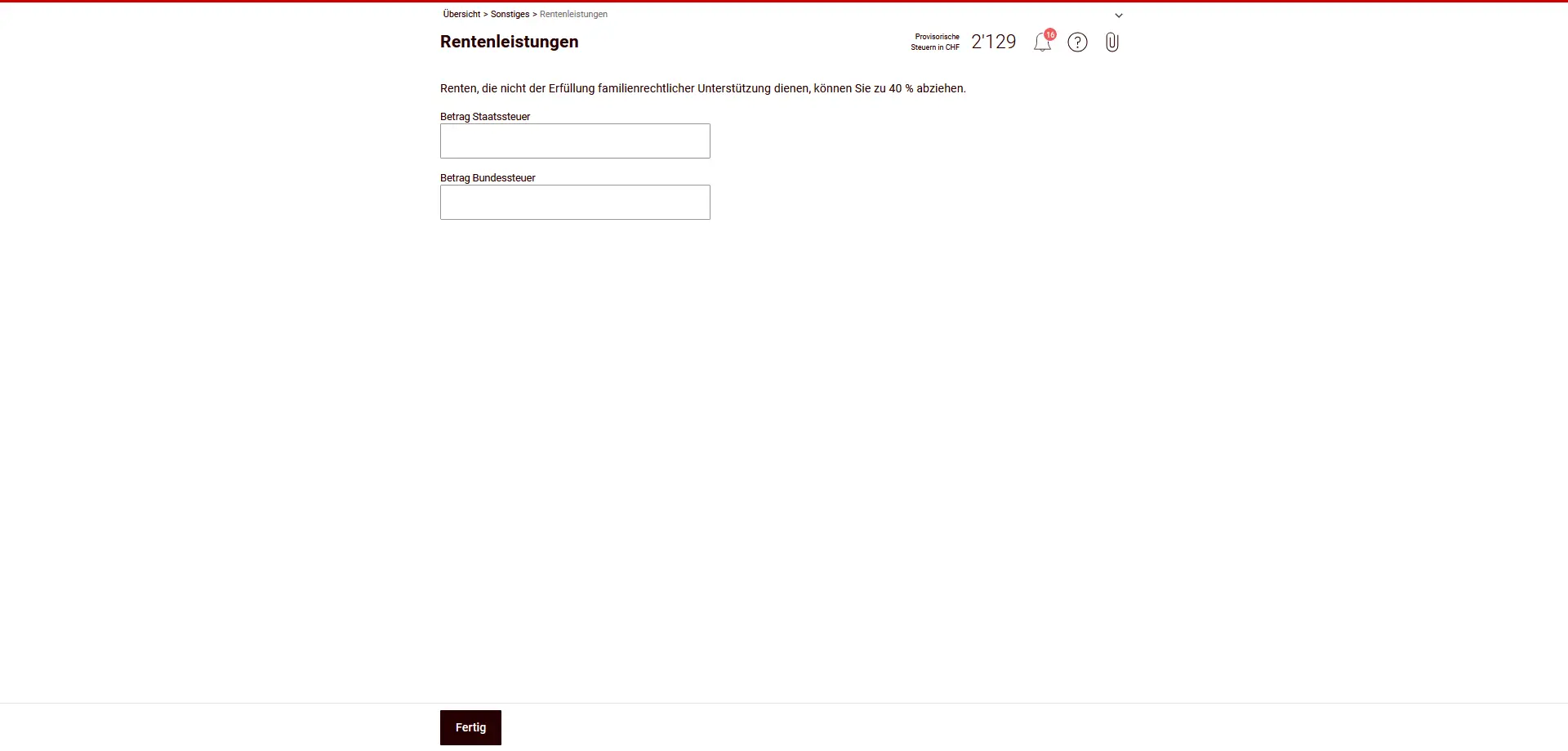
What can you deduct?
- You can deduct up to 40% of your income from pension benefits.
Important:
- The deduction only applies to pensions that are not due under family law.
- Maintenance contributions (e.g. alimony) do not fall into this category and must be declared separately.
- Enter the deductible amount separately for cantonal and federal taxes.
Lump-sum payments for recurring benefits
Here you enter capital compensation that does not come from occupational benefits, e.g. severance pay from an employment contract or compensation for the abandonment or non-exercise of a right.
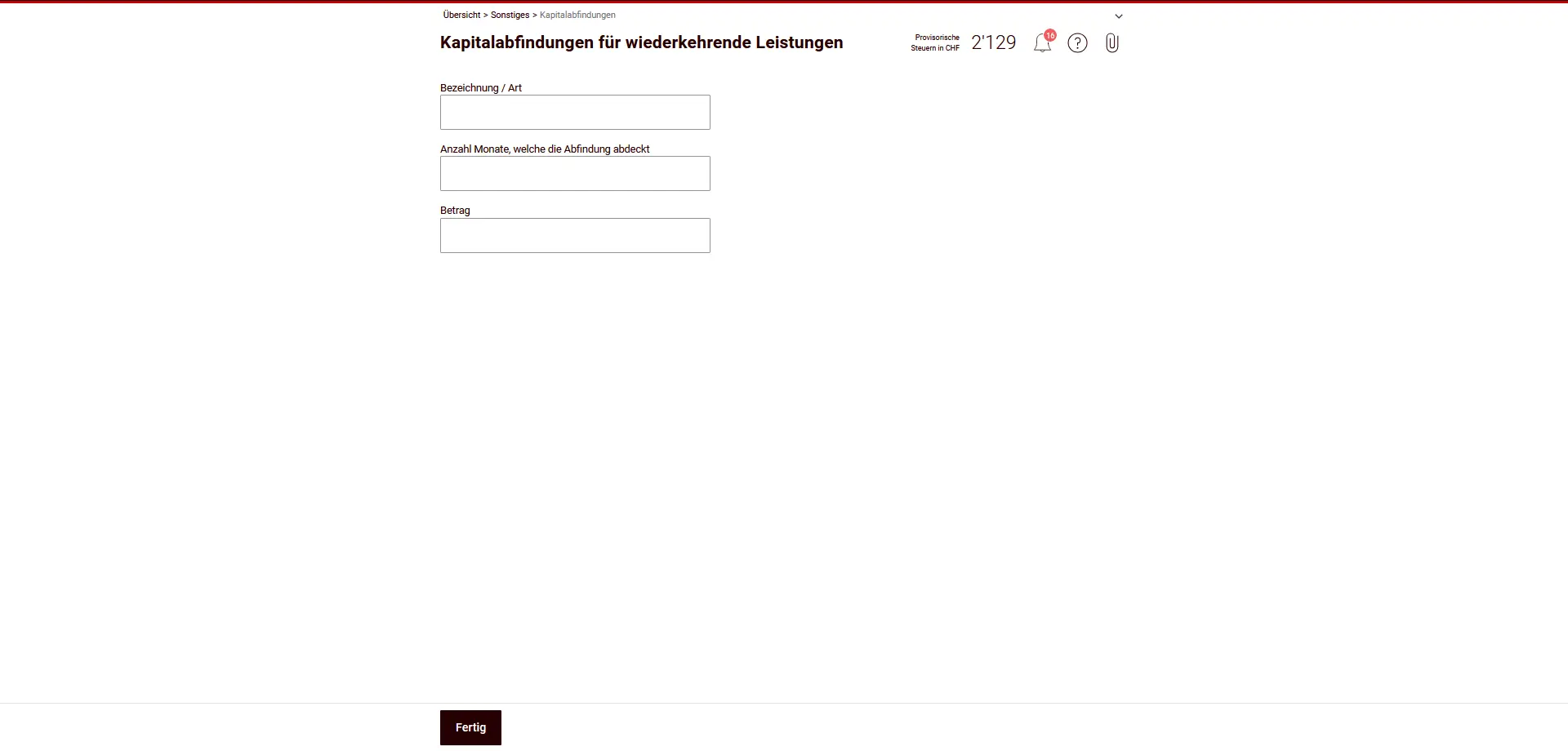
This is how they are taxed:
- Lump-sum payments are taxed at the same rate as other income.
- To determine the tax rate, we don’t use the whole amount at once, but the amount corresponding to an annual benefit.
- To do this, it is essential to indicate the number of months covered by the benefit.
Important:
- This section does not include severance pay from an occupational pension scheme (e.g. pension fund).
- Prepare the contract or statement you are relying on — the tax authorities may require proof.
Other income
Here you enter other taxable income not included in the other sections.
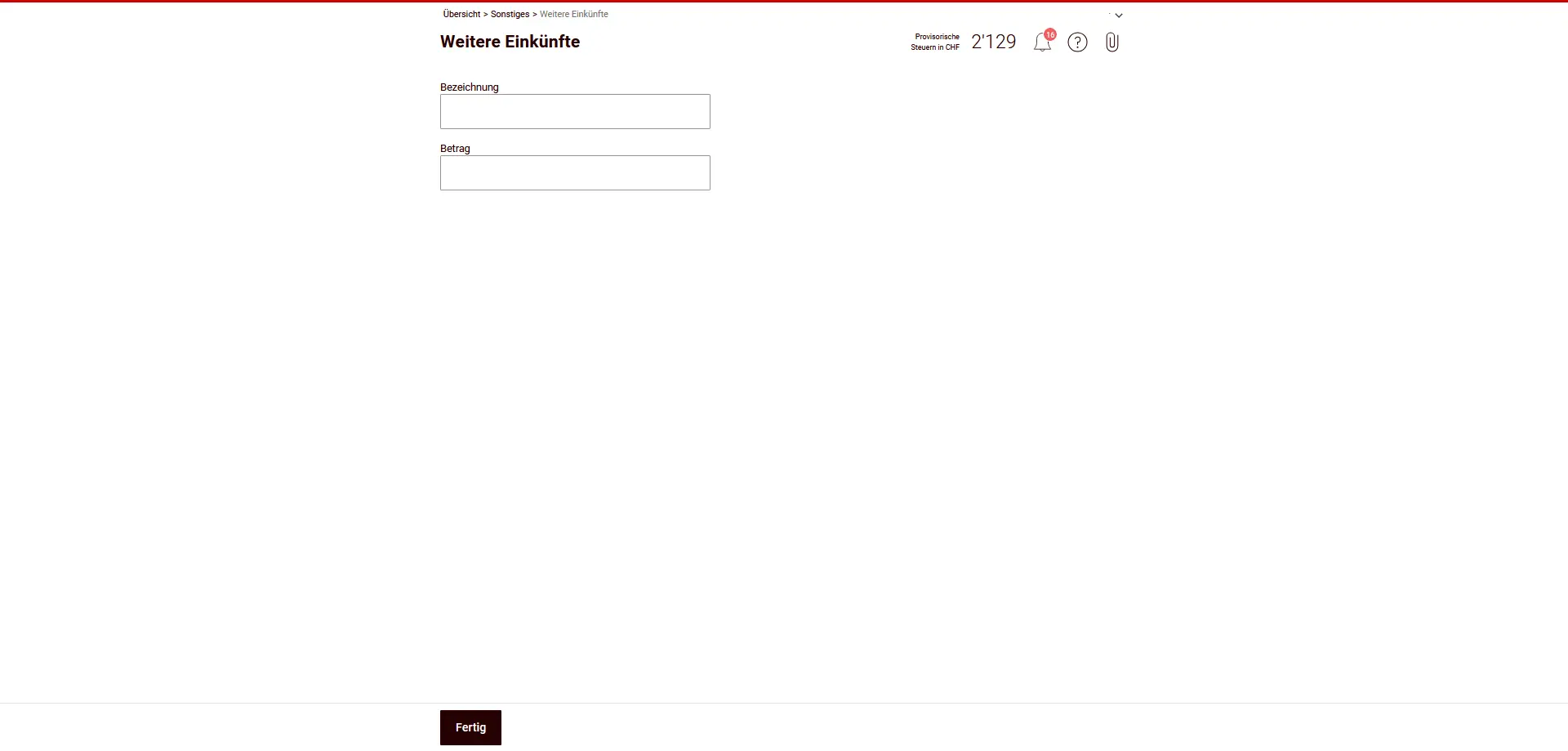
Typical examples:
- Tips not shown on salary certificate
- Recurring payments in the event of death or for permanent physical or health disabilities
- Income from usufruct, if not already declared under real estate or assets.
- Income from single-premium capital insurance, unless tax-privileged.
Important:
- Single-premium capital insurances are taxed in the event of life or surrender.
- Declare here all non-preferred capital insurances that have not yet been entered anywhere.
- Enter each item with a clear description and amount.
Other deductions
In this section, you can enter other deductible expenses that have not been taken into account under any other heading.
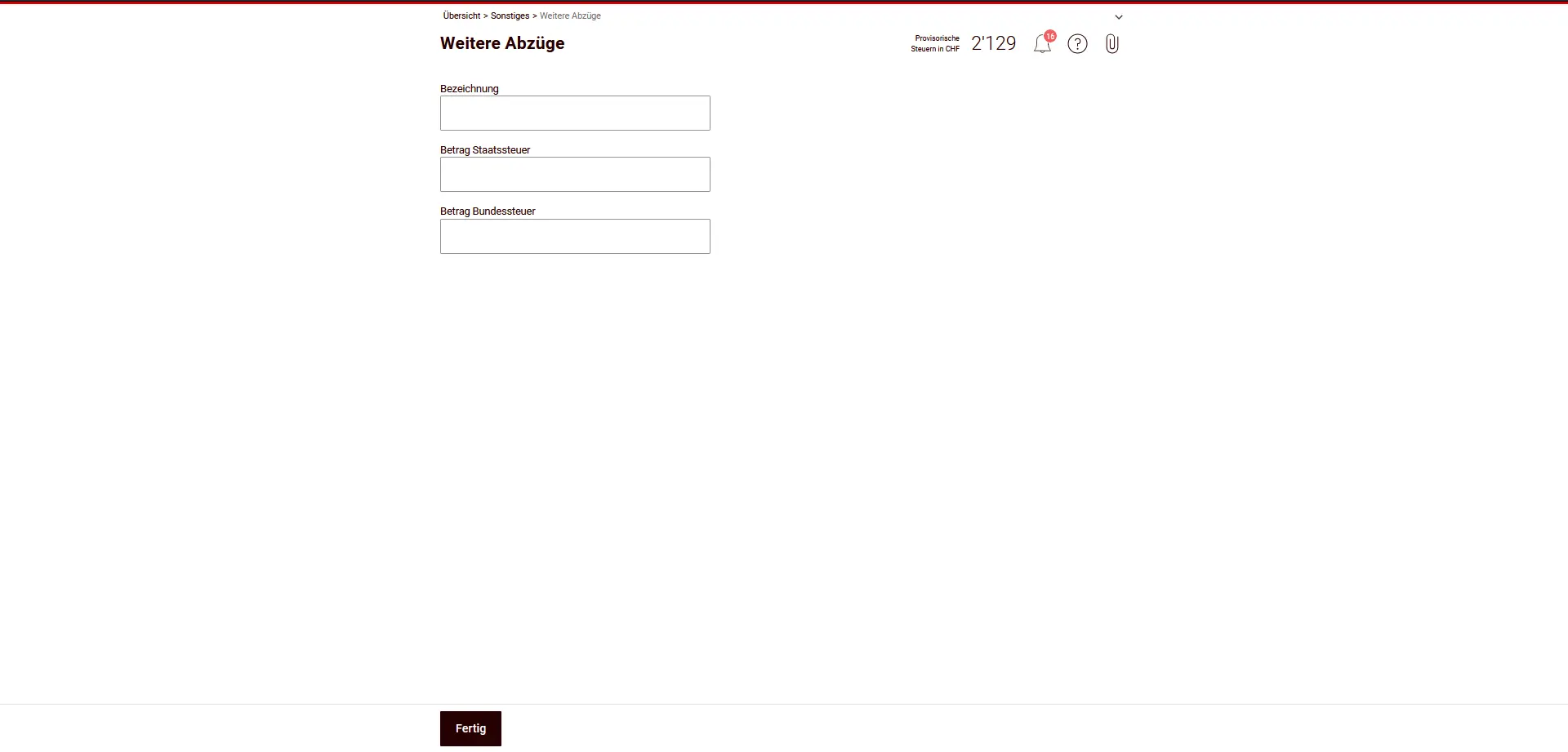
Typical deductible items:
- Premiums for compulsory non-occupational accident insurance (N.O.A.) for working people, if not already included in net salary.
- Statutory contributions to AVS compensation funds, if not already deducted in the salary certificate or when determining the company’s income (in the case of self-employment). Employer’s contributions for private employees are not deductible.
- Intervention costs for taxable gambling winnings:
- For non-tax-exempt gambling winnings (≠ casino games): deduction of 5% of winnings, maximum CHF 5,000.
- For online casino games: deduction of bets debited from the player’s account during the tax year, maximum CHF 25,000.
Instructions:
- Enter each item with a clear designation.
- Enter the amount separately for cantonal and federal tax, if different.
- This section is a supplement - anything that has already been deducted elsewhere should not be claimed twice here.
Comments / Remarks
Here you can enter additional information for the tax return.
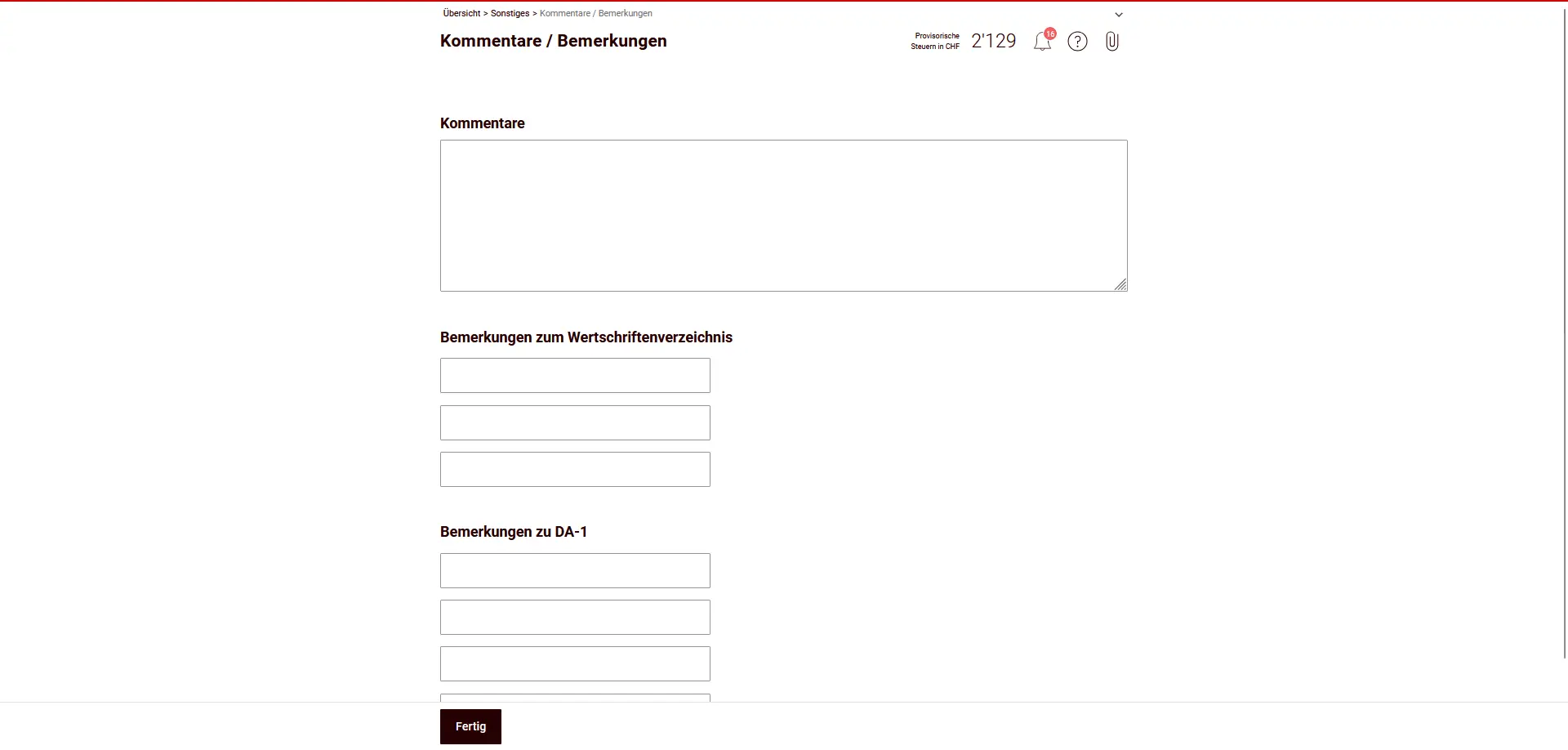
Comments
General explanations, e.g:
- special facts or discrepancies
- Remarks on missing or subsequently supplied supporting documents
Comments on title list
Additional information on titles, e.g:
- missing tax values
- special events (mergers, change of depository)
Comments on DA-1
Remarks on recovery of foreign withholding taxes, e.g:
- Discrepancies with bank receipts
This information is optional, but helps to avoid requests for clarification.
Step 3: Supporting documents
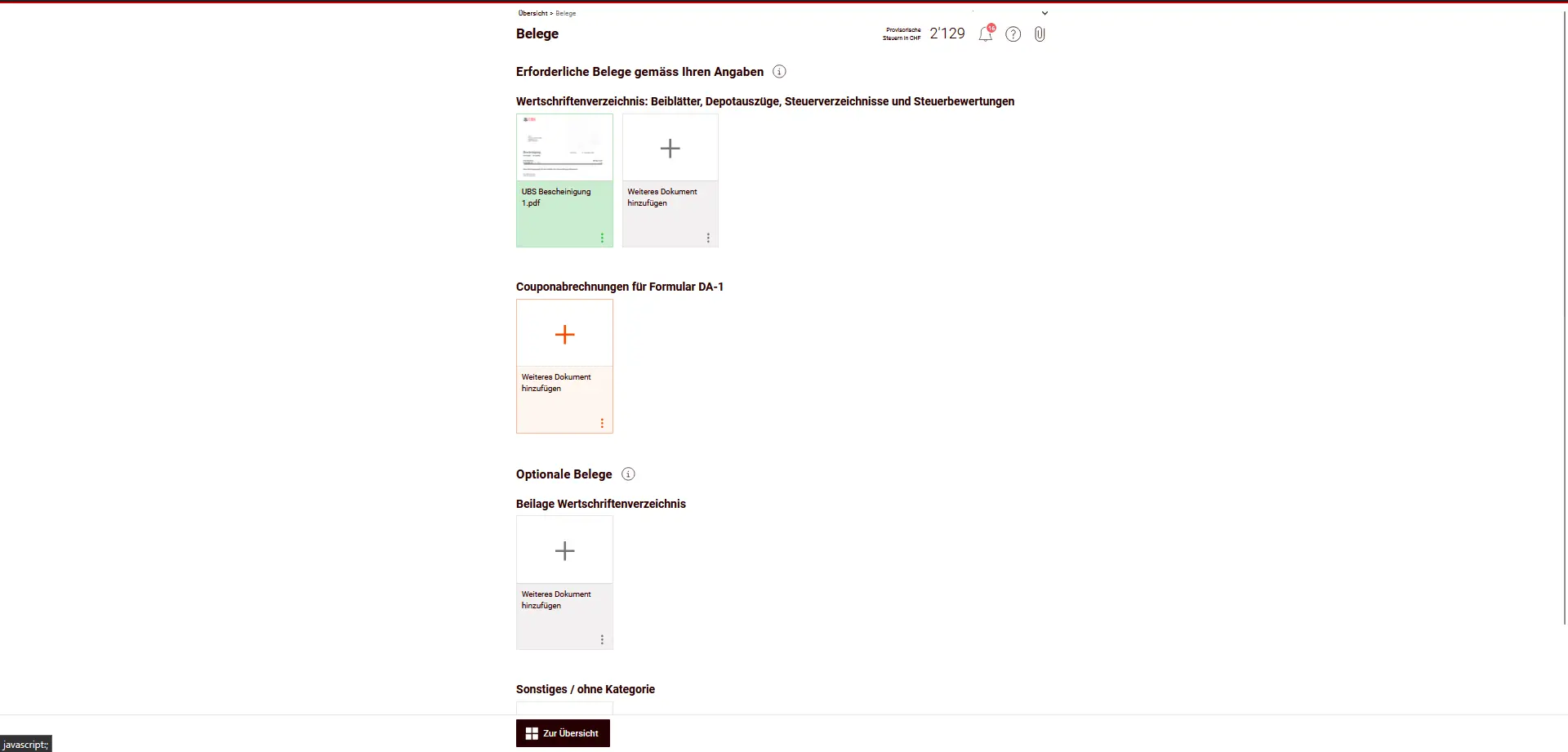
Under Credentials, you will find an overview of all uploaded documents. The required documents are sent digitally and do not need to be sent by post. Please check that all requested documents have been uploaded.
Step 4: Overview and submission
Before submitting your tax return, we recommend that you check all the data carefully once again, especially with regard to deductions, titles and receipts.
You can then send your tax return electronically and save a summary in PDF format.
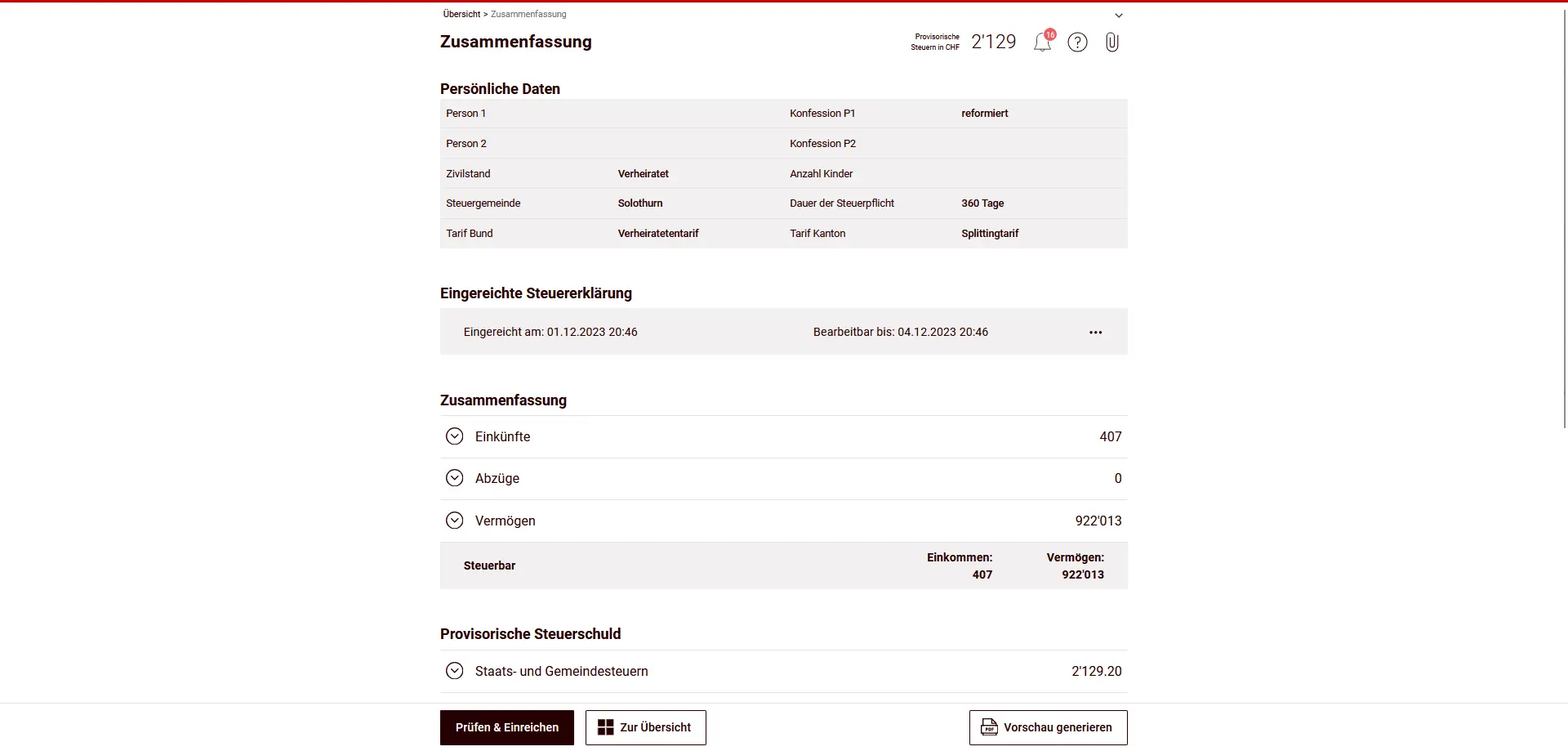
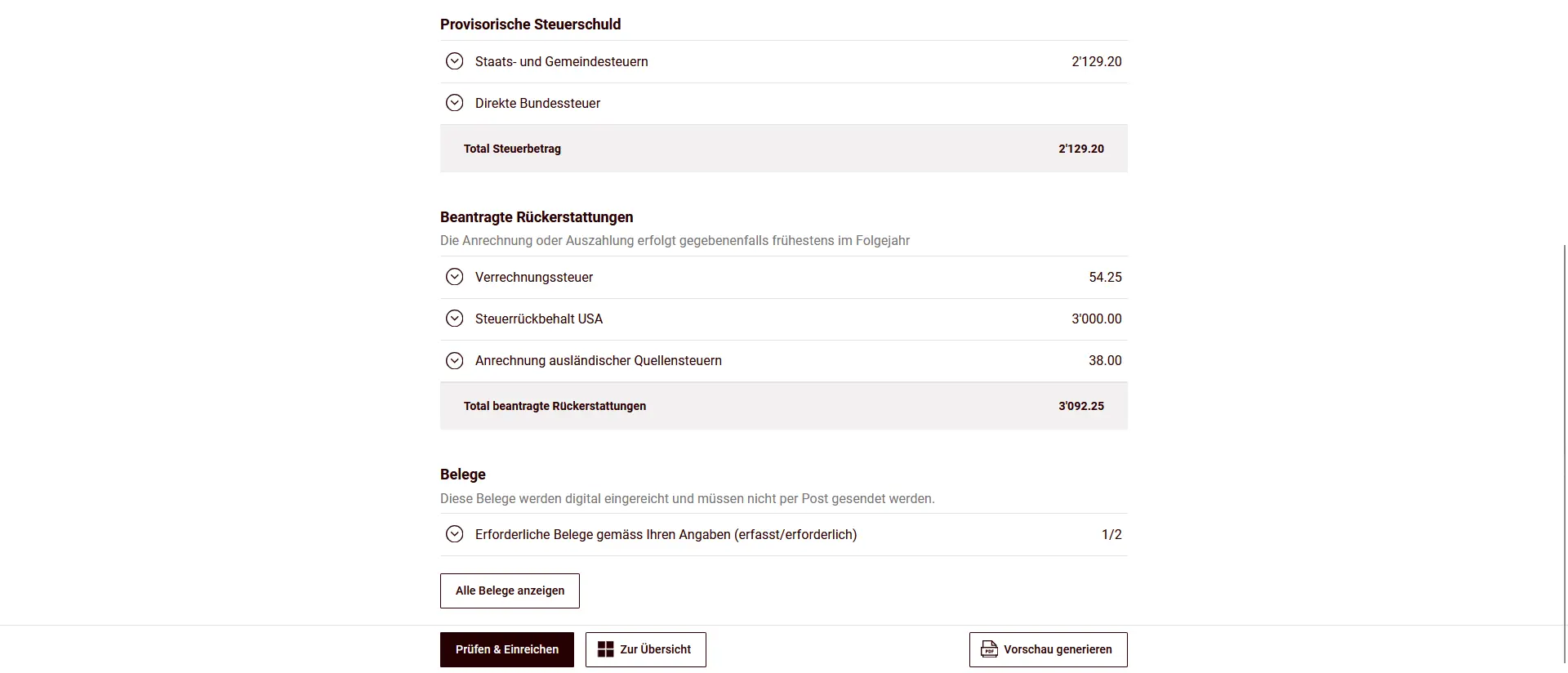
After submission, you will receive the final tax estimate at a later date. This contains either an invoice or a refund if it differs from the provisional calculation.
Congratulations, your tax return for the canton of Solothurn is now complete!