
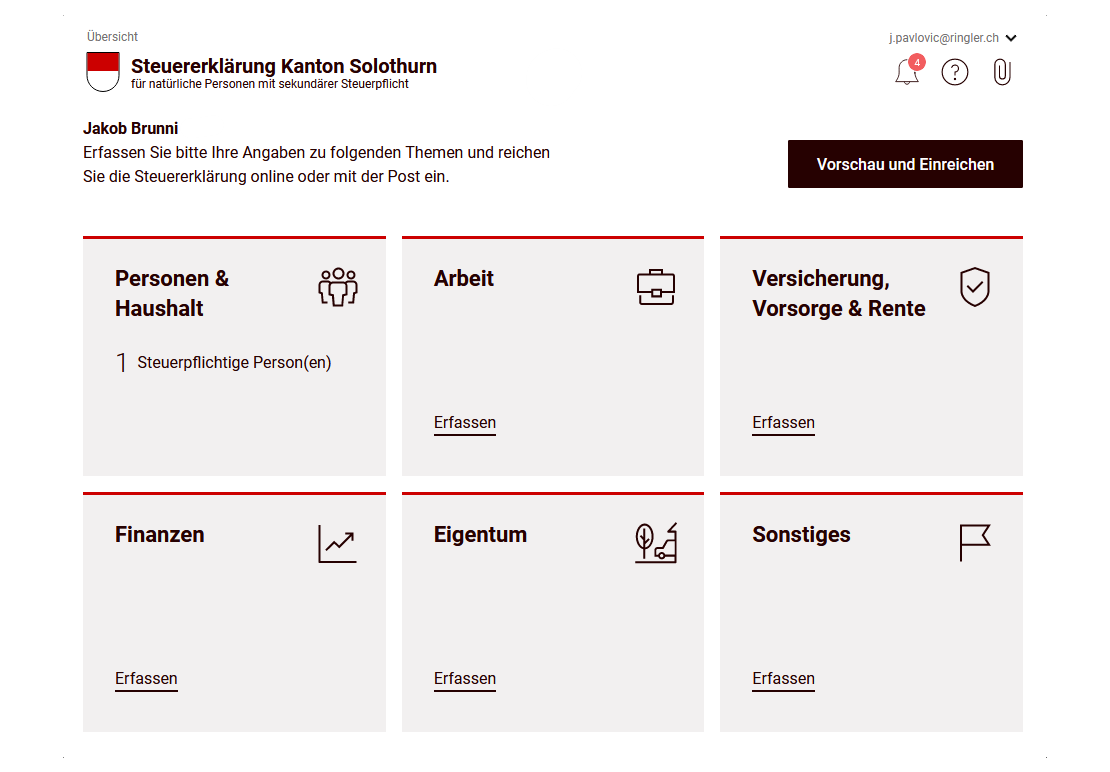
In the first part of the eTax Solothurn guide, we completed the first two parts of our Swiss tax return (for the canton of Solothurn): personal data and professional income.
Let’s move on to the other categories, and in particular to the most interesting part: our stock market investments!
Step 1: Insurance, pensions and retirement
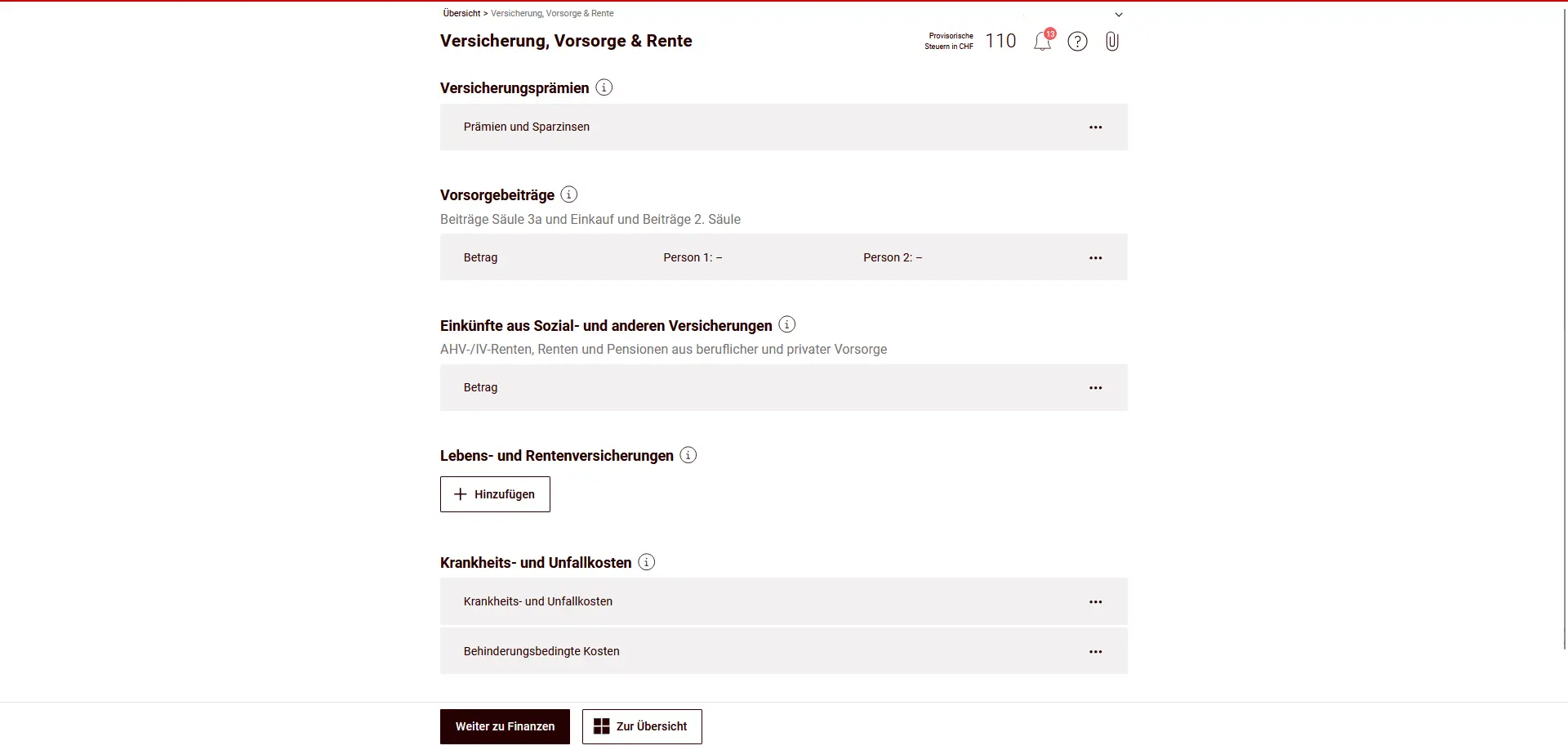
In the “Insurance, pension and retirement” section, you enter insurance premiums, pension contributions and income from social insurance and other sources. This information influences both deductions and taxable income. If necessary, each person can be entered separately.
Insurance premiums
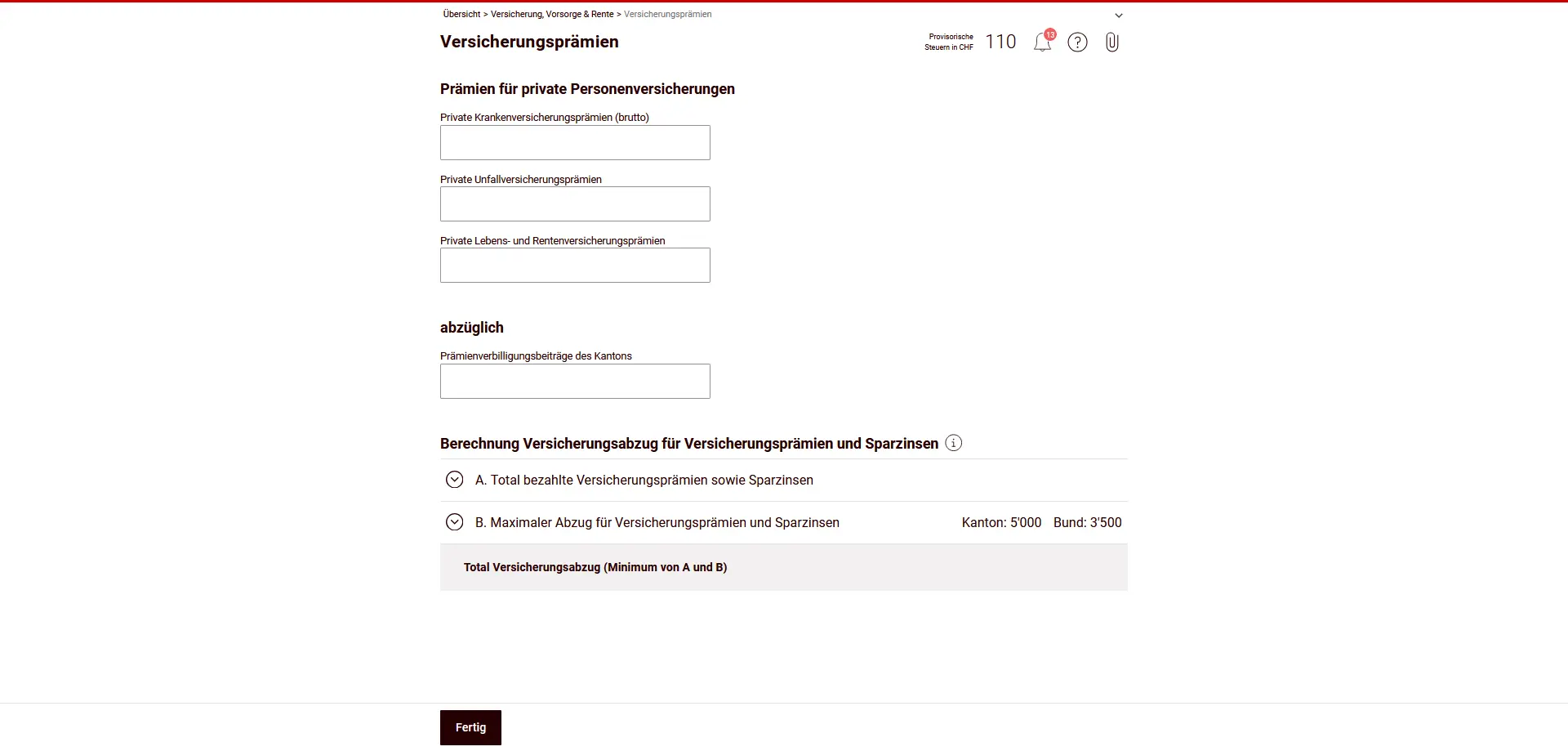
Under “Insurance premiums”, you enter the premiums you have paid for private personal insurance. These include premiums for health, accident, life and pension insurance.
Any cantonal premium reductions are indicated separately and deducted from the deduction. The actual insurance deduction is then automatically calculated on the basis of the statutory maximum amounts for the canton and the Confederation.
Pension contributions
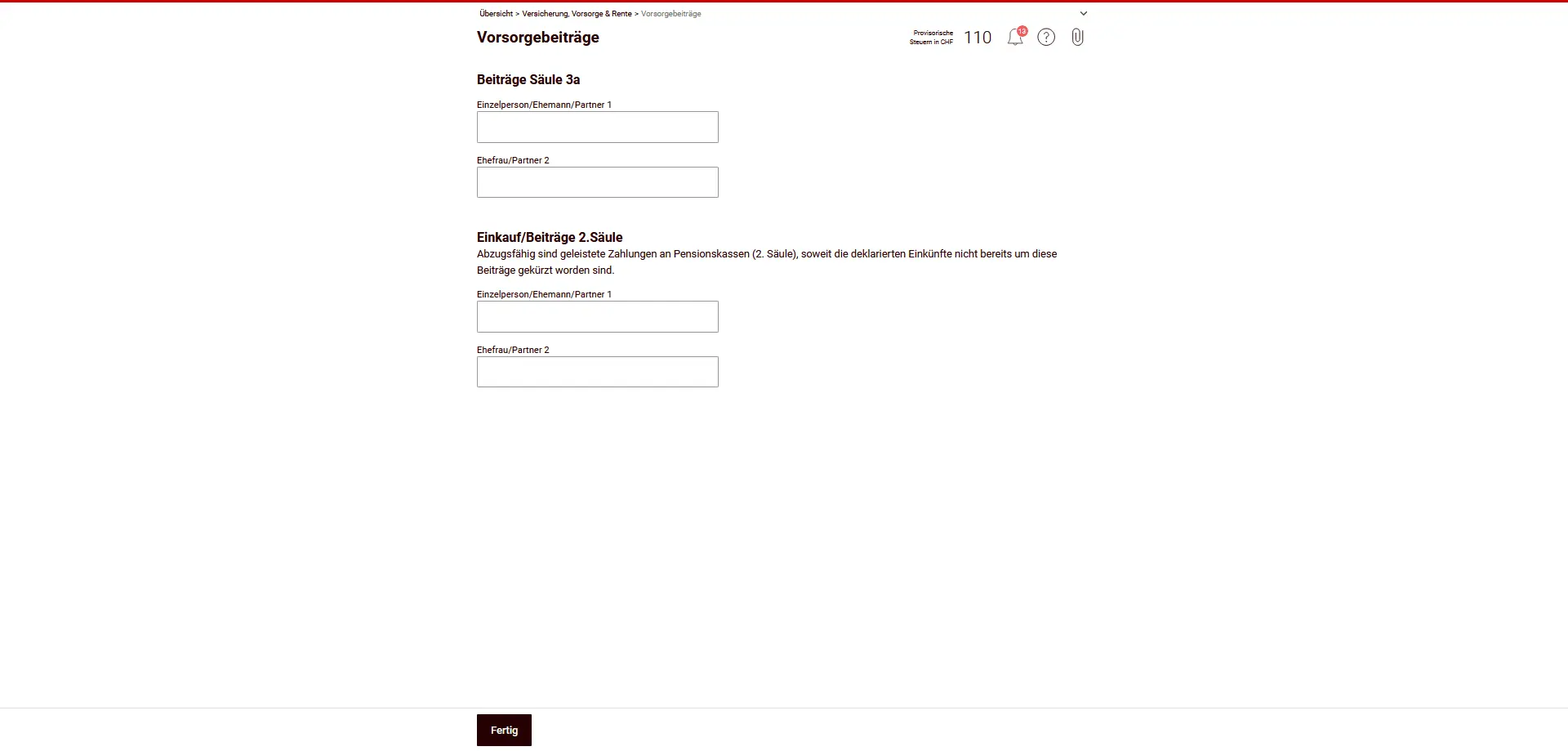
In the sub-chapter “Pension contributions”, you enter the contributions you have made to the tied personal pension plan (pillar 3a) as well as voluntary purchases and contributions to the occupational pension plan (2nd pillar).
Entries must be made separately for each person. Only contributions actually made are deductible, provided they have not already been included in your declared income.
Income from pensions, social insurance and other insurances
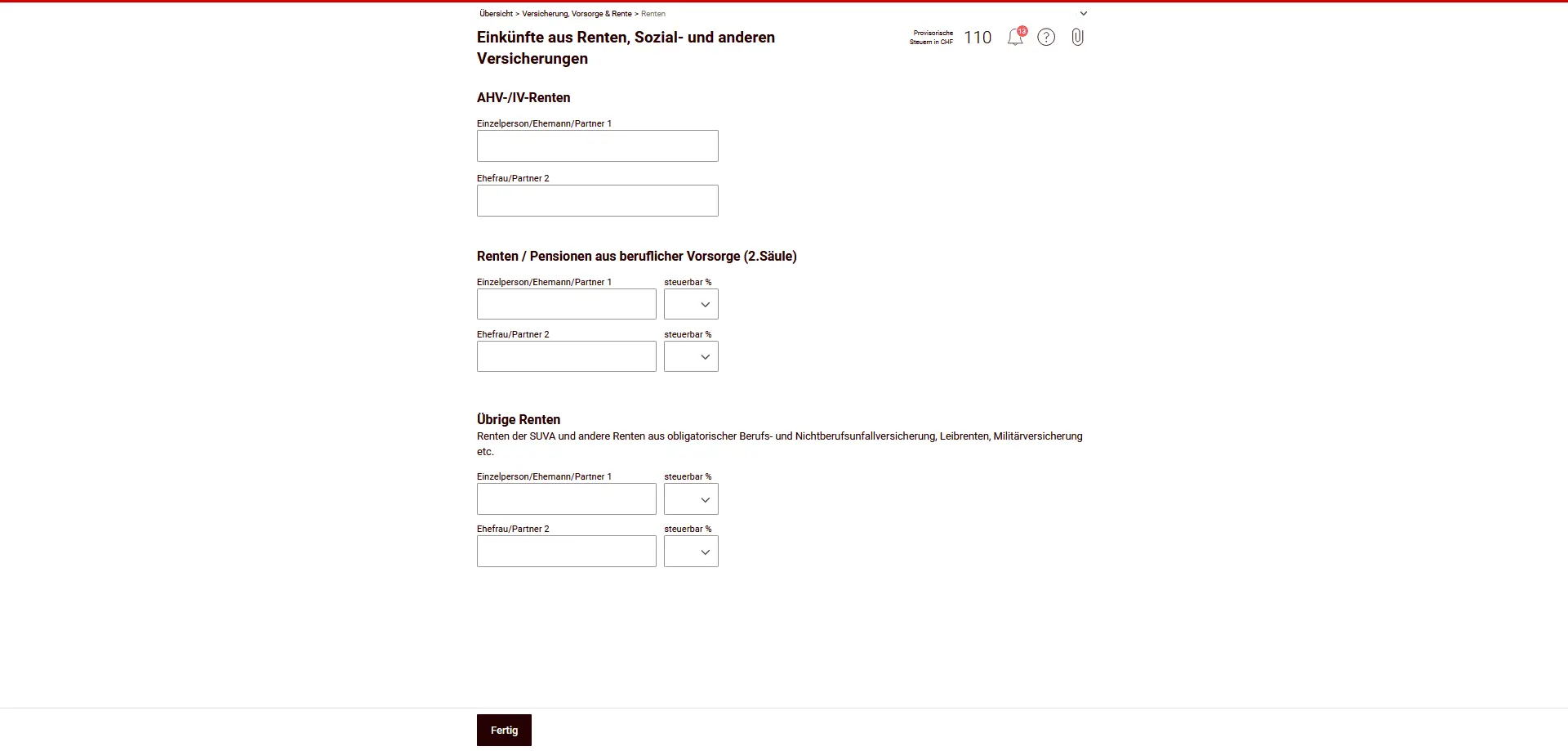
In “Income from pensions, social insurance and other insurance”, you declare income from OASI/DI pensions as well as income from occupational pension plans (2nd pillar).
Other pensions, such as those from SUVA, accident insurance or military insurance, as well as other comparable benefits, should also be entered.
Data are provided separately for each person; for certain types of pension, the taxable portion is automatically taken into account.
Life insurance and annuities
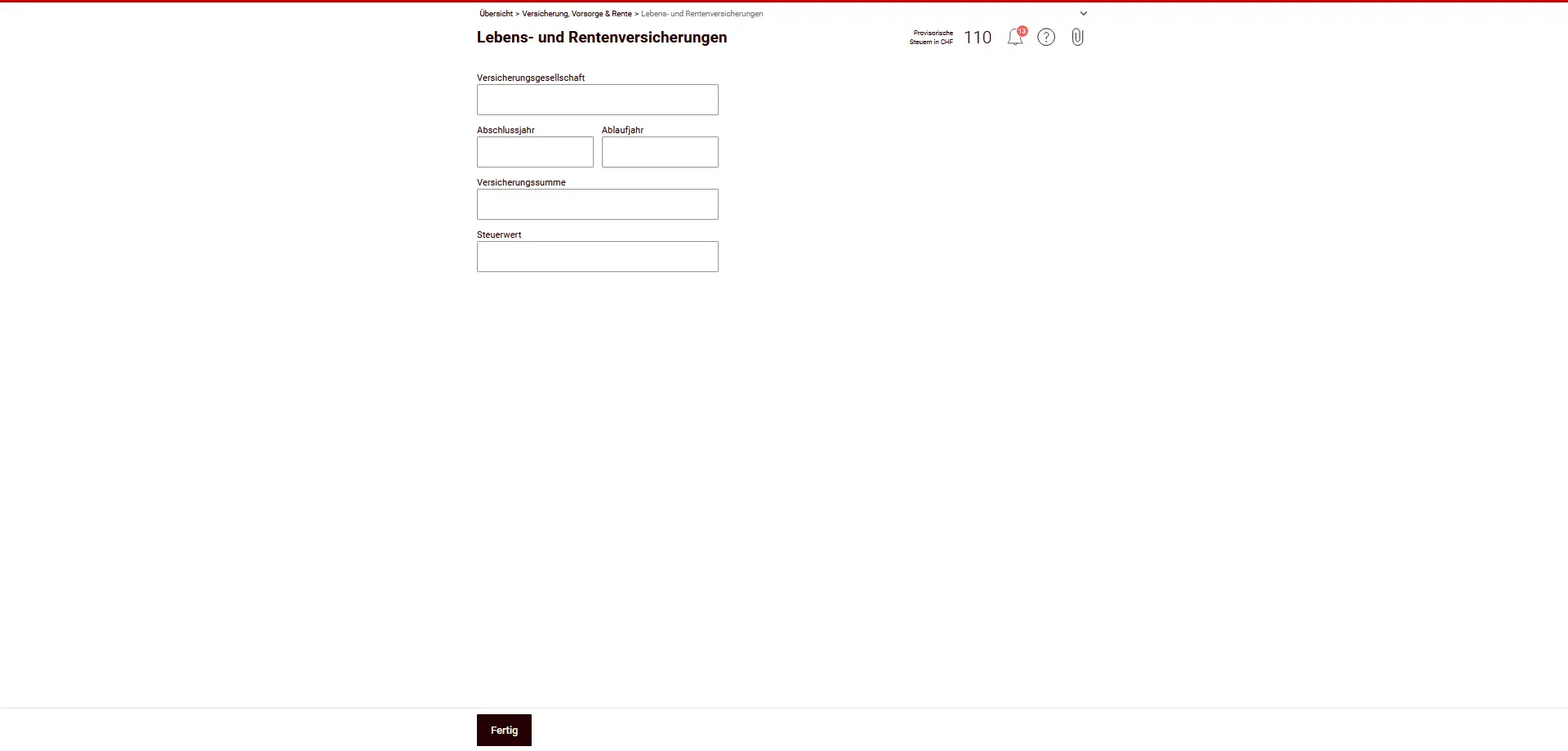
In this sub-chapter, you enter private life insurance and pensions that are not already included elsewhere. The asset value of the policy is important.
The wealth tax value depends on the tax value, including credited surplus shares. The decisive value is the one certified to you by the insurance company. You must send this certificate with your tax return.
Important: Pension policies taken out as part of a tied personal pension plan (pillar 3a) are tax-exempt until the sum insured matures, and are not taxed here as assets.
HOWEVER: NEVER take out life insurance linked to a pillar 3a (also known as mixed life insurance). I’ll explain why in this article: “Close your pillar 3a life insurance without further delay!”.
Sickness and accident expenses
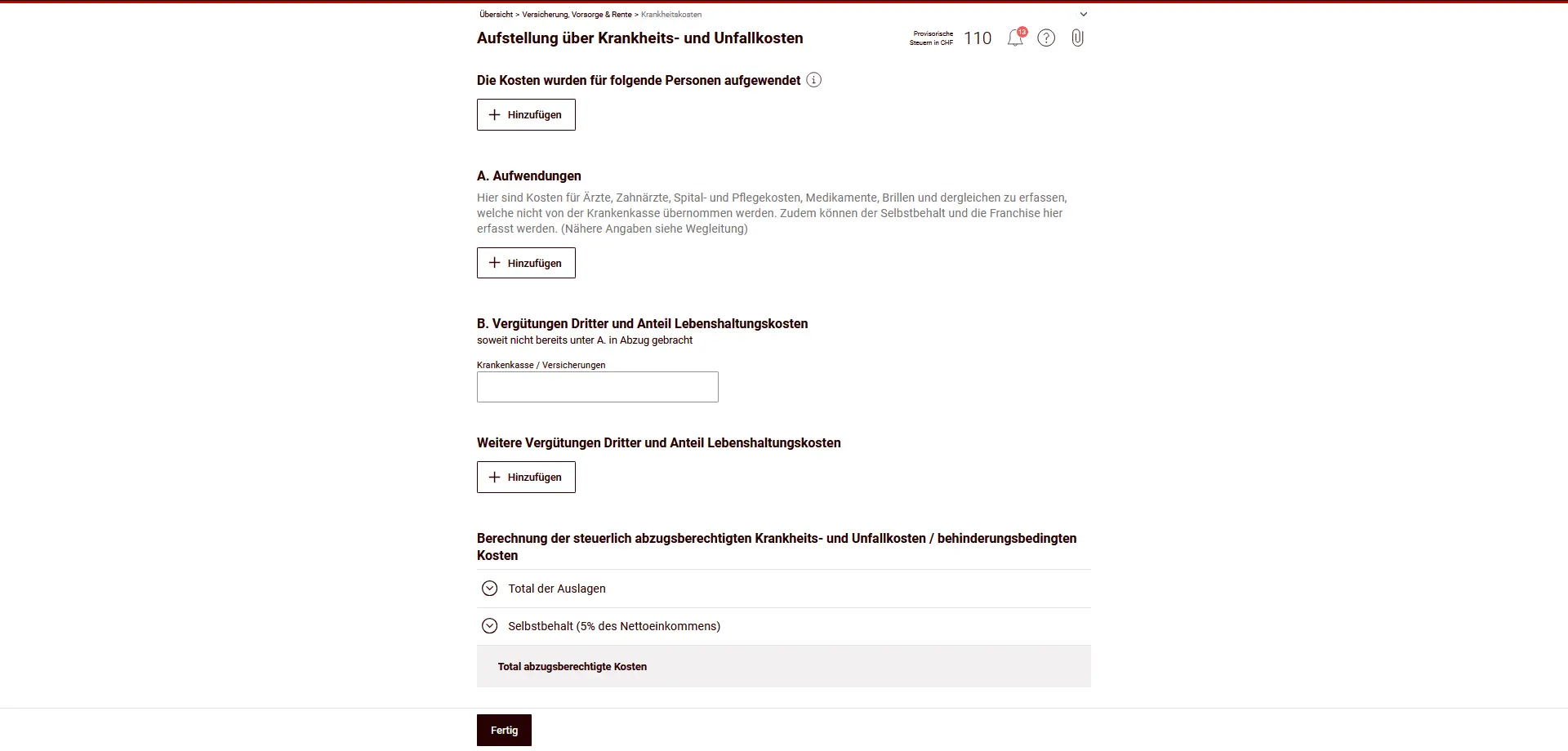
In this section, you enter the sickness, accident and disability expenses you have incurred yourself.
You can deduct sickness and accident expenses for yourself and your dependants, provided that you have paid these expenses yourself and that they exceed 5% of your net income. These include, for example, doctor, dentist, hospital and nursing care costs, medication and eyewear, insofar as they have not been covered by health insurance. Deductibles and co-payments can also be taken into account here.
Costs for purely aesthetic, rejuvenation or beauty treatments, as well as slimming or fitness cures, are not deductible.
On the other hand, you can fully deduct disability-related expenses from your taxable income. A disability is considered to be a physical, mental or psychological impairment that is likely to be long-lasting, and which makes daily tasks, mobility, social contacts, training or professional activity very difficult or impossible.
A mild impairment that can be easily compensated for by aids such as glasses or a hearing aid is not considered a disability.
Lump-sum benefits from pension plans
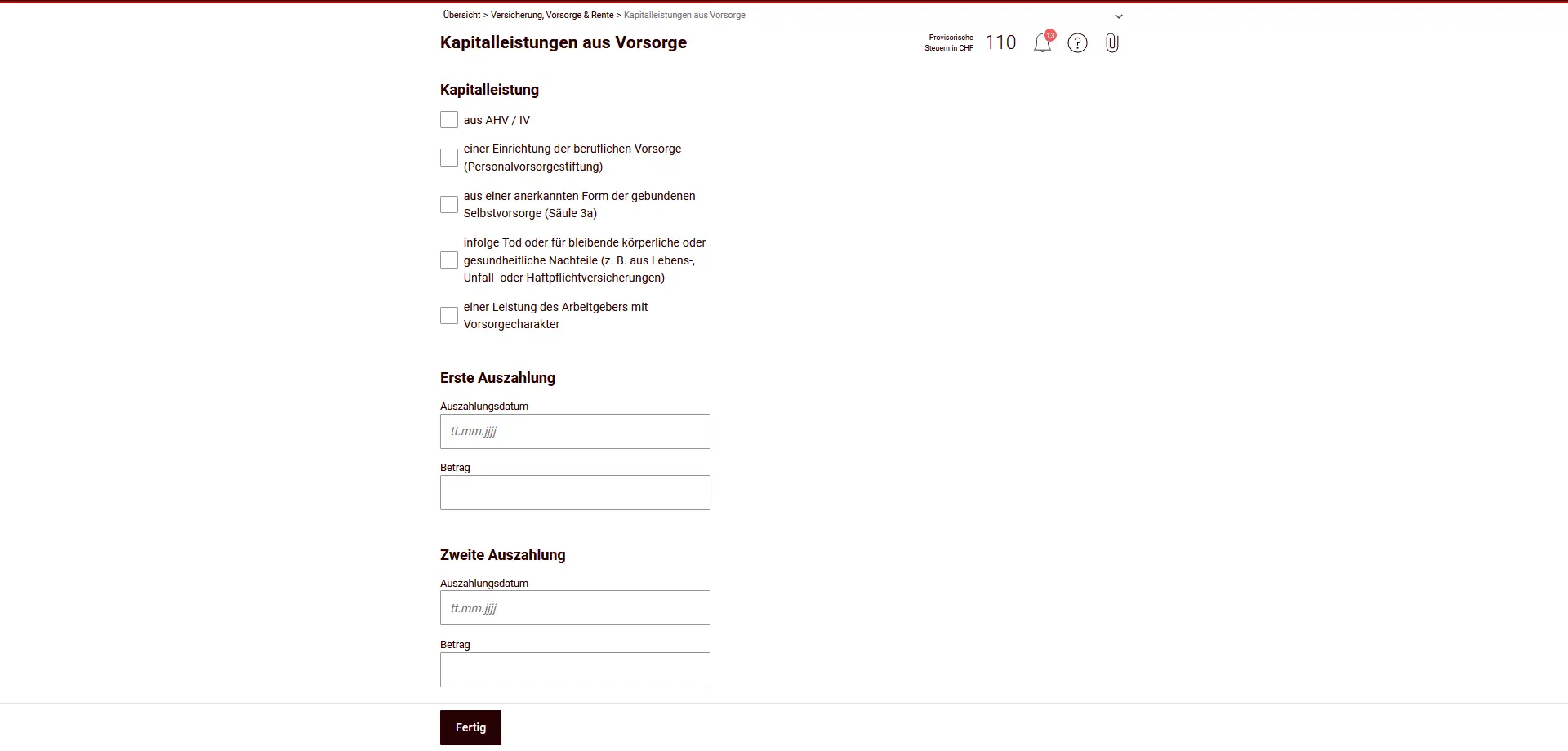
In this section, you declare one-off lump-sum benefits from pension provision. These are taxed separately from other income.
Capital benefits from:
- AHV / IV
- occupational pension schemes (2nd pillar)
- recognized forms of tied personal pension provision (pillar 3a)
- benefits in the event of death or permanent physical or health impairment (e.g. from life, accident or liability insurance)
- employer’s pension benefits of a provident nature
Corresponding lump-sum benefits are 100% taxable, but are subject to separate taxation (lump-sum tax).
Enter the date and amount of each payment. If several payments have been made, you can enter them separately.
Now you can either return to the overview or go directly to the next chapter.
Step 2: Finances (taxable assets)
In the “Finances” section, you enter your taxable assets as at December 31 and certain asset-related income. The data is valid for each household.
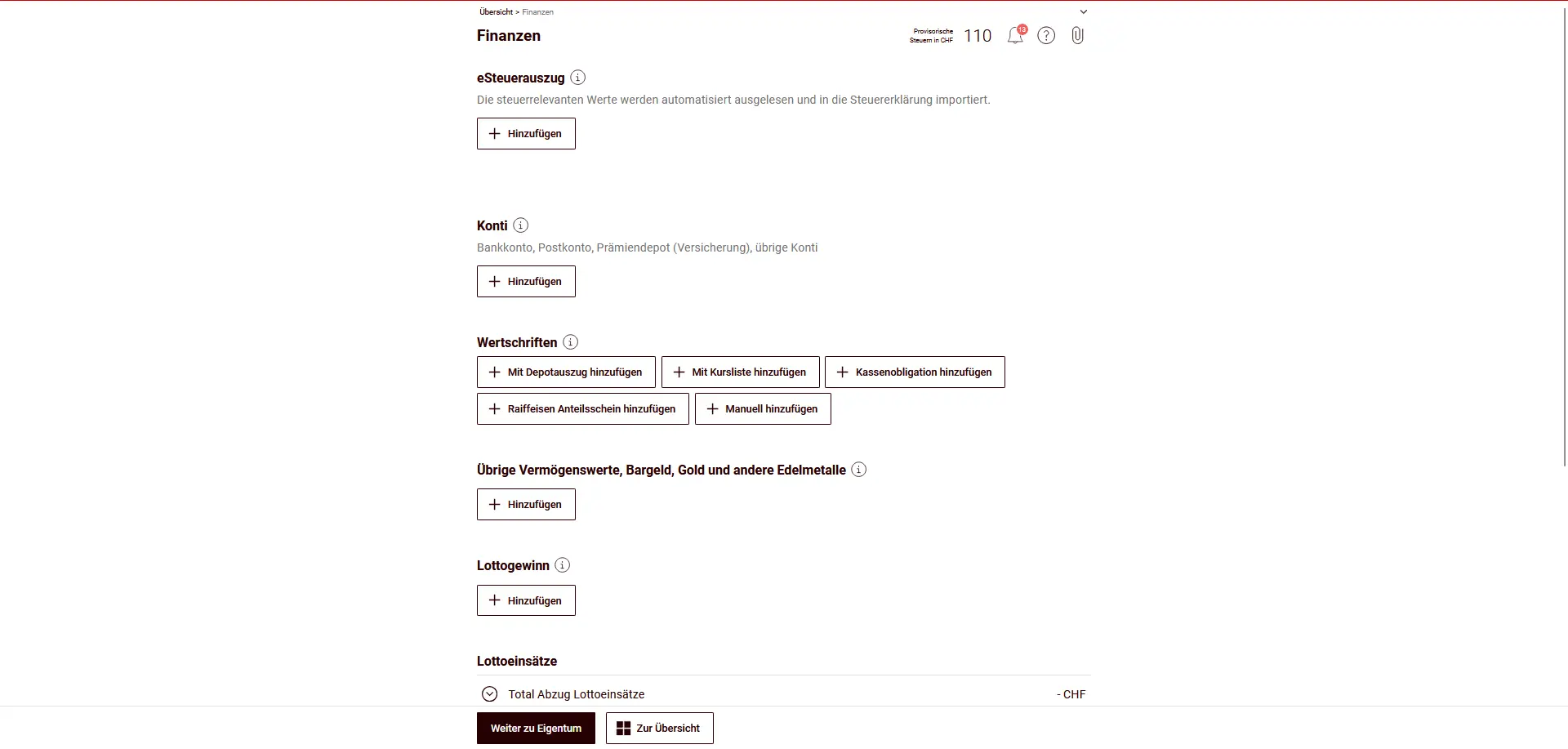
Can be entered:
- eTax statement
If available, you can automatically import bank and securities data here. - Accounts
Bank and postal accounts, savings accounts, insurance premium accounts and other accounts. - Securities quantities
Shares, funds, bonds or other securities (can be entered automatically or manually). - Other assets
Cash, precious metals (e.g. gold), loans or other assets. - Lottery winnings and stakes
Lottery winnings are taxable, while bets on games can be deducted up to the limit. - Loans and credit granted
Funds you have lent to third parties (e.g. private loans). These are considered assets. - Private debts
These include mortgage debts, consumer credits or small loans, as well as tax debts outstanding at December 31. The latter are deducted from assets. - Business debts
Debts arising from self-employment, if not already included in business assets. - Asset management expenses
Costs of securities management (e.g. custody fees or asset management mandates), insofar as they are tax-deductible.
eTax statement
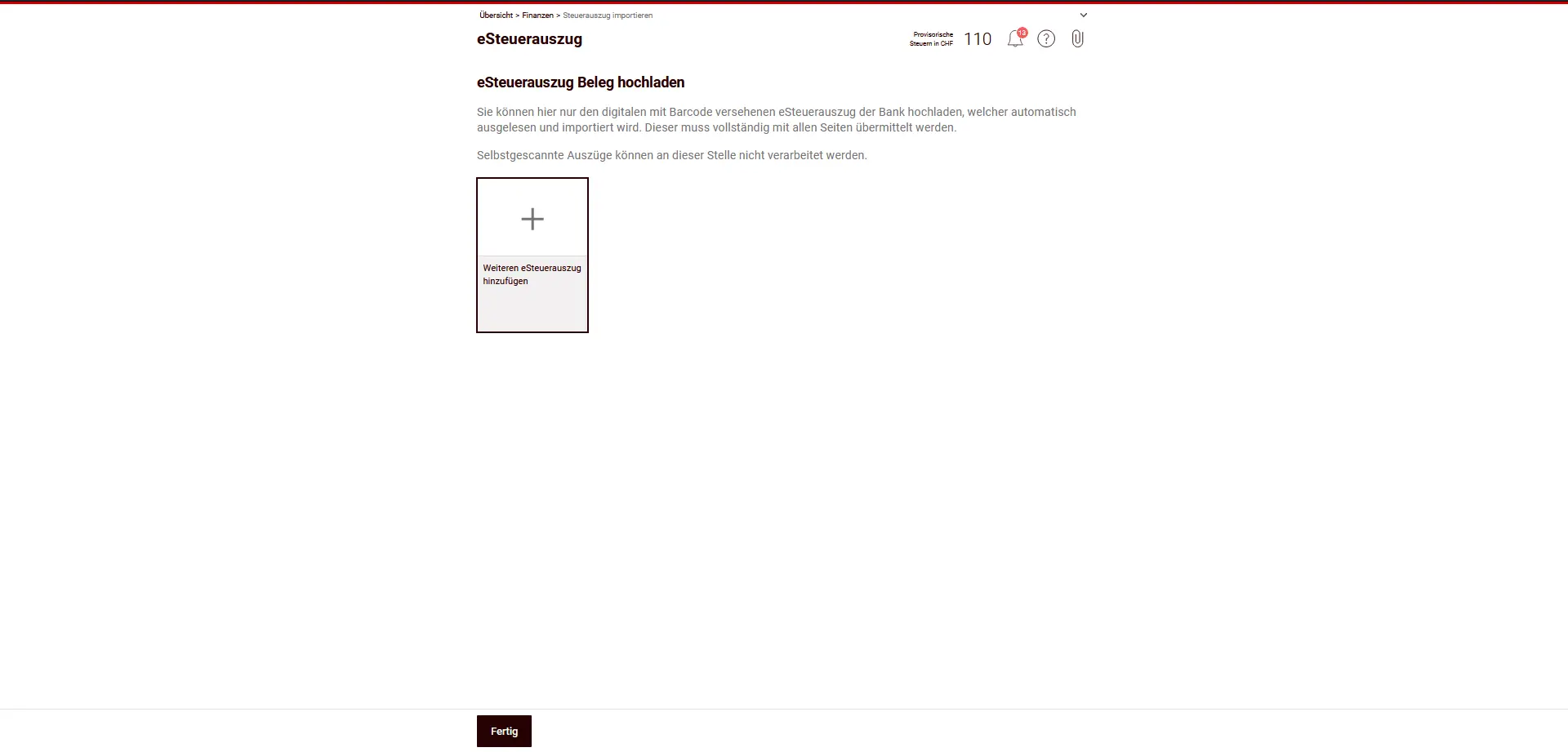
In the eTax statement section, you can upload your bank’s digital tax statement. This contains all tax-relevant assets and income (e.g. accounts, securities, interest, dividends) and is automatically imported into the tax return.
Please note:
- Only digital, bar-coded electronic tax statements are accepted.
- The statement must be uploaded in its entirety (all pages).
- Documents scanned or photographed by you cannot be processed here.
If you have uploaded an electronic tax statement, you often don’t need to enter the individual accounts and securities manually.
Accounts
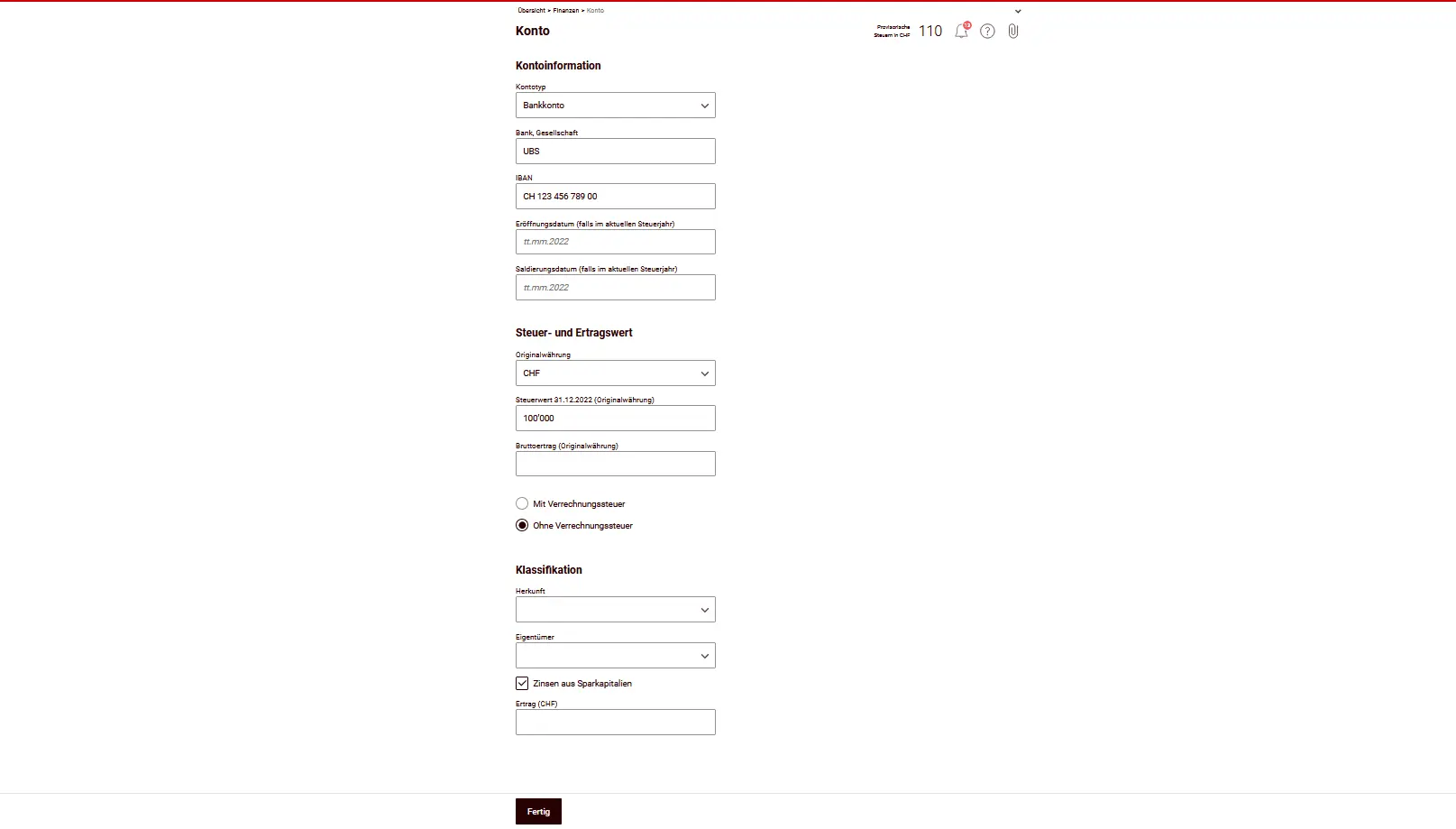
In the Accounts section, you declare all the bank and post office accounts, savings books and salary accounts you have on December 31st of the fiscal year. This includes both the account balance (tax value) and income generated during the year, such as interest.
In principle, you only declare your share (often 50%). Details are explained in the general FAQ here: FAQ Swiss tax return (2026).
For each account, you indicate, among other things:
- Type of account (e.g. bank account, postal account)
- Bank or company and IBAN
- Tax value as at 31.12
- Gross income (e.g. interest)
- Whether or not withholding tax applies
Please note
- Wealth and income of persons born from 2003 are taxed by themselves. Accounts and corresponding income no longer need to be declared by parents.
- Negative interest is not considered income. You enter them later in the asset management fees under “other effective fees”.
If you have uploaded a tax statement, many accounts are already entered automatically and you don’t need to enter them again manually here.
Securities
If you invest in ETFs or stocks (US, Europe, Ireland), the tax side quickly gets confusing: dividends, withholding tax, DA-1, R-US 164, etc. I’ve put everything together in a clear, jargon-free guide, with concrete examples from my own tax returns:
Swiss Investor Tax Guide 2026: US, Europe, Ireland ETFs
In this section, you declare your securities holdings. This includes shares, ETFs, funds and other units. If you have already uploaded an electronic tax statement from your bank, many items are automatically included and do not need to be re-entered.
Example: American ETF (Vanguard Total World Stock ETF)
For foreign ETFs like Vanguard Total World Stock ETF (VT), you select “Add to price list” and search for the stock by name or security number. This is the simplest option. The tax authorities automatically take in a wide range of information, such as tax value, dividends and conversions.
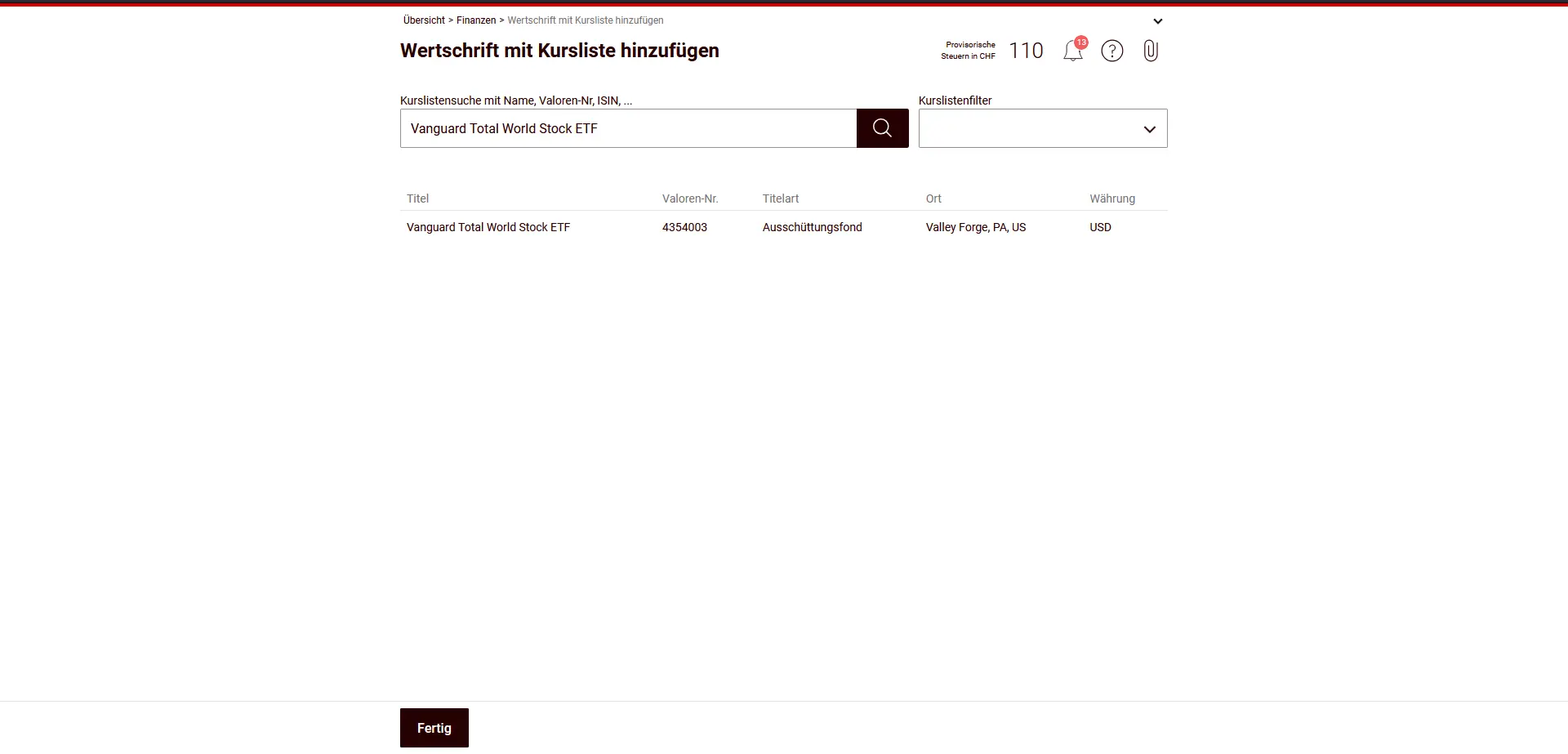
You need to check or complete:
- Initial quantity (= number of shares at the beginning of the year)
- Final quantity (= number of shares on December 31)
- Purchases and sales during the fiscal year
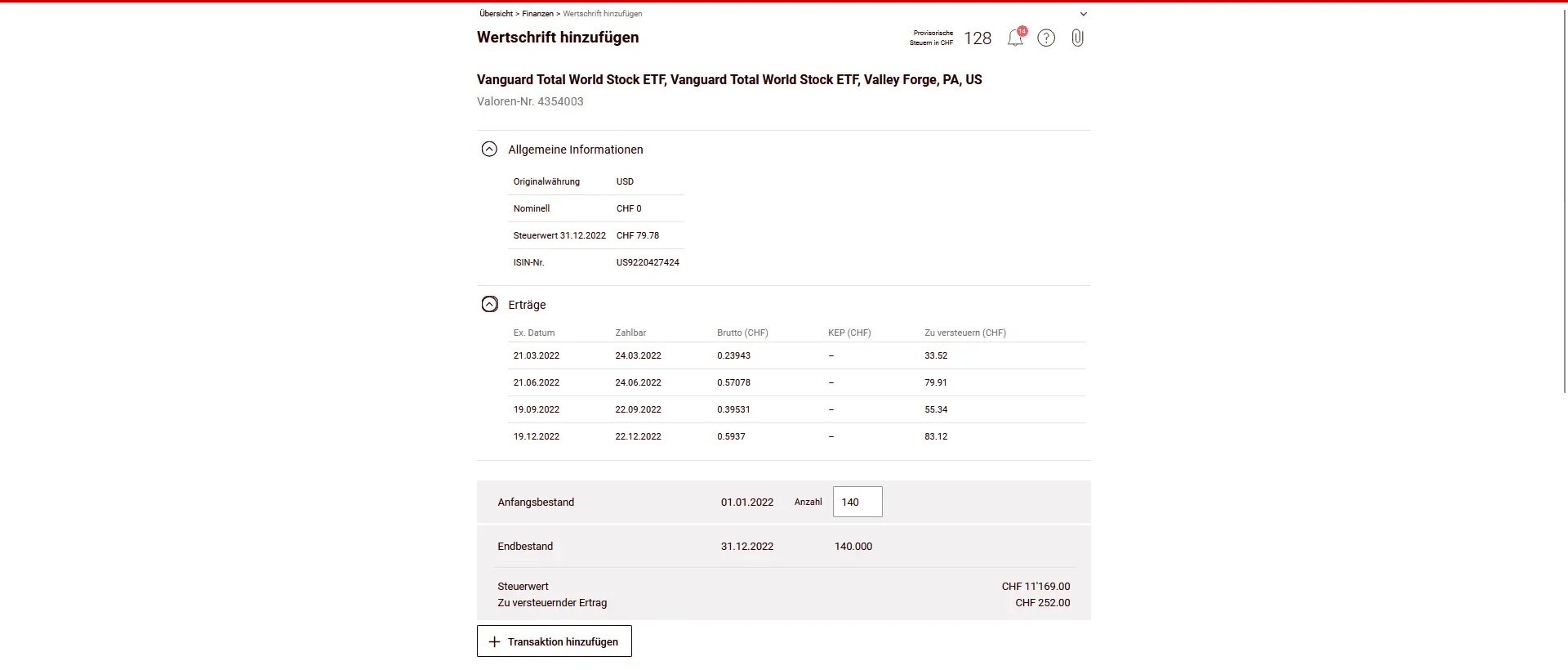
As VT distributes dividends, these are taxable as income. In addition, here you activate form DA-1 / R-US 164 to claim foreign (USA) withholding tax.
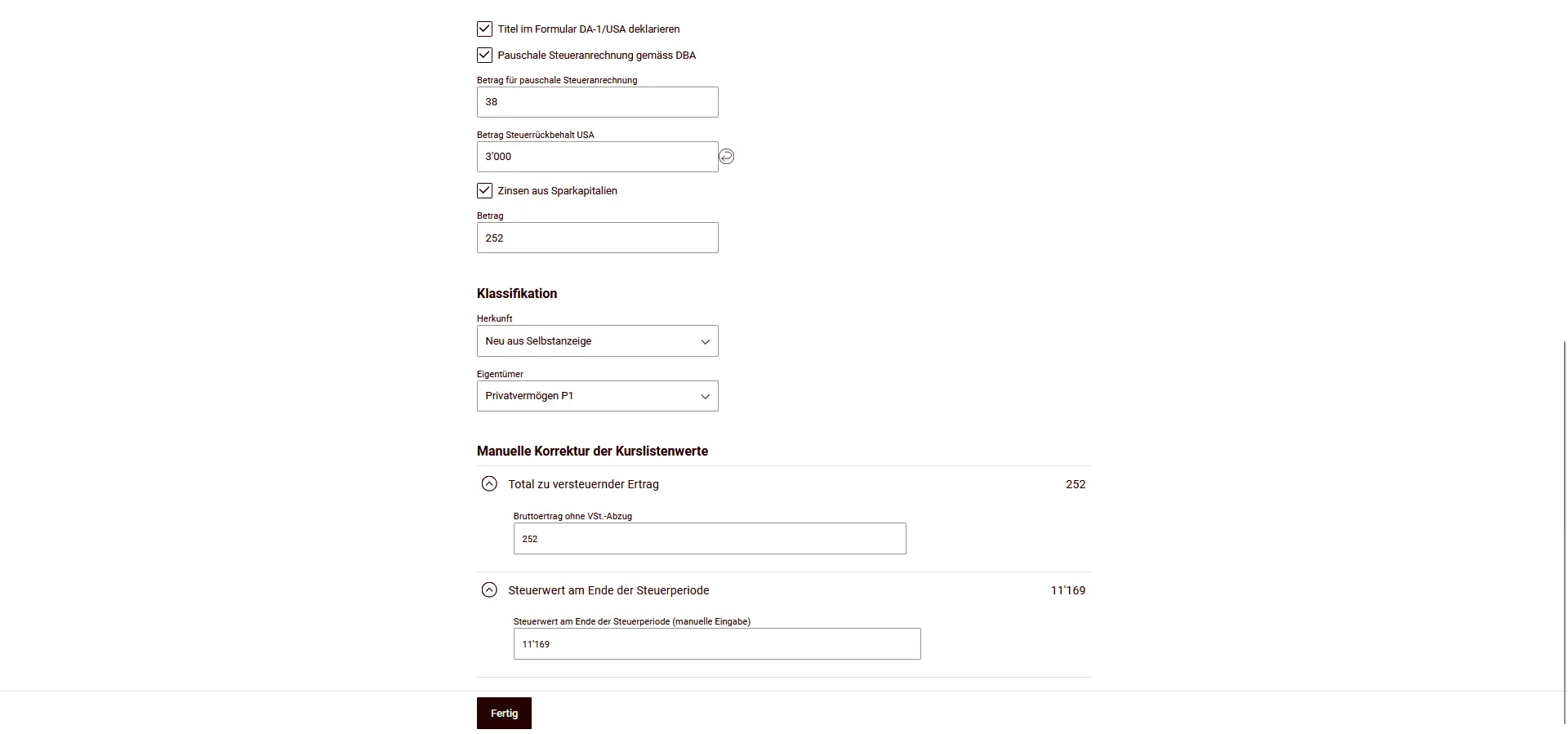
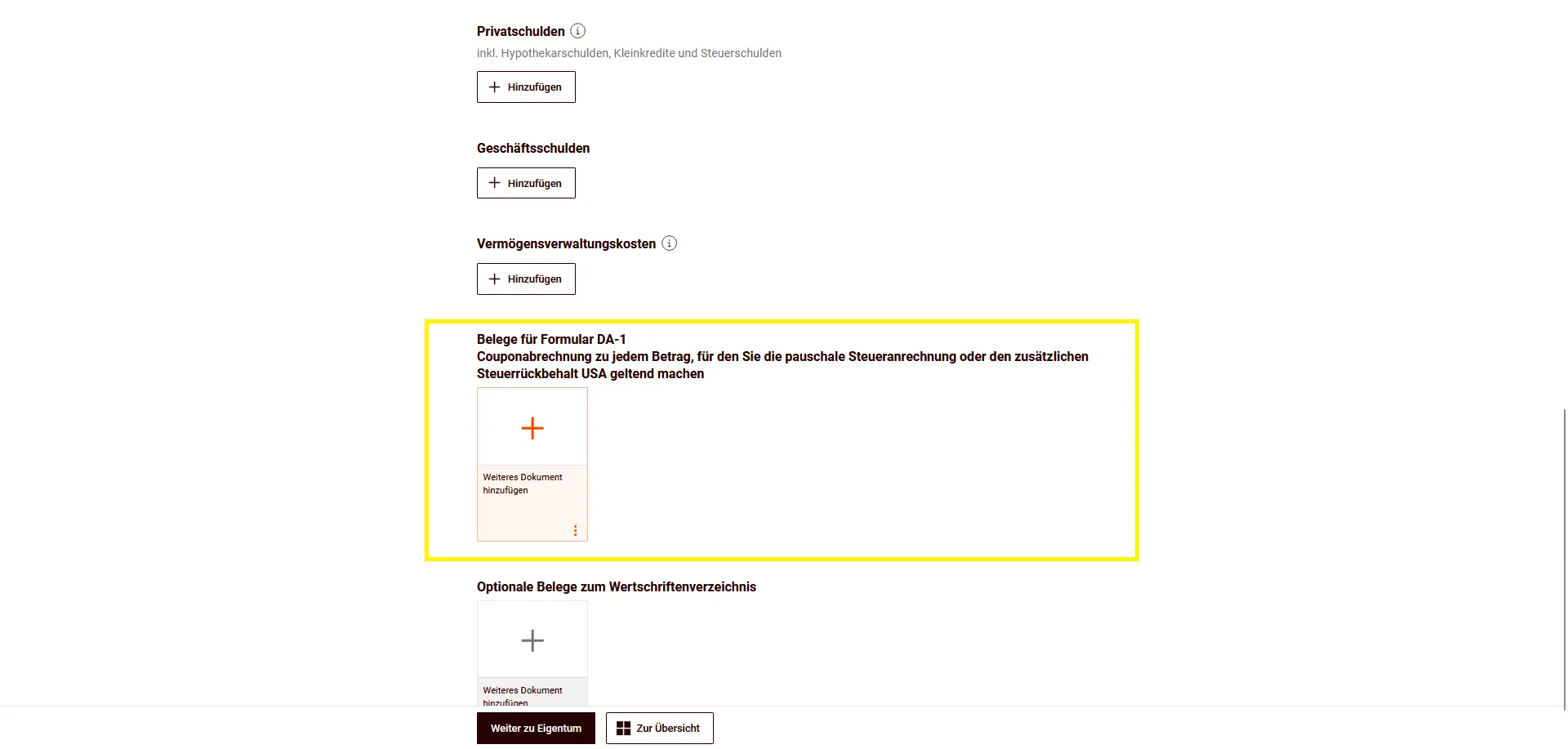
The option to add the form appears further down in the title preview.
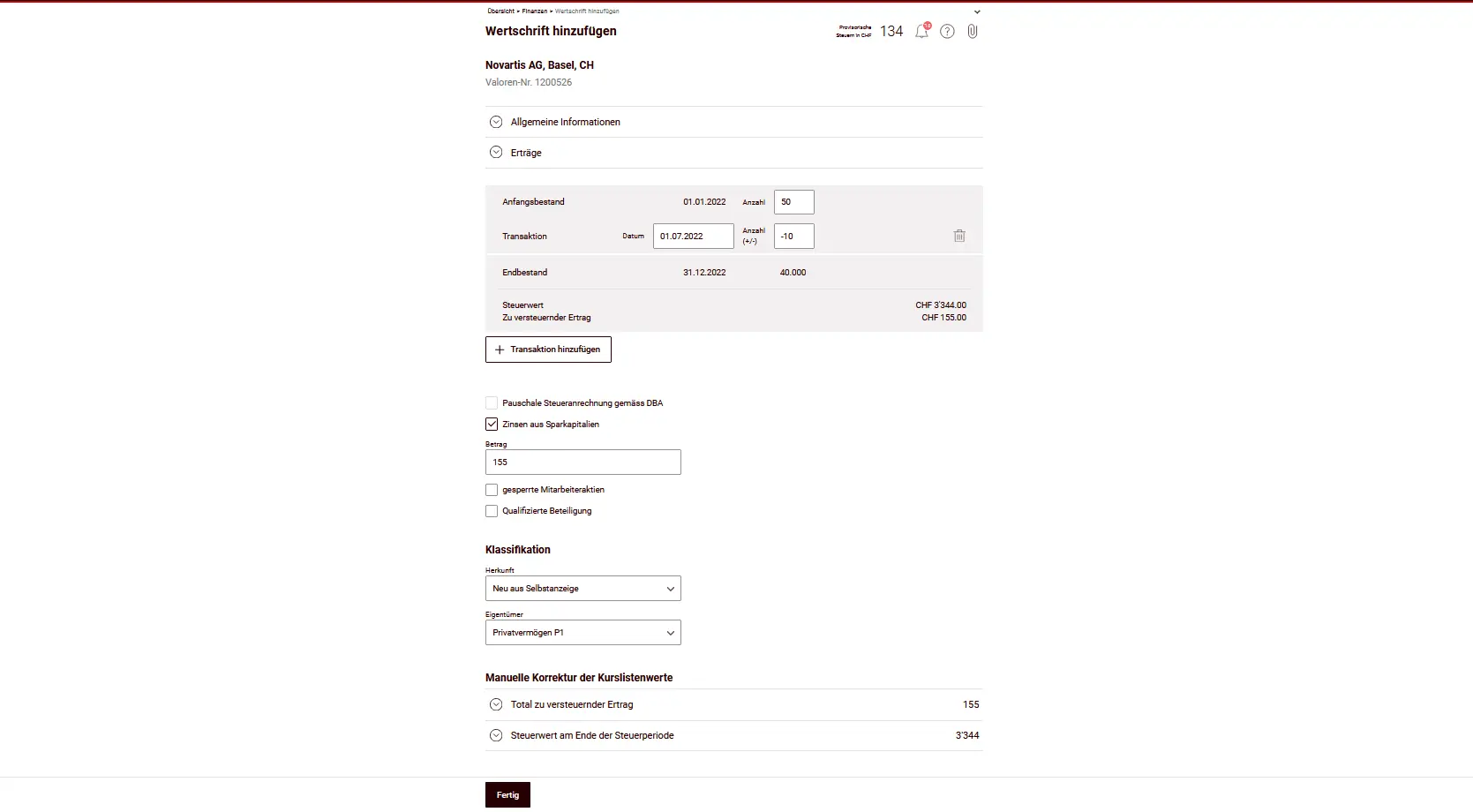
Example: Swiss stock
Swiss securities (e.g. Novartis stock) are entered in the same way, but without an additional form for withholding tax. You enter the number of shares, any transactions and the tax value on December 31st.
Securities overview
After entry, you’ll see all the securities in the overview - including tax value and taxable income.
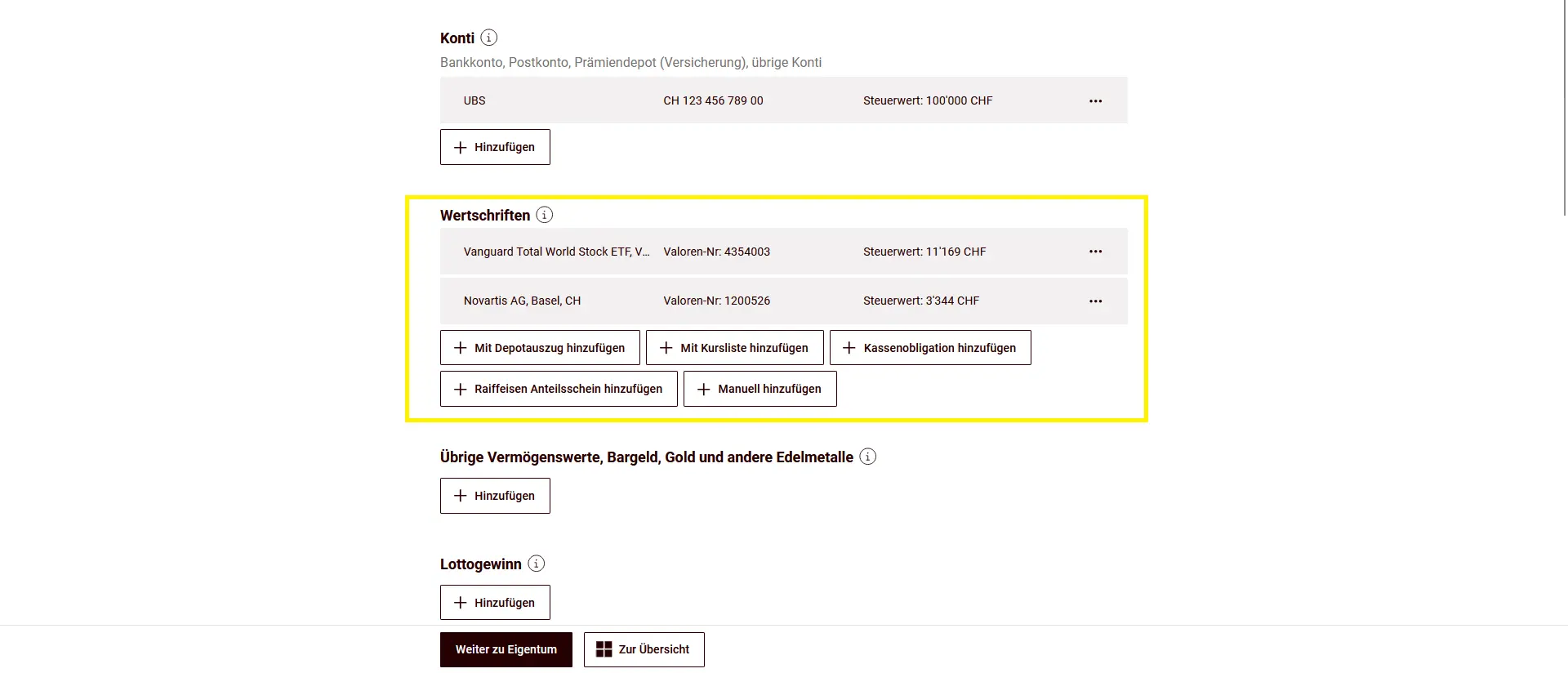
You can add further proof of your shares below.
Other assets, cash, gold and other precious metals
In this section, you declare assets that do not come under accounts or securities. Examples include works of art, collections, jewelry, boats and aircraft. Household goods are tax-exempt and do not need to be declared.
You indicate cash and foreign banknotes with the tax value as at 31.12.
For foreign currencies as well as gold and other precious metals, you use the ESTV’s official rate for currencies or precious metals.
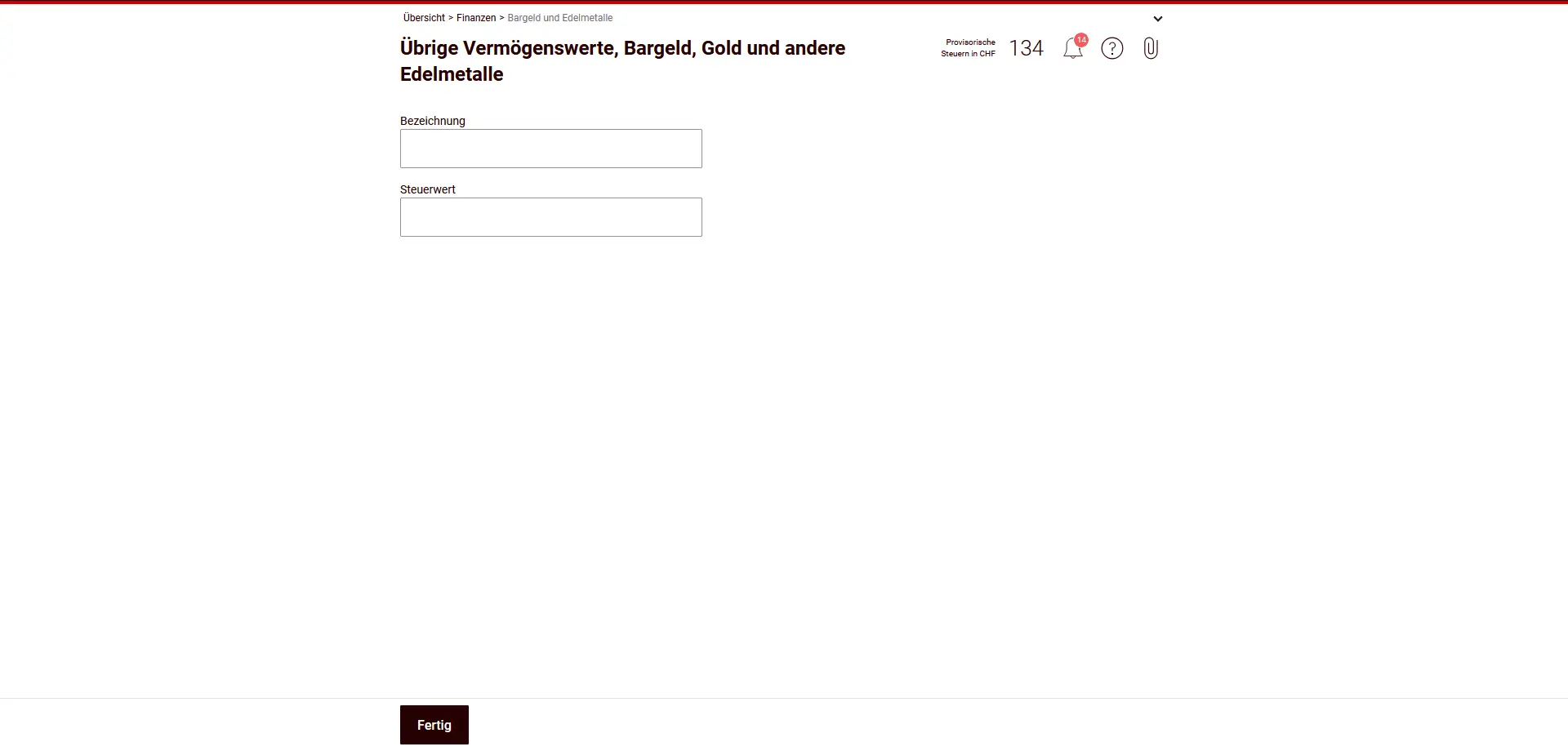
Enter a brief description of the asset and the corresponding tax value.
Lottery and gambling winnings
In this section, you declare winnings from lotteries, sports betting, casino games and contests. The important thing is to know what type of game is involved — this determines whether and to what extent the winnings are taxable.
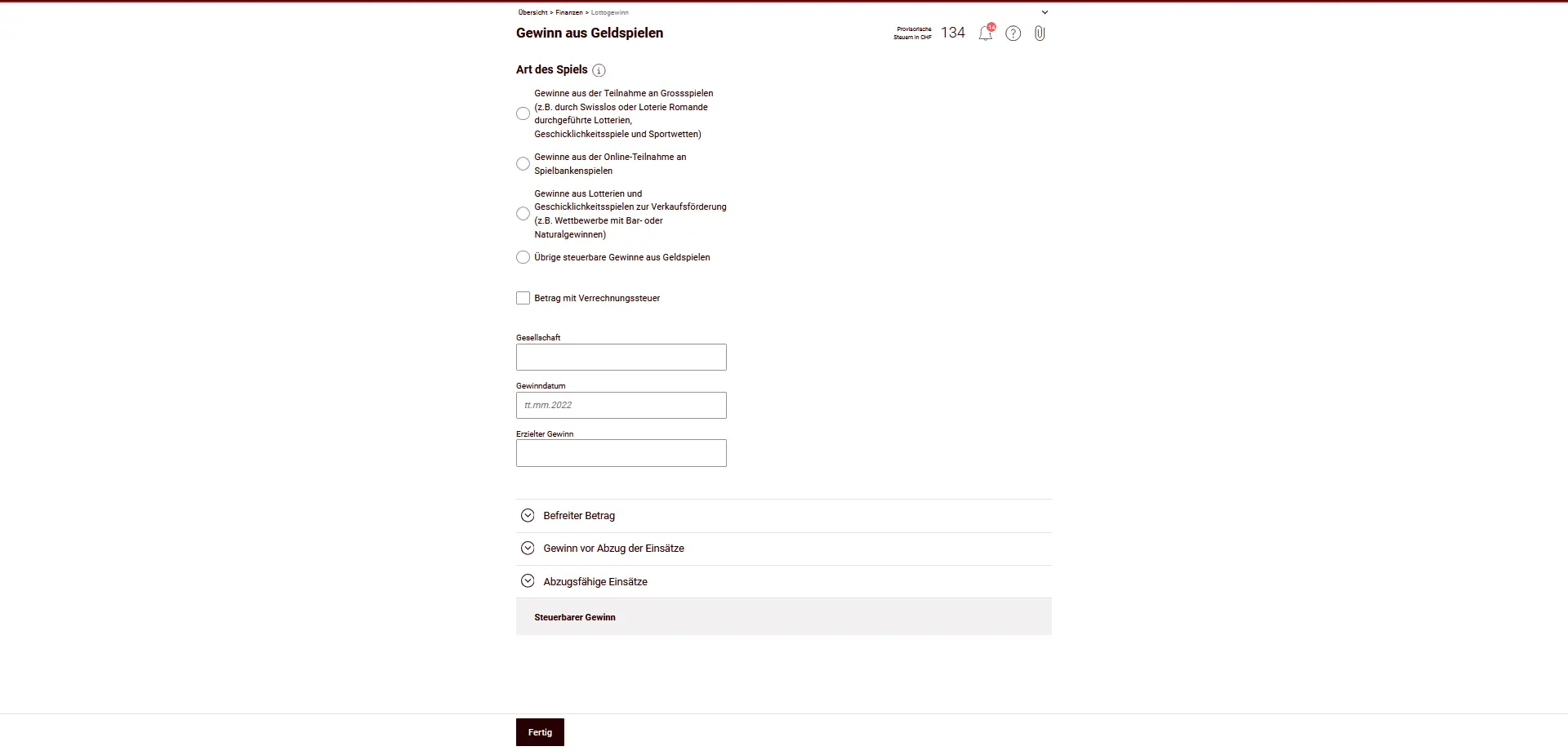
Tax principles:
- Large-scale national games (e.g. Swisslos, Loterie Romande, sports betting, authorized online gaming houses): winnings are only taxable from CHF 1'000'000 (exempt amount). Only the amount exceeding this limit is taxed.
- Lotteries and games of skill for sales promotion (e.g. competitions organized by retailers or the media): winnings are fully taxable from CHF 1'000 (exemption limit).
- Foreign lottery winnings Winnings from foreign lotteries, online games or casinos are always 100% taxable, regardless of the amount.
- Non-taxable are:
- Winnings from authorized Swiss casinos (if not self-employed).
- Winnings from small games (small lotteries, local sports betting, small poker tournaments).
Deductible bets:
- For taxable winnings, you can deduct wagers up to 5% of the winnings, to a maximum of CHF 5'000.
- For online casino games, wagers can be deducted up to a maximum of CHF 25'000 per year.
Enter the type of game, the organizer, the date of the win and the amount won. The form automatically calculates the taxable amount, taking into account deductions and wagers.
Loans and credits granted
In this section, you declare the loans and credits you have granted to other people or institutions. This also includes private assets, down payments or claims secured by real estate pledges.
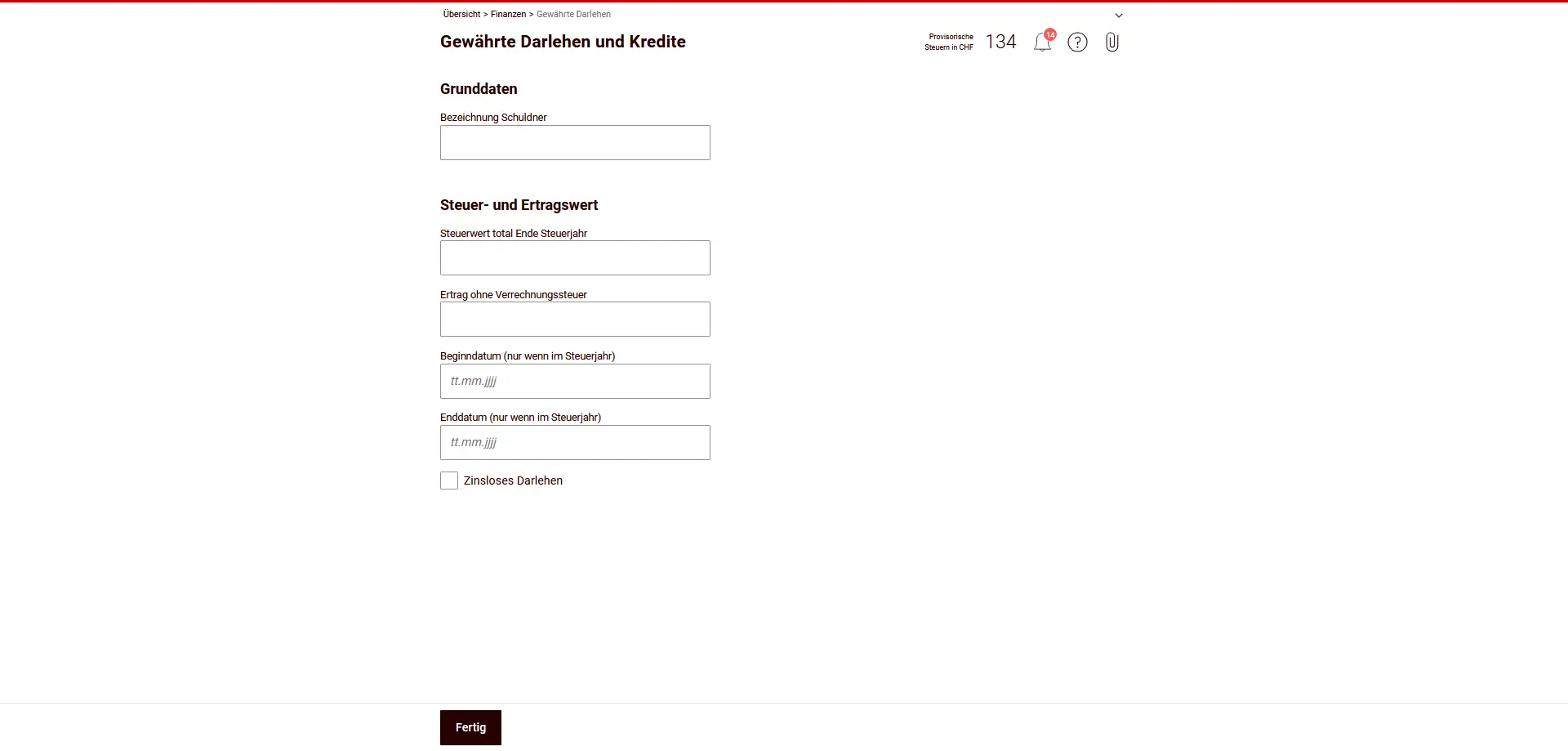
You enter the total amount of the claim at 31.12 as the tax value. If a credit is uncertain or disputed (e.g. doubtful repayment), you can reduce the amount according to the realistic probability of loss.
In addition, you enter
- the name of the debtor,
- any interest received during the fiscal year (even for interest-free loans, mark them explicitly as such),
- start and end dates, if the loan started or ended during the fiscal year.
Convert assets in foreign currencies into Swiss francs at the official rate for currencies or securities (same rate as for foreign securities).
Private debts
Here you declare private debts, such as mortgage debts, small loans or tax debts.
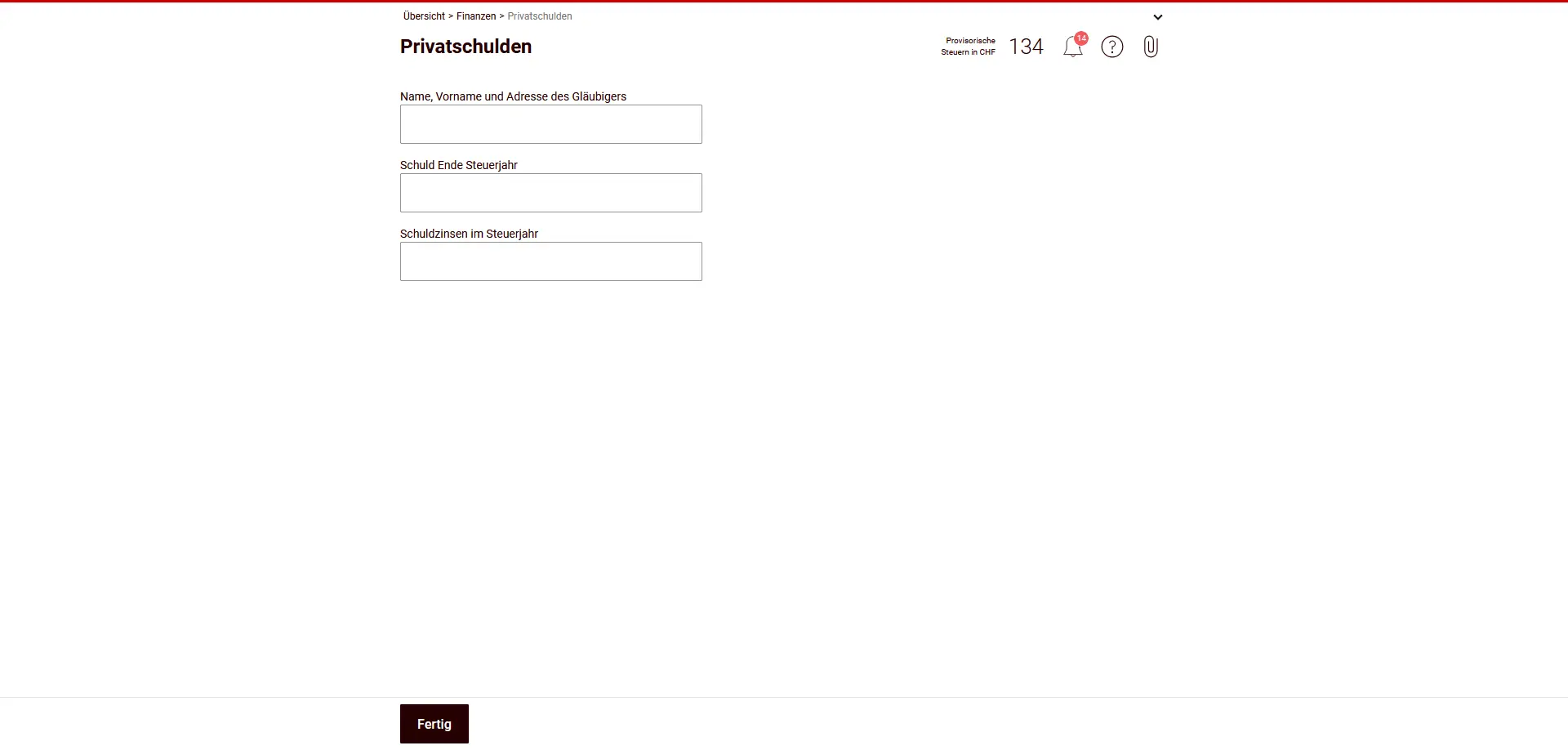
You need to enter a complete list of debts. Important points include:
- Name and full address of creditor
- Amount of debt at 31.12
- Interest paid during the fiscal year
Only interest is relevant for tax purposes.
The following are not deductible
- Depreciation (capital repayments).
- Costs of creating or increasing mortgage notes or mortgages
- Interest on building loans until move-in or rental
- Building lease interest for owner-occupied properties
- Residential rents and leasing interest
Make sure that the data matches your interest statements.
Commercial debts
Here you declare commercial debts, i.e. debts directly related to a self-employed activity or a commercial enterprise.
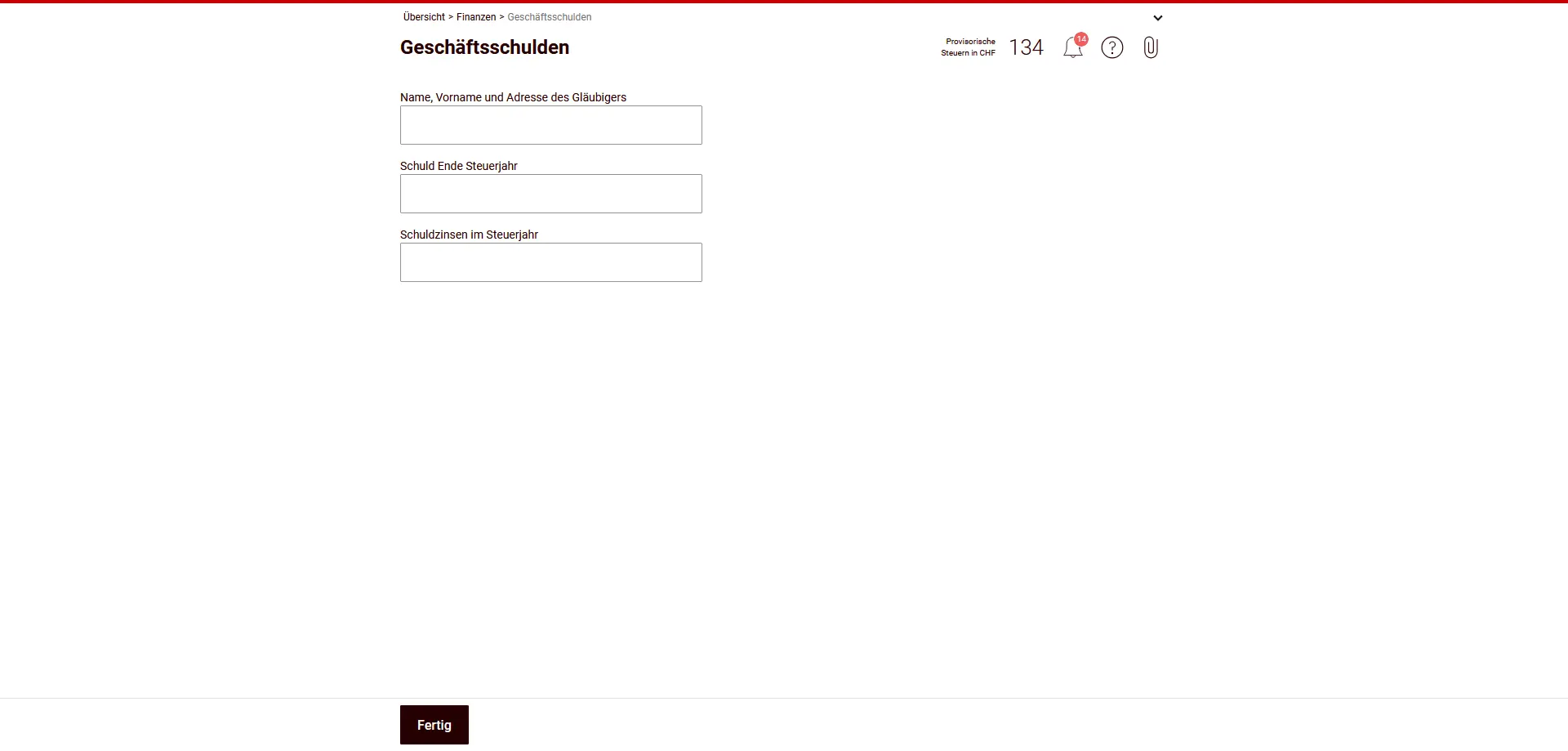
To this end, you indicate
- Name and full address of creditor
- Amount of debt at the end of the fiscal year
- Interest paid during fiscal year
Business debts are recorded separately from private debts. It is important that they are clearly attributed to business assets. The data must correspond to your accounting or income statement.
If you are not self-employed, this section remains empty.
Asset management expenses
In this section, you enter deductible asset management expenses. These expenses are intended to preserve your assets — not to increase them.
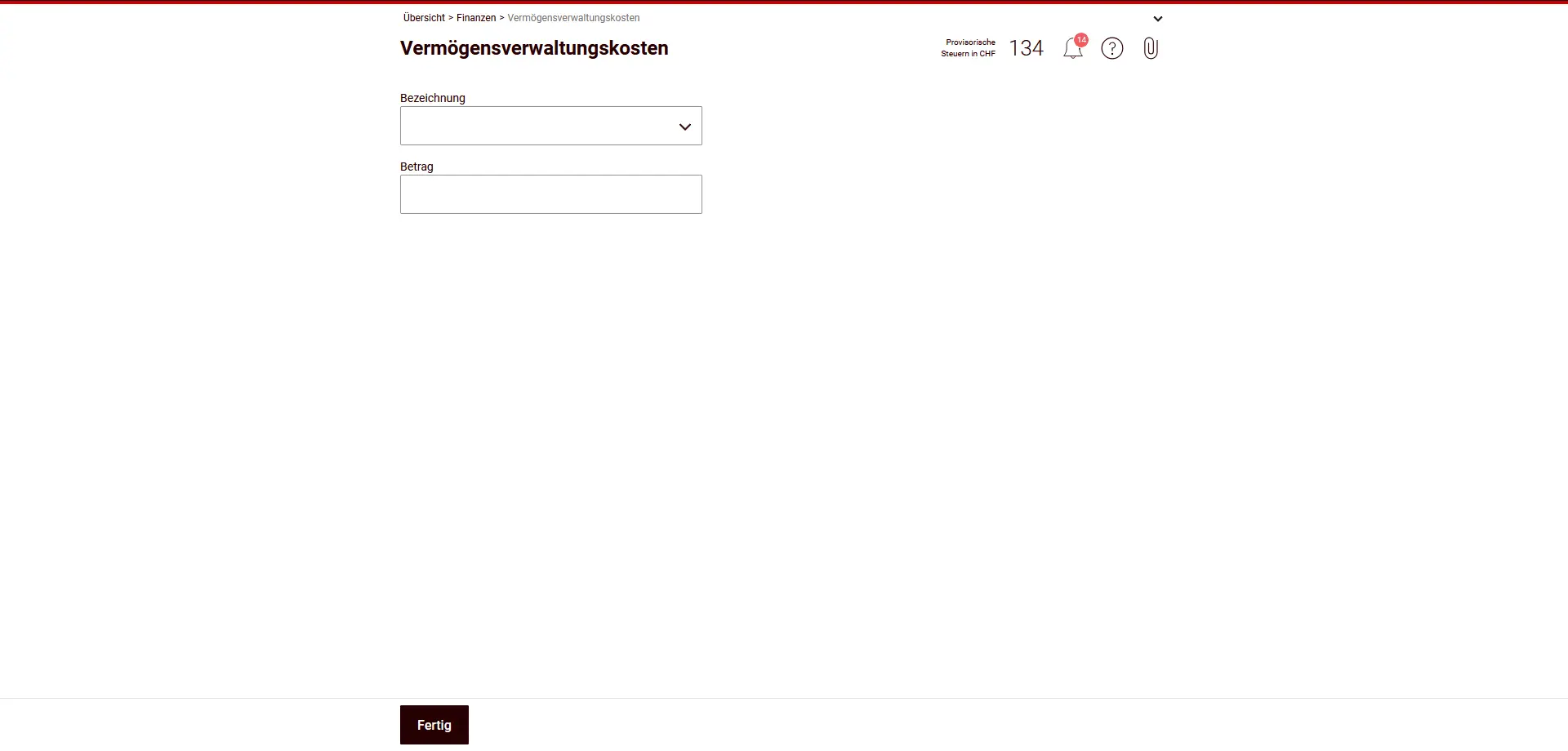
Are deductible:
- Costs of asset management by authorities (e.g. guardianship, administration of estates), banks, trustees, lawyers or asset managers
- Custody fees for securities and valuables (custody fees, safe-deposit boxes)
- Costs of collecting income from assets (e.g. collection or affidavit fees, coupon redemption)
- Account charges (current, investment or savings account)
- Account opening and balance fees
- Bank charges for claims for refund or offset of foreign withholding tax (e.g. DA-1)
- Fees for inventory of securities
- Extraordinary costs for asserting income entitlements (e.g. court costs for interest claims)
- Negative interest on bank deposits (but not negative returns on government bonds)
Expenses used directly for the purchase or sale of investments or to increase assets are not deductible.
Enter a name and the amount each time. Keep the receipts in case they are requested at a later date.
Next step
Filing a tax return in Switzerland isn’t so difficult after all!
In part 3 of our eTax-Solothurn tutorial, we’ll discuss the following sections:
- Properties (incl. real estate)
- Others
- Supporting documents
- Overview and submission
If you find other tax optimization possibilities in the screenshots above (or if you have a question), don’t hesitate to send it to me in the comments!