
In the last article, we covered insurance, pension and finances (accounts, securities, debts).
Now we continue with real estate, inheritances, donations and submitting the tax return.
Step 8: Property
In the Property section, you declare real estate as well as motor vehicles and other assets. Only the debts (mortgages / interest) have already been entered in a separate form (see Step 7).
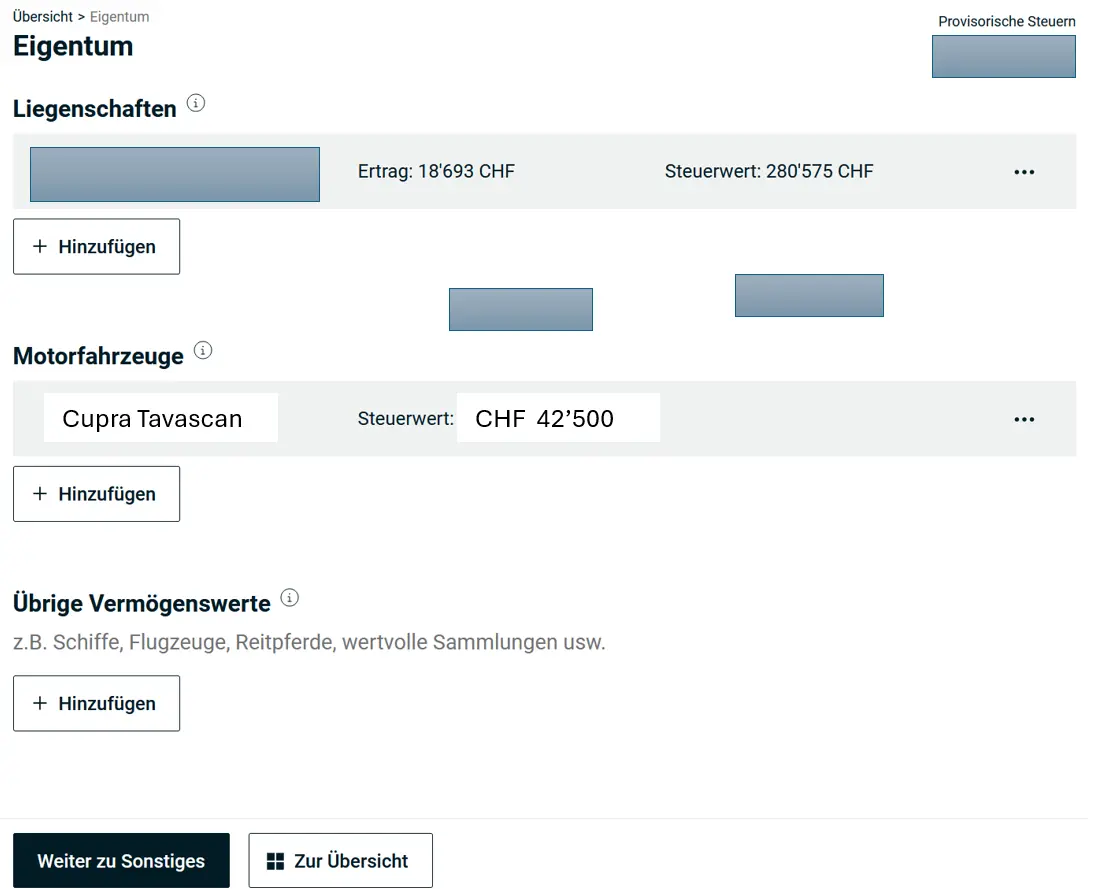
As a Tenant
You can ignore these forms and skip directly to Step 9.
As an Owner of Self-Occupied Property
You should repeat these steps for each property. If the form has no empty row, add one with “Liegenschaften hinzufügen” (Add property). Then you can edit the row.
Enter the data for your property, usage is self-occupied.
For the tax value and imputed rental value of the property, you receive a certificate from the canton each February and you enter exactly this data. If your property is abroad, you can calculate these values yourself as follows.
The tax value is 70% of the purchase price (so CHF 700'000 for a CHF 1'000'000 property). The imputed rental value is 3.5% (for houses) or 4.25% (for apartments) of the tax value.
Maintenance costs are set at a flat rate of 20% of the imputed rental value.
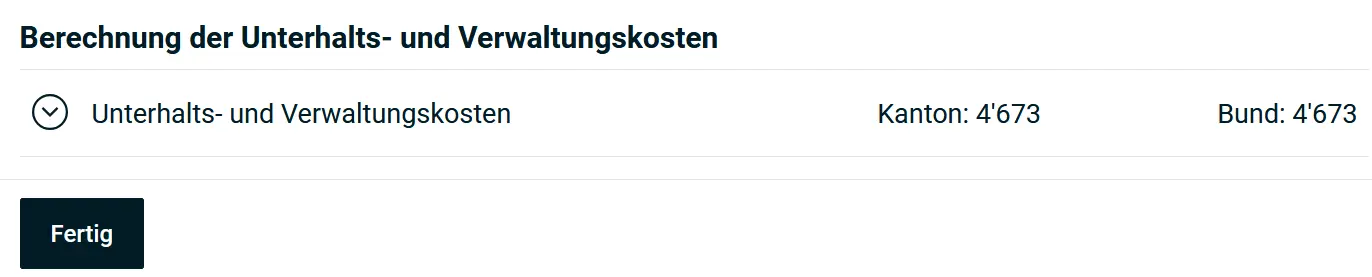
In many cases, however, it’s recommended to declare the actual maintenance and administration costs. These must then be listed and documented. Only “value-preserving” maintenance costs can be claimed: meaning replacements at the same standard.
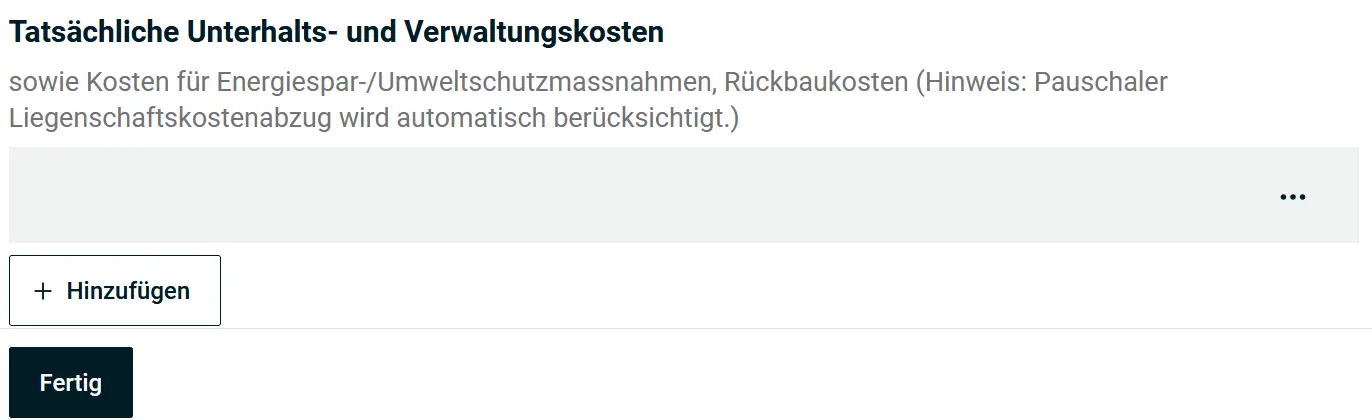
If you replaced all your toilets with golden ones (a frugal Mustachian would never do that!), you can’t deduct it or only partially. But you should still keep the receipts. You’ll need them to explain the property’s appreciation when selling, and they’re relevant for calculating the real estate capital gains tax.
The deductible costs are listed in detail, e.g., garden maintenance work, payments to the renovation fund, and certain insurance (like building insurance).
As an Owner of Rented Property
Recording a rented property is quite similar to a self-occupied property, with a few differences.
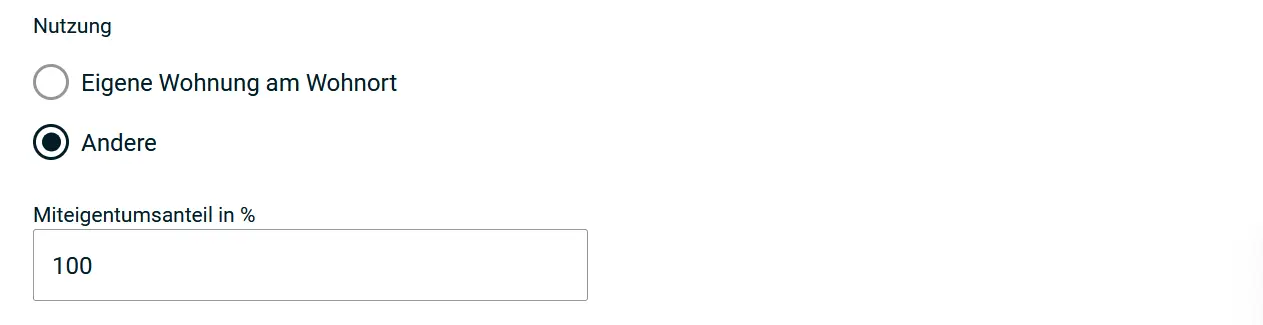
Rental income is entered instead of imputed rental value, for the actual rental period.
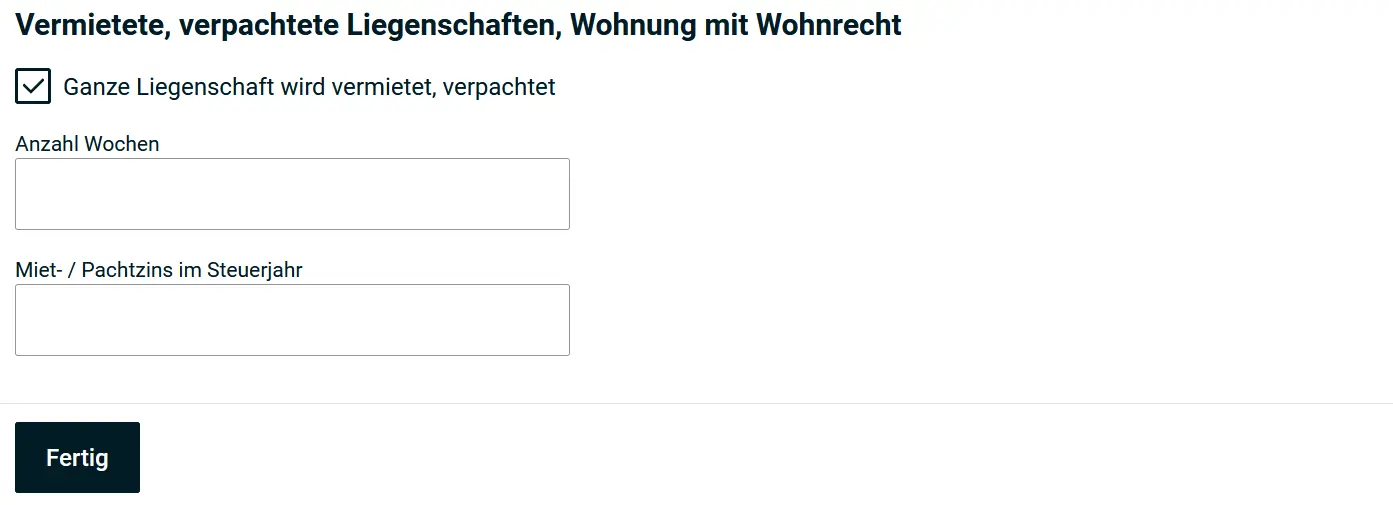
For maintenance and administration costs, it’s similar. These are to be declared as a flat rate or as actual costs.
Step 9: Miscellaneous
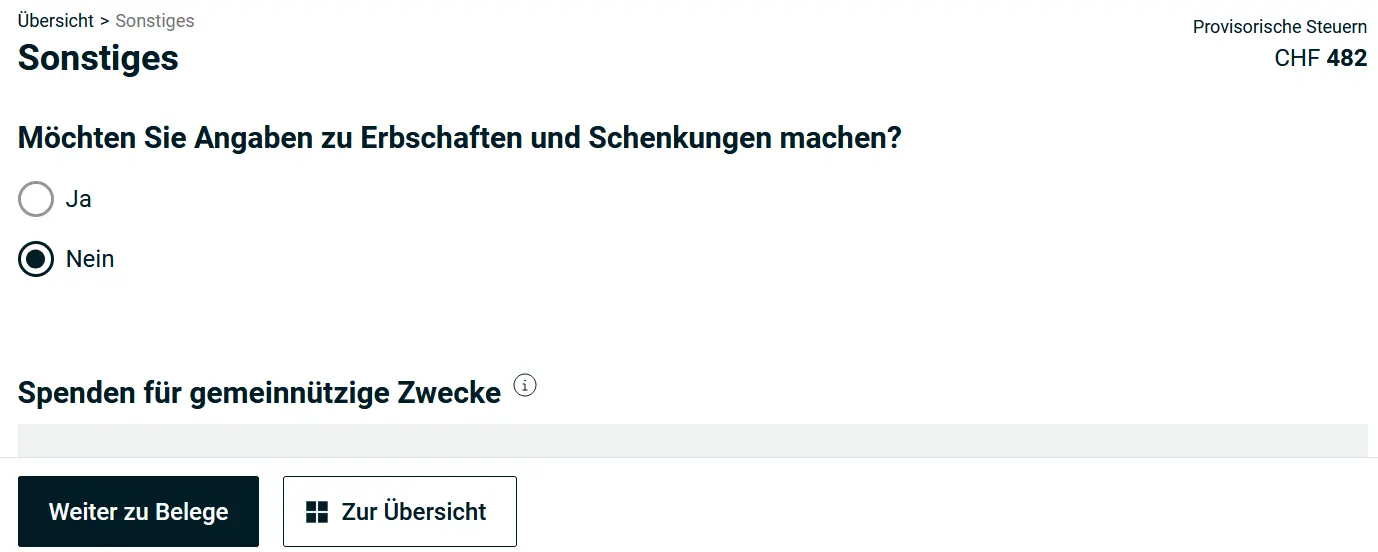
Inheritances / Gifts
You can enter information about inheritances and gifts here.
Donations for Charitable Purposes
You can deduct your charitable donations here. The total must be at least CHF 100. The beneficiaries must be based in Switzerland.
Various Other Deductions
Contributions to political parties, a right of residence and much more can still be mentioned here.
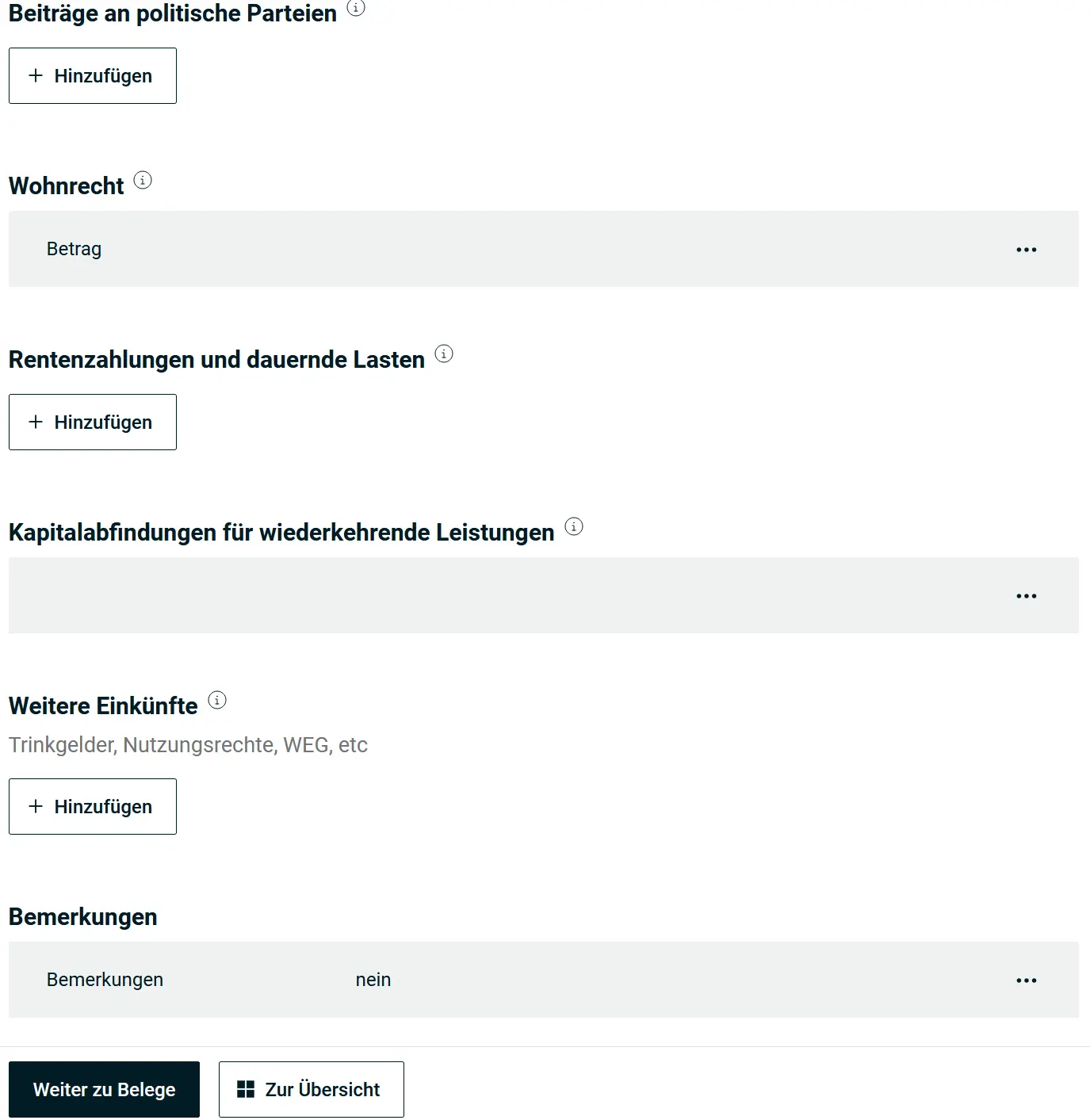
Remarks
You can add remarks and notes to your tax return here. This is useful for entries that aren’t documented or obvious.
Step 10: Supporting Documents
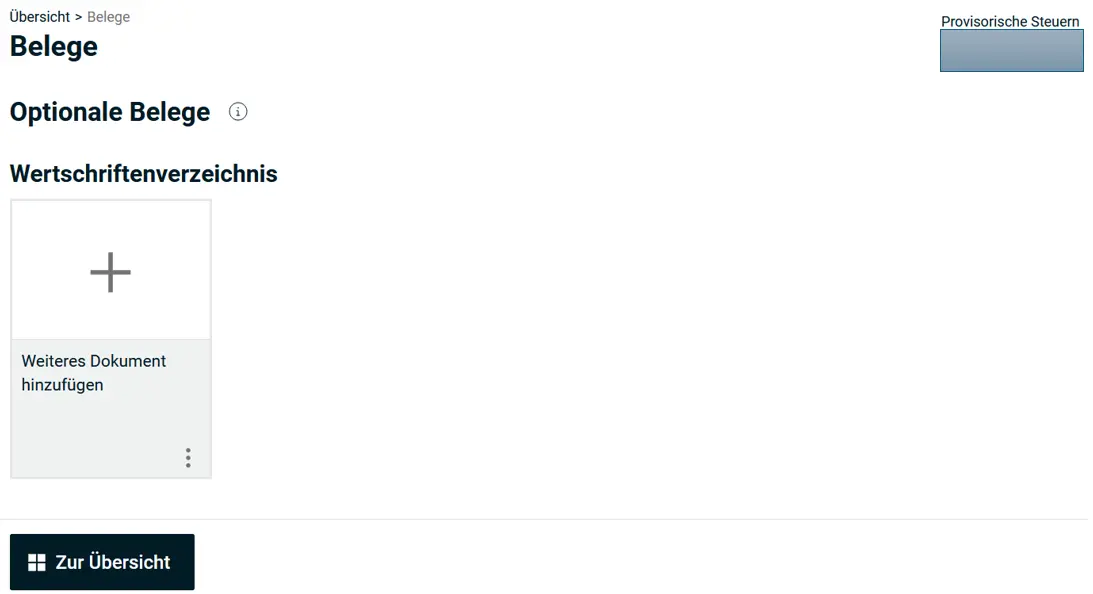
Before everything can be finalized, you should now check in the supporting documents section that everything is properly documented, for example:
- Securities directory
- Property
- Professional expenses Person 1
- Professional expenses Person 2
- Self-employment
- Miscellaneous / without category
Step 11: Overview
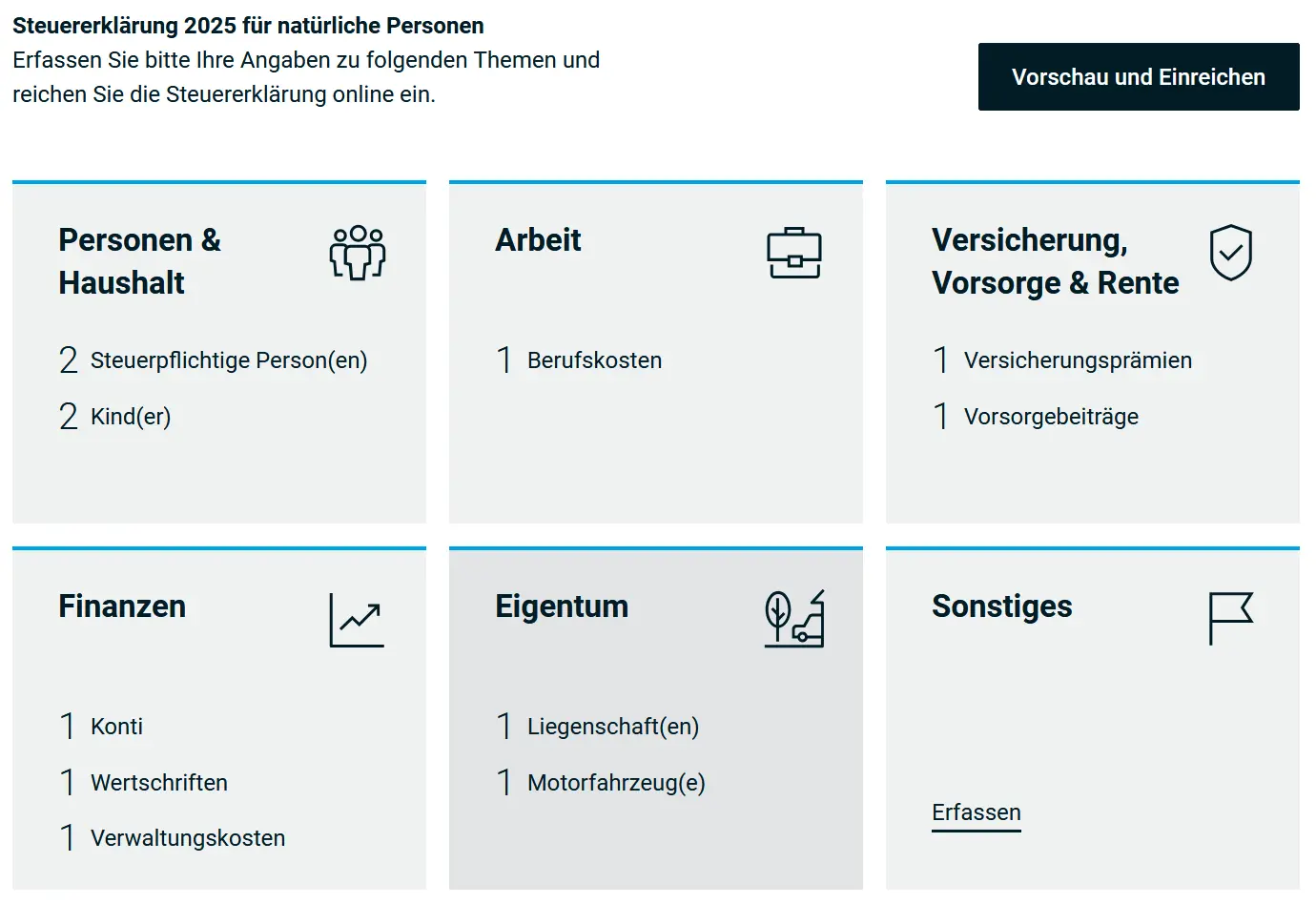
With all this data entered, quite a lot has happened.
Preview and Submit
You can check the preview of your value summary at any time and compare it with the previous year, for example. This is also a quick way to see what’s still missing.
Preview - Tax Return
Via “Vorschau generieren” (Generate preview), the provisional and later the final tax return can be created and saved as a PDF.
Submission
If there are no errors and all necessary supporting documents are present, you can now review the entire tax return once more and double-check it with your partner.
You can also generate a provisional tax calculation to see the estimated taxes.
After the completeness check, you can submit the entire tax return and you’re done.
In a few weeks or months, you’ll receive the final tax assessment, and an invoice or refund if there’s a difference between the provisional and the final tax calculation.
Done!
Congratulations! You’ve filled out and submitted your tax return in the canton of Lucerne with eSteuern.LU.
And if I missed a tax savings opportunity in the screenshots above (or if you have questions), let me know in the comments section below.